
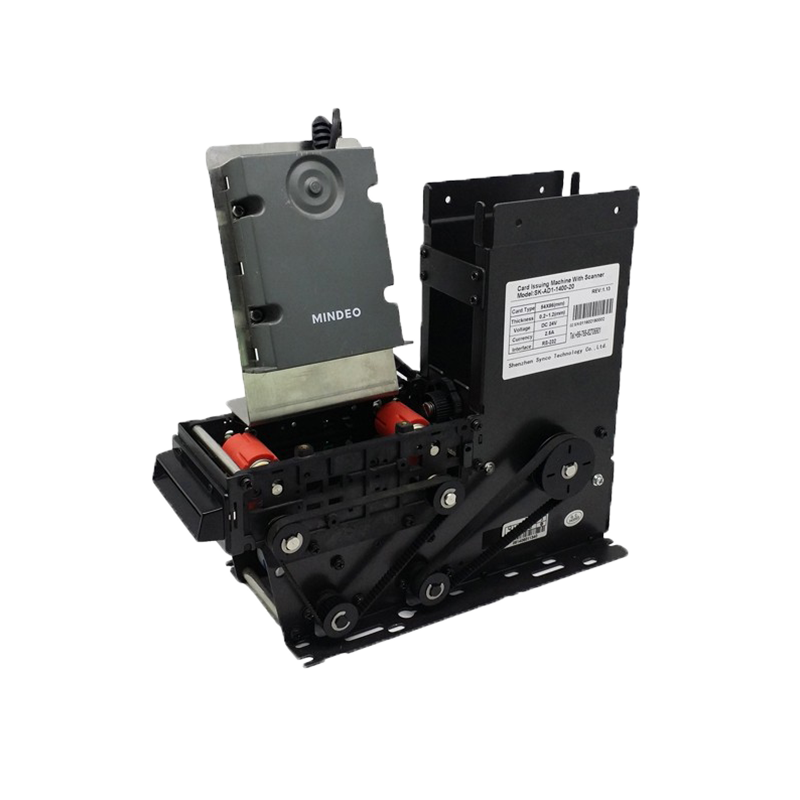
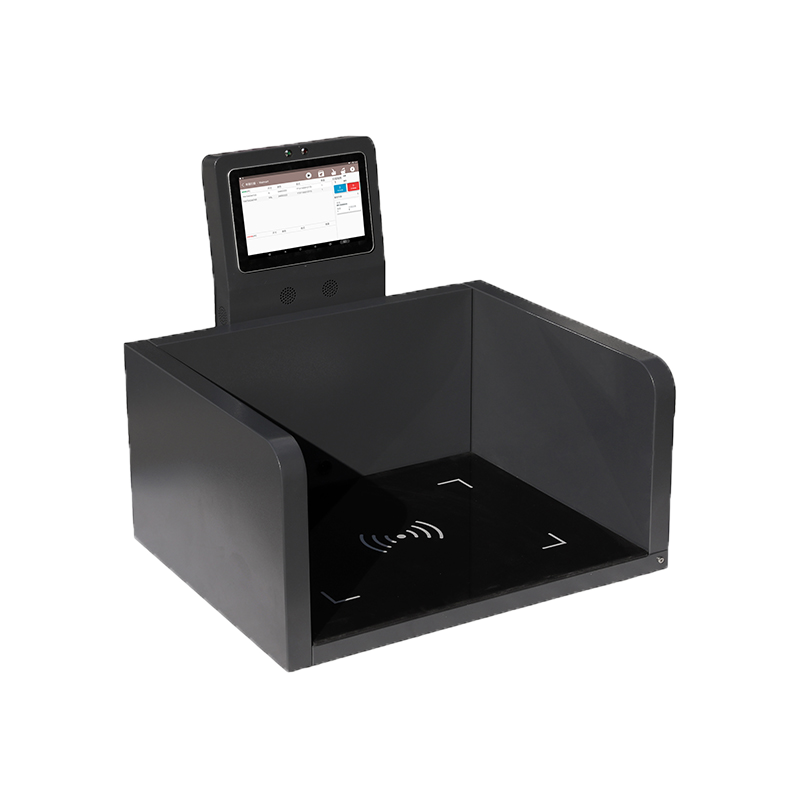
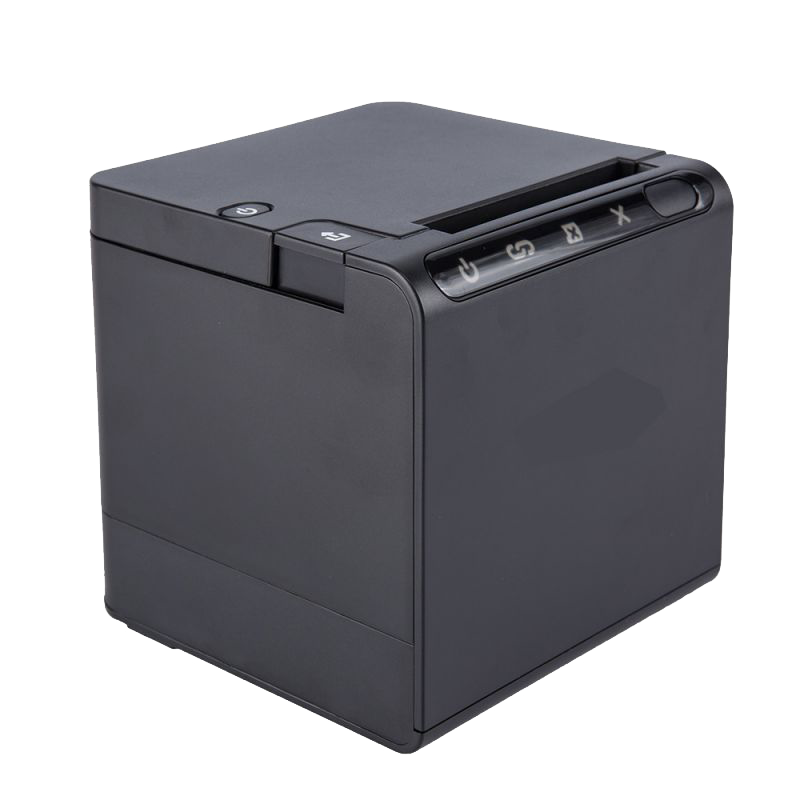
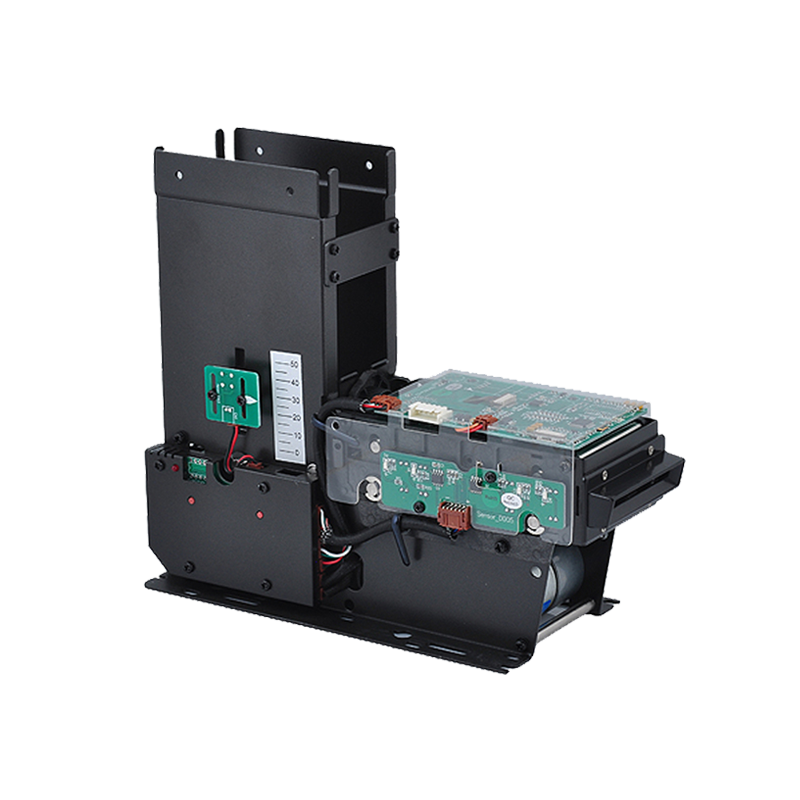
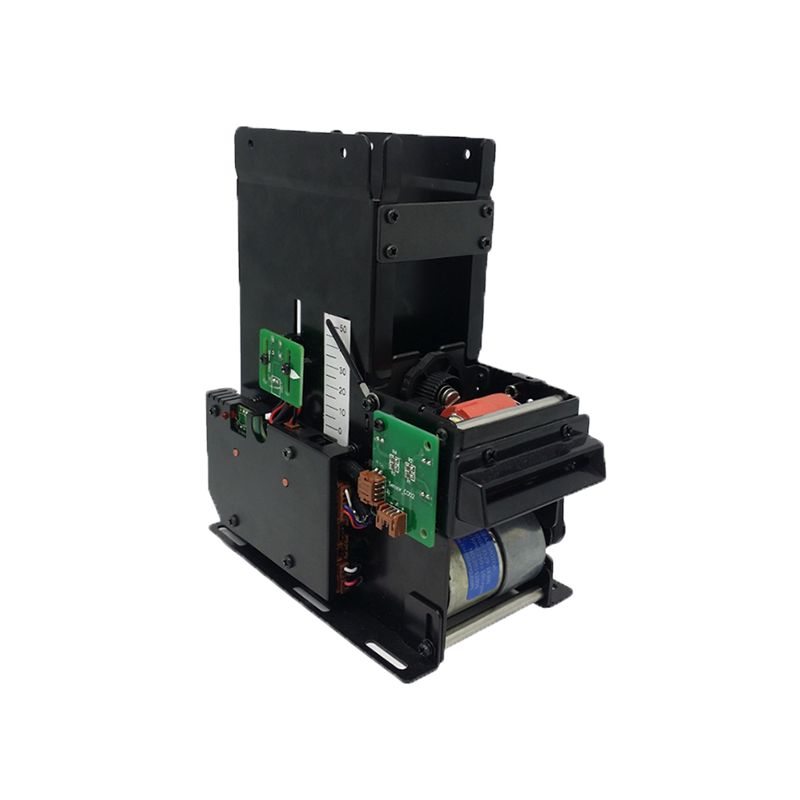
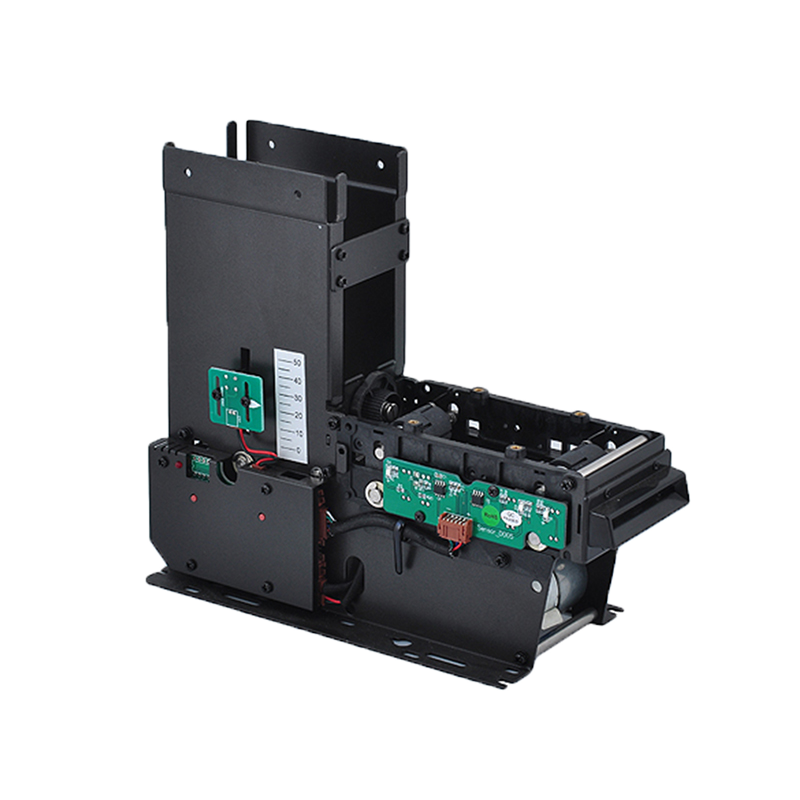

An RFID reader and writer is a device that can both read data from RFID tags and write new data into compatible RFID tags. In many RFID projects, this type of device is also called an RFID reader-writer, RFID read-write device, or simply an RFID writer.
The “read” function allows the device to detect RFID tags and collect stored information such as EPC, tag ID, asset ID, or product code. The “write” function allows the device to encode, update, or program data into the RFID tag’s writable memory.
However, choosing the right RFID reader-writer depends on the RFID frequency, tag type, memory requirements, read/write distance, software workflow, and deployment environment.
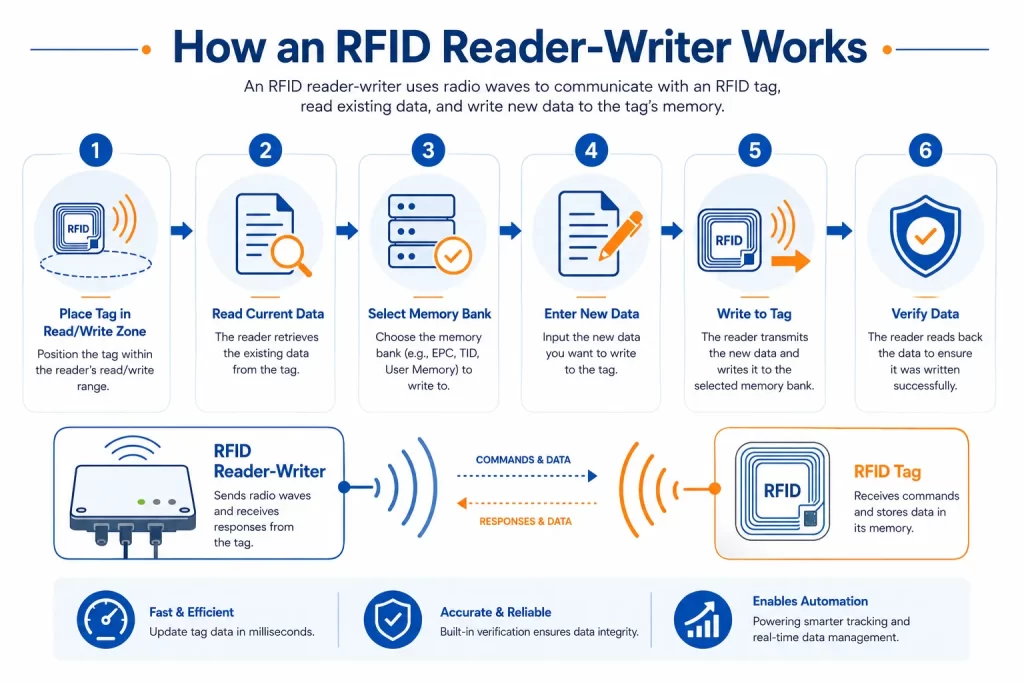
An RFID reader and writer is an RFID device that communicates wirelessly with RFID tags. It can read existing data from a tag and, when supported by the tag, write new data into the tag’s memory.
A typical RFID reader-writer can be used to:
In simple terms:
RFID reader = captures tag data
RFID writer = encodes or updates tag data
RFID reader-writer = does both
In many modern RFID systems, these functions are combined in one device.
An RFID reader-writer sends radio frequency energy through an antenna. When an RFID tag enters the read/write field, the tag responds with its stored data. If the tag is writable and the software allows it, the reader-writer can send new data to the tag and store it in the correct memory area.
A basic RFID read-write workflow includes:
For reliable operation, the write zone should be controlled carefully. Reading multiple tags at once is common in RFID applications, but writing should usually be done to one target tag at a time unless the system is specifically designed for batch encoding.
These terms are often used together, but they are not exactly the same.
| Term | Meaning | Typical Use |
|---|---|---|
| RFID reader | Reads data from RFID tags | Inventory, tracking, identification |
| RFID writer | Writes or encodes data into RFID tags | Tag programming, EPC writing, updates |
| RFID reader-writer | Reads and writes RFID tags | Encoding, verification, testing, field updates |
| RFID printer encoder | Prints labels and writes RFID data at the same time | High-volume RFID label production |
If your project only needs to scan tags, an RFID reader may be enough. If your project needs to encode or update tags, you need a reader-writer or printer encoder.
For a deeper explanation of tag writing workflows, see Syncotek’s article on RFID writers.
The writable data depends on the RFID tag chip, memory structure, access settings, and software.
Common data written by RFID reader-writers includes:
In most RFID projects, the tag stores a unique ID, while detailed product or asset information remains in the software database. This keeps the RFID tag data simple, scalable, and easier to manage.
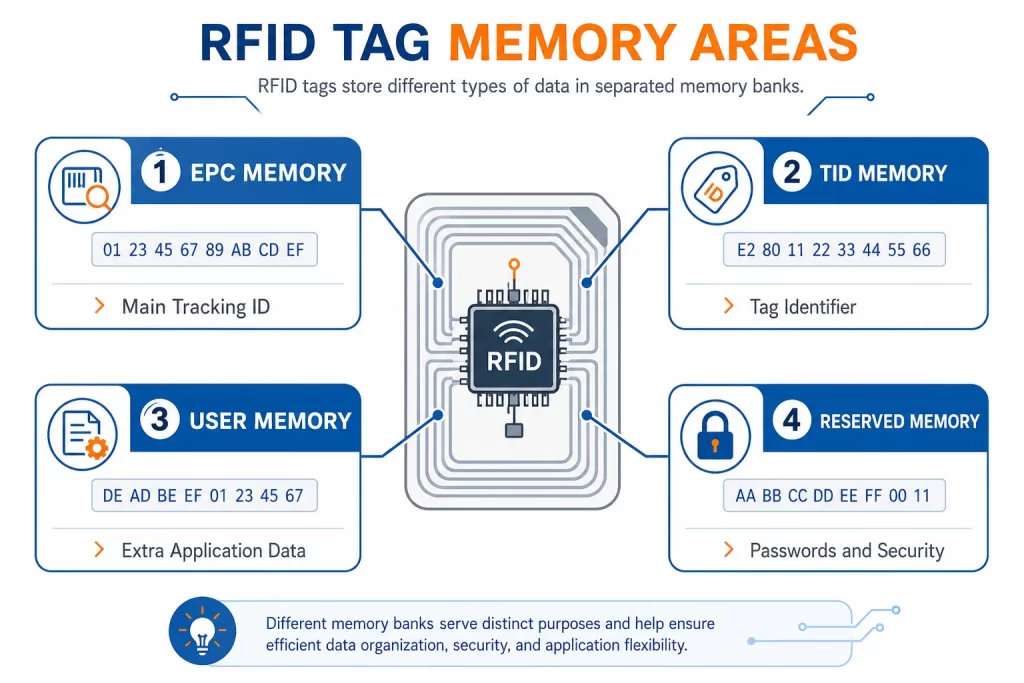
Many UHF RFID tags include multiple memory areas. Understanding these memory banks helps prevent encoding mistakes.
EPC memory is commonly used for the main tracking identifier. It may store an item ID, carton ID, asset ID, pallet ID, or serialized tracking number.
For most inventory, logistics, retail, and asset tracking workflows, EPC memory is the primary area written by an RFID reader-writer.
TID stands for Tag Identifier. It is usually programmed by the chip manufacturer and helps identify the tag chip itself.
TID memory is often used for authentication, anti-counterfeiting, or confirming the physical tag identity. In most normal workflows, users do not rewrite TID memory.
Some tags include user memory. This area can store extra application-specific information.
User memory may be used for:
Not every RFID tag has user memory, so this should be confirmed before selecting the tag.
Reserved memory may include access passwords or kill passwords. These features are used for tag security and special control workflows.
Reserved memory should be handled carefully because incorrect password or lock settings may make a tag difficult to update later.
For detailed encoding steps, see Syncotek’s guide on how to program an RFID tag.
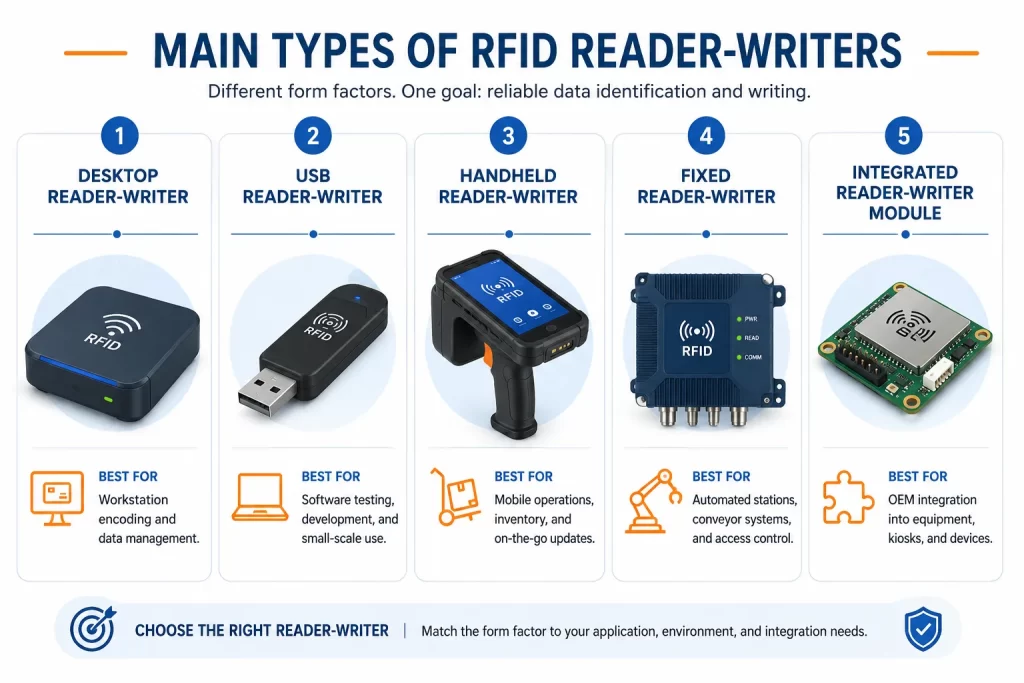
RFID reader-writers are available in different forms. The right type depends on where and how the device will be used.
A desktop RFID reader-writer is usually used at a workstation for controlled tag reading and writing.
Desktop reader-writers are ideal when accuracy matters more than mobility.
A USB RFID reader-writer connects directly to a computer. It is commonly used for simple tag programming, test labs, and software integration.
USB reader-writers are practical for controlled environments where the operator can place one tag near the device and verify the result.
A handheld RFID reader-writer allows workers to read and write tags in the field. It may be used in warehouses, factories, tool rooms, job sites, asset audits, and maintenance operations.
Handheld devices may have a wider RF field, so writing must be controlled carefully when many tags are nearby.
A fixed RFID reader-writer is installed at a specific location, usually connected to external antennas.
Fixed readers can be powerful, but read/write zone design becomes very important. If the antenna field is too wide, the system may read or write unintended tags.
For fixed deployments, antenna selection is critical. Review Syncotek’s article on how to select the right RFID antenna when planning read/write zones.
Some RFID reader-writer devices are embedded into kiosks, machines, handheld terminals, printers, cabinets, access control panels, or industrial equipment.
For embedded projects, engineers should consider module size, interface, power supply, antenna port, protocol support, SDK, and enclosure design.
RFID reader-writers must match the frequency of the RFID tags being used.
Low Frequency RFID is commonly used for close-range identification.
LF systems usually have shorter read ranges and are useful when close-range controlled reading is required.
High Frequency and NFC systems operate at close range and are common in cards, smart labels, ticketing, authentication, library systems, and mobile phone interaction.
HF/NFC reader-writers are useful when tap-based interaction is preferred.
UHF RFID reader-writers are widely used in inventory, logistics, retail, manufacturing, tool tracking, and asset management because they can support longer read ranges and faster tag reading.
Most Syncotek industrial and inventory-related RFID projects focus on UHF RFID because it is suitable for longer-range and high-efficiency data capture.
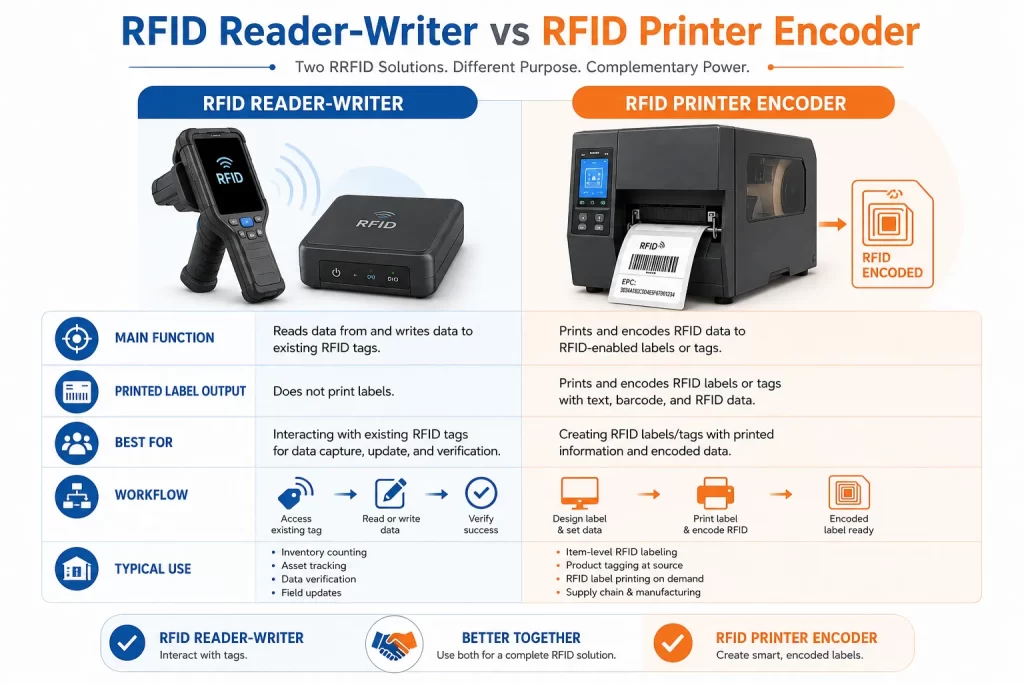
An RFID reader-writer and an RFID printer encoder can both write RFID data, but they are used differently.
| Factor | RFID Reader-Writer | RFID Printer Encoder |
|---|---|---|
| Main function | Read and write RFID tags | Print and encode RFID labels |
| Printed label output | No | Yes |
| Best for | Testing, field updates, small-batch encoding | High-volume RFID label production |
| Workflow | Manual or software-controlled | Print-and-encode workflow |
| Best tag format | Cards, hard tags, sample tags, existing tags | Printable RFID labels |
| Verification | Depends on software | Often part of print workflow |
| Typical location | Workstation, field, tool room, production station | Label printing area |
Use an RFID reader-writer when you need to encode, update, or verify tags without printing. Use an RFID printer encoder when you need to produce many printed RFID labels with matching barcode, text, QR code, and encoded RFID data.
For label production workflows, see Syncotek’s RFID printers guide.
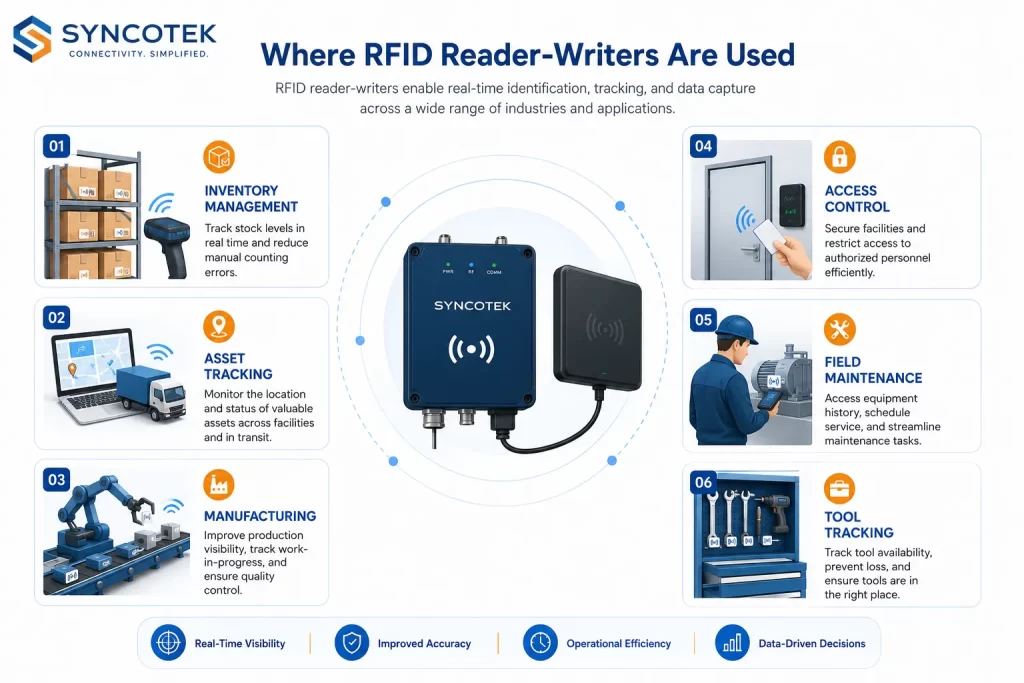
Reader-writers are useful for programming sample tags, asset tags, access cards, test labels, or custom RFID tags.
This is useful when:
When deploying asset tracking, a reader-writer can encode asset IDs and verify tag performance before the tag is attached to the asset.
This is useful for:
For metal assets, standard RFID labels may not perform well. Syncotek’s article on mount on metal RFID tags explains why metal-compatible tags are often required.
Reader-writers can help register tags before they enter an inventory system.
They may support:
For full warehouse deployment strategy, see Syncotek’s guide to RFID inventory management.
In manufacturing, RFID reader-writers can support work-in-process tracking, tool control, part identification, and production station verification.
Applications include:
For more application ideas, see Syncotek’s article on RFID in manufacturing.
Reader-writers can be used to issue or update RFID cards, badges, wristbands, or access credentials.
This is useful for:
In these cases, software rules and data security are important.
Handheld reader-writers are useful when tag data needs to be updated in the field.
Examples include:
Field writing should include verification so the system confirms that the correct tag was updated.
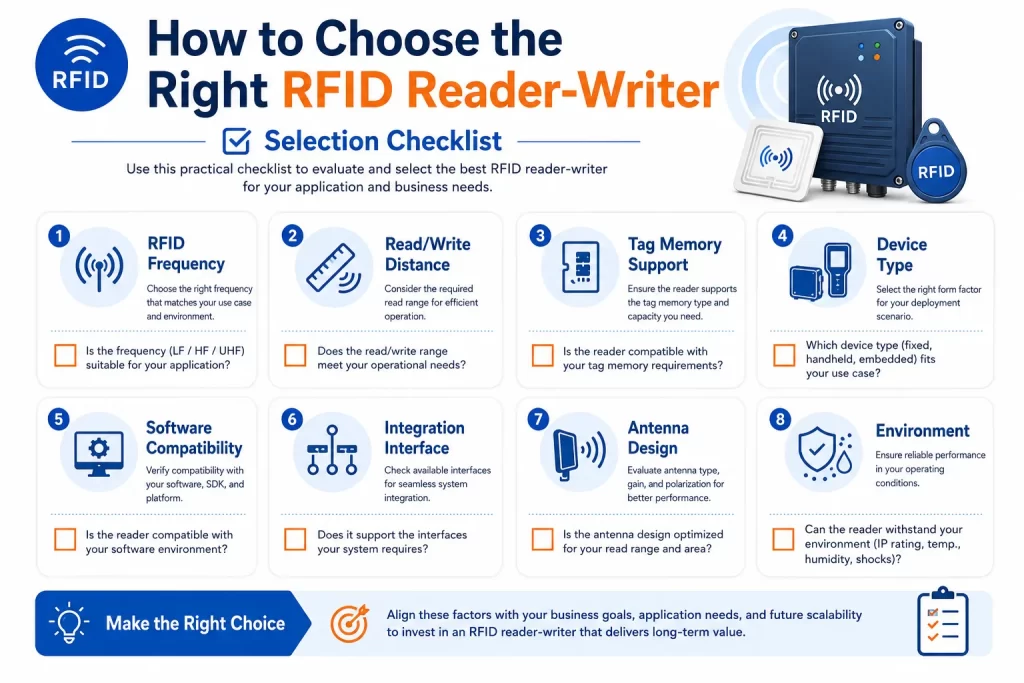
Confirm whether your tags use LF, HF/NFC, or UHF. The reader-writer must support the same frequency and protocol as the tag.
Short-range reader-writers are better for controlled encoding. Longer-range devices are useful for tracking and scanning but require more careful control during writing.
Check whether the device and software can access the required memory bank, such as EPC or user memory.
Choose desktop, USB, handheld, fixed, or embedded reader-writer based on the workflow.
The reader-writer should work with software that supports reading, writing, verification, data import, duplicate prevention, and reporting.
Check connection options such as USB, Ethernet, Wi-Fi, Bluetooth, serial, SDK, or API support.
For fixed or UHF systems, antenna type and placement directly affect read/write performance.
Industrial environments may require rugged hardware, stronger enclosures, better mounting, and reliable cable connections.
For fixed reader systems, also review RFID cables, connectors, and adapters to avoid signal loss or compatibility problems.
A reliable workflow usually follows these steps:
Verification is the most important part of RFID writing. Without verification, an encoding error may not be discovered until the tag is already in operation.
A UHF reader-writer cannot normally write HF or LF tags. Frequency compatibility must be confirmed first.
Writing is different from reading. For most workflows, encode one target tag at a time to avoid writing the wrong tag.
If the data is too long, the write operation may fail or be truncated. Use a unique ID and store detailed records in software.
Hex and ASCII are not the same. The format should match the software, tag memory, and business system.
Writing data is not enough. The tag must be read again to confirm the correct value.
A wide antenna field may detect unwanted tags nearby. Use shielding, lower power, short range, or controlled placement if needed.
For difficult read/write environments, RFID shielding and blocking materials can help control the RF field.
Some tags can be locked after encoding, but locking should only be done after the data structure and process are fully tested.
Before choosing an RFID reader and writer, confirm:
An RFID reader and writer is an important tool for RFID tag programming, verification, asset registration, access credential management, field updates, and small-batch encoding. It allows businesses to read existing RFID tag data and write new data into compatible tags.
The right reader-writer depends on frequency, tag type, memory bank, read/write distance, device form, software workflow, and deployment environment. Desktop and USB reader-writers are suitable for controlled workstation encoding. Handheld reader-writers are useful for field updates and mobile verification. Fixed reader-writers can support controlled production stations and automated workflows. RFID printer encoders are better when printed labels and high-volume encoding are required.
For reliable RFID deployment, the key is not only choosing a device that can write tags. The complete workflow must control the write zone, prevent duplicate IDs, verify every tag, and connect data with the business system.
An RFID reader and writer is a device that can read data from RFID tags and write new data into compatible writable RFID tags.
Not always. Some RFID readers only read tags, while many modern RFID readers also support writing. A device that can do both is often called an RFID reader-writer.
Yes. A compatible RFID reader-writer can program RFID tags by writing data such as EPC, asset ID, product ID, or user memory data.
Many RFID tags can be rewritten if their memory is writable and not locked. Some memory areas may be factory-programmed or protected.
A reader-writer reads and writes RFID tags but does not print labels. An RFID printer encoder prints visible label content and encodes RFID data into the label in one workflow.
The best UHF RFID reader-writer depends on the application. Desktop or USB models are suitable for controlled encoding. Handheld models are useful for mobile work. Fixed models are better for installed read/write stations.
For most encoding workflows, it is safer to write one tag at a time. Batch writing requires careful software and hardware control.
Verification confirms that the correct data was written to the correct tag. It helps prevent failed writes, duplicate IDs, and database errors.
Need RFID Reader-Writers for Tag Encoding, Asset Tracking, or System Integration?
Syncotek provides RFID readers, tags, antennas, labels, and related system components for inventory management, manufacturing, logistics, asset tracking, tool management, access control, and industrial identification applications.
Whether you need a desktop RFID reader-writer for tag programming, a handheld reader for field updates, or fixed RFID hardware for automated read/write stations, Syncotek can help you evaluate suitable components based on your tag type, read/write distance, memory requirements, software workflow, and deployment environment.
 Knowledge
Uniform tracking can be built with either barcodes or RFID. Both technologies can give every garment a unique identity and connect it with information such as: employee department size garment type issue date return status laundry status wash count repair history replacement status The main difference is how that identity is captured. A barcode normally […]
READ MORE Knowledge
In an RFID system, most attention is usually placed on tags, readers, and antennas. However, cables, connectors, and adapters also play an important role in system performance. A well-selected RFID antenna cable helps transfer RF energy from the reader to the antenna with lower loss, while the right connector ensures a secure and compatible connection […]
READ MORE Knowledge
What does OEM mean? OEM most commonly stands for Original Equipment Manufacturer. In business and manufacturing, an OEM is a company that makes a component, subsystem, or product that another company sells (often under its own brand)—or incorporates into a finished product sold to end customers. The key idea OEM describes a role in the supply chain: OEM (maker) → […]
READ MORE Knowledge
RFID systems generally fall into two big tag categories: passive RFID and active RFID. They solve different problems. If you choose the wrong one, you’ll either overpay (active when passive is enough) or underperform (passive when you truly need real-time long-range visibility). This guide explains the differences in plain English, with practical selection criteria and […]
READ MORE Knowledge
RFID (Radio Frequency Identification) is an automatic identification and data capture technology that uses radio-frequency electric or magnetic fields to transmit information. It’s used to identify and track many kinds of objects—everything from manufactured goods and assets to people and animals. RFID is popular when you need fast, automated identification (often without line-of-sight) and—especially with UHF—the ability to […]
READ MOREIf you are interested in our services or need customized solutions, please feel free to contact us.