

Programming an RFID tag means writing useful data into the tag’s memory so that the tag can identify a product, carton, pallet, asset, tool, document, or other tracked item in an RFID system.
Many RFID tags are supplied with pre-programmed data, but real projects often require custom encoding. For example, a business may need to write a unique EPC number, asset ID, product code, carton ID, batch number, or serialized tracking number into each tag before deployment.
For Syncotek RFID projects, tag programming should not be treated as a random one-time action. A reliable encoding workflow requires the right RFID tag, suitable reader-writer or printer encoder, correct data format, controlled write zone, and verification after writing.
This guide explains how to program an RFID tag step by step and how to avoid common RFID encoding mistakes.
To program an RFID tag is to write digital data into the RFID chip inside the tag. Once encoded, the tag can be read by compatible RFID readers and connected to inventory, asset tracking, manufacturing, logistics, or access control systems.
An RFID tag normally includes:
If you are still comparing RFID tag formats, Syncotek’s guide on RFID inlays, tags, and labels explains the difference between basic inlays, printable RFID labels, and finished RFID tags.
RFID reading and RFID writing are related, but they are not the same.
| Action | Meaning | Typical Purpose |
|---|---|---|
| RFID reading | Capturing existing data from a tag | Inventory, tracking, verification |
| RFID writing | Writing new data into tag memory | Encoding, ID assignment, data update |
| RFID programming | Preparing the tag with usable project data | Deployment setup |
| RFID verification | Reading the tag again after writing | Confirming data accuracy |
In many systems, the same device can read and write tags. This is why RFID readers are often also called reader-writers. For a deeper explanation, see Syncotek’s guide on RFID writers.
Before writing data to any RFID tag, you need to answer three questions:
These decisions affect whether the tag can be read correctly later.
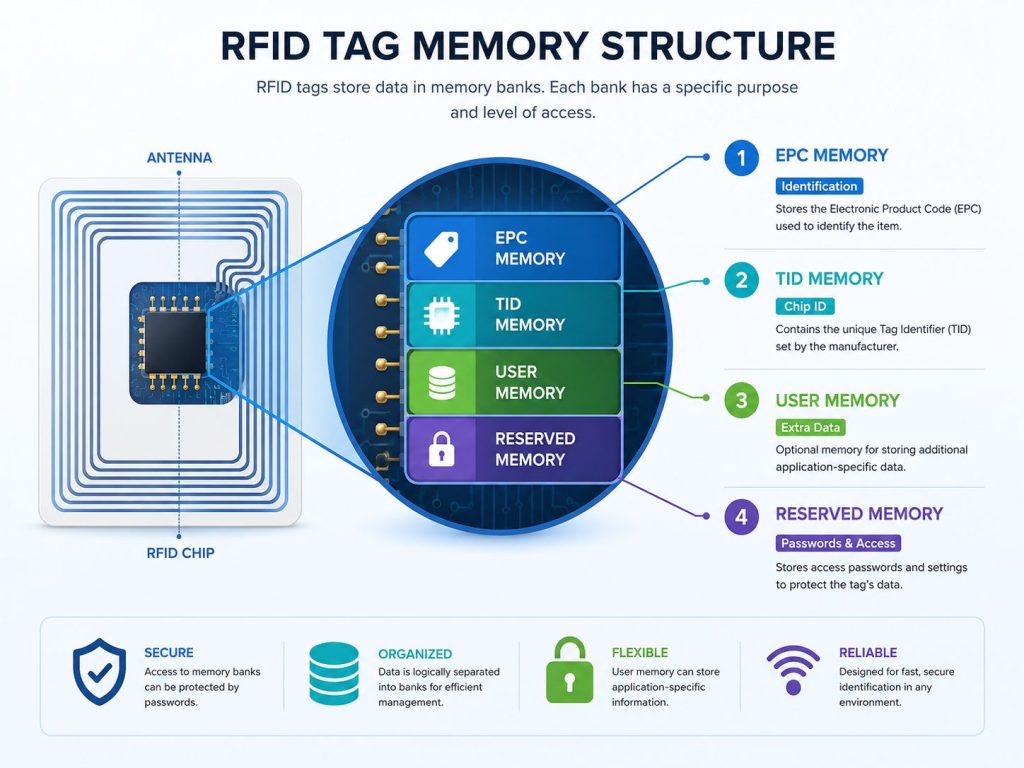
RFID tags can include different memory areas. In UHF RFID systems, the most common memory areas are EPC memory, TID memory, user memory, and reserved memory.
EPC memory is the most commonly used memory bank for RFID identification. In many applications, this is the data area read by default during normal RFID operation.
EPC memory is commonly used for:
For most inventory, warehouse, retail, logistics, and asset tracking applications, EPC memory is the best place to encode the main ID.
TID means Tag Identifier. This memory area is usually programmed by the chip manufacturer. It can help identify the chip or confirm tag authenticity.
TID memory is commonly used for:
In most basic encoding workflows, users do not rewrite TID memory.
Some RFID tags include user memory. This area can store additional project-specific information when EPC memory is not enough.
User memory may be used for:
Not every tag has user memory, so confirm the tag chip model before planning to store extra data.
Reserved memory may include access password and kill password areas. These functions are used for security and special RFID workflows.
Reserved memory should be handled carefully because incorrect password or lock settings can make tags difficult to update later.
After choosing the memory bank, decide how the data should be formatted.
The two most common formats are Hexadecimal and ASCII.
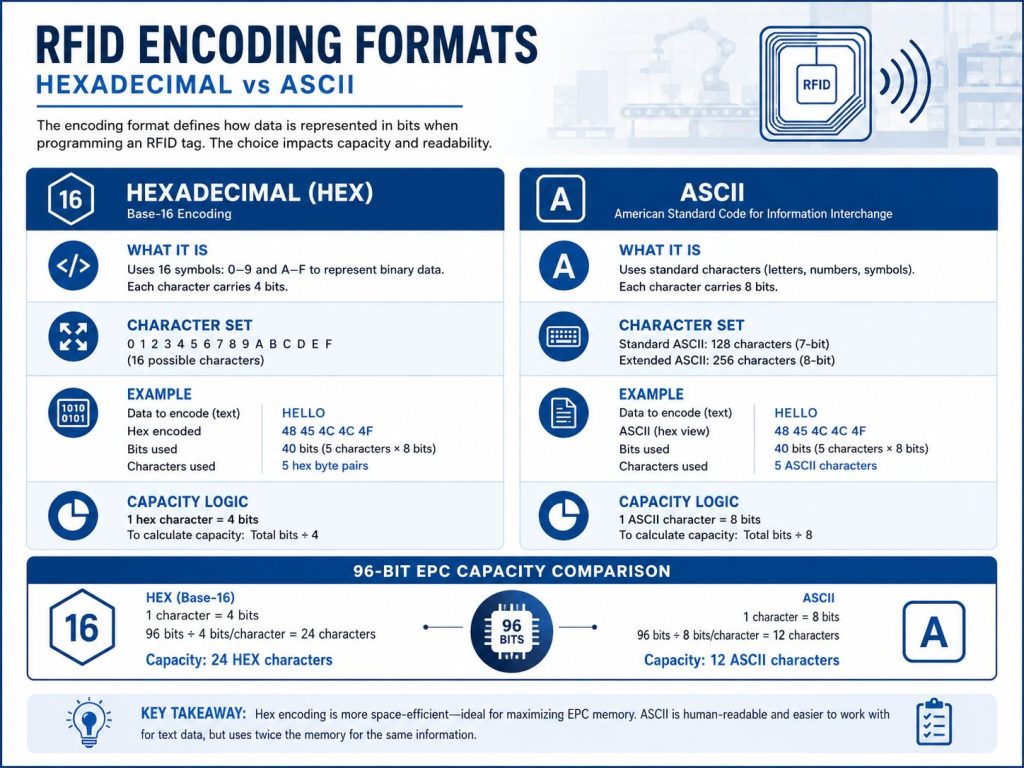
Hexadecimal, or Hex, uses:
Hex is widely used in RFID encoding because it is compact and commonly supported by RFID systems.
For many RFID projects, Hex is the safest and most compatible format.
ASCII can represent letters, numbers, and some special characters.
However, ASCII uses more memory than Hex. If the tag has limited memory, ASCII may reduce the amount of data that can be stored.
RFID tag memory is limited. Before writing data, confirm how many characters the tag can store.
A simple rule:
For example, a 96-bit EPC memory can usually store:
| Format | Approximate Capacity |
|---|---|
| Hex | 24 characters |
| ASCII | 12 characters |
This is why long product names or full text descriptions should usually not be written directly into EPC memory. In most systems, the tag stores a unique ID, and the full product or asset information is stored in the database.
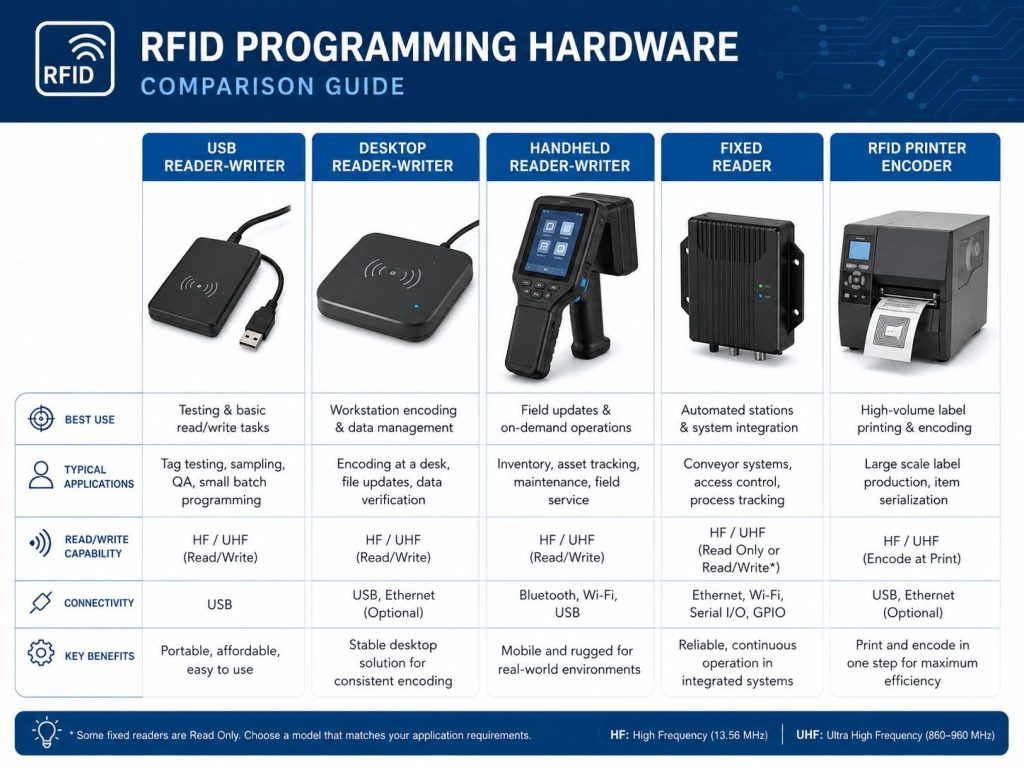
To program an RFID tag, you need compatible hardware.
Common RFID programming hardware includes:
The right device depends on tag volume, workflow, tag format, and whether printed labels are required.
A USB RFID reader-writer is useful for testing, software development, and small-batch tag programming.
USB reader-writers are usually easy to connect to a computer and can support controlled single-tag writing.
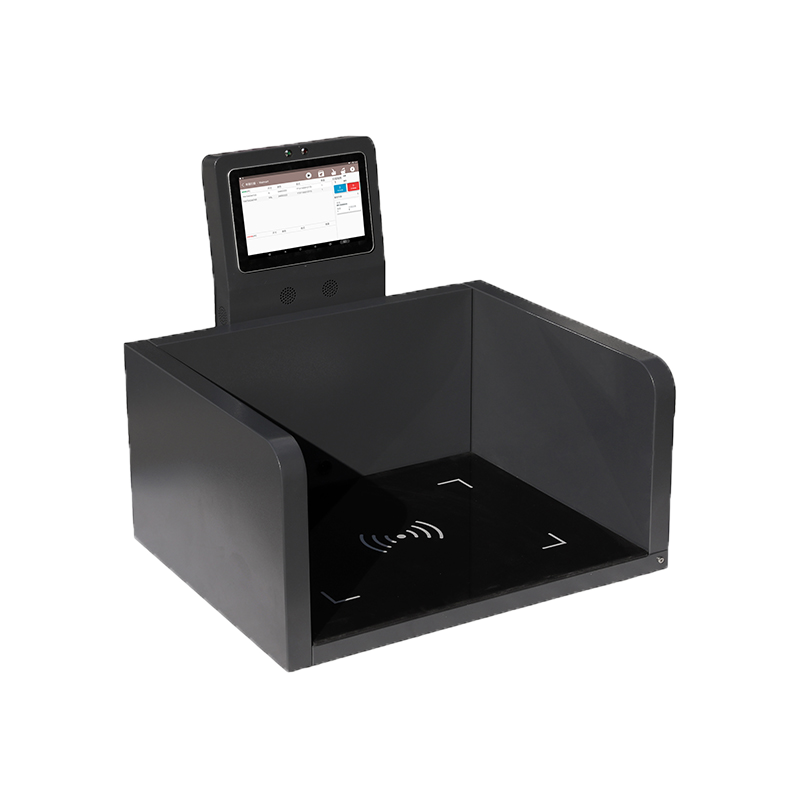
A desktop reader-writer is suitable when tags need to be encoded one at a time in a controlled area.
Desktop reader-writers help reduce the risk of accidentally writing the wrong tag because the write zone is usually smaller and easier to control.
Some handheld RFID readers support tag writing. These are useful for field work, asset updates, and mobile operations.
However, handheld writing must be handled carefully when many tags are close together. A wide RF field can increase the risk of writing the wrong tag.
Some fixed RFID readers can also write tags. This may be useful in production stations or controlled automation points.
For fixed installations, the antenna, cable, and read/write zone must be designed carefully. Syncotek’s guide on how to select the right RFID antenna can help when planning controlled read and write areas.
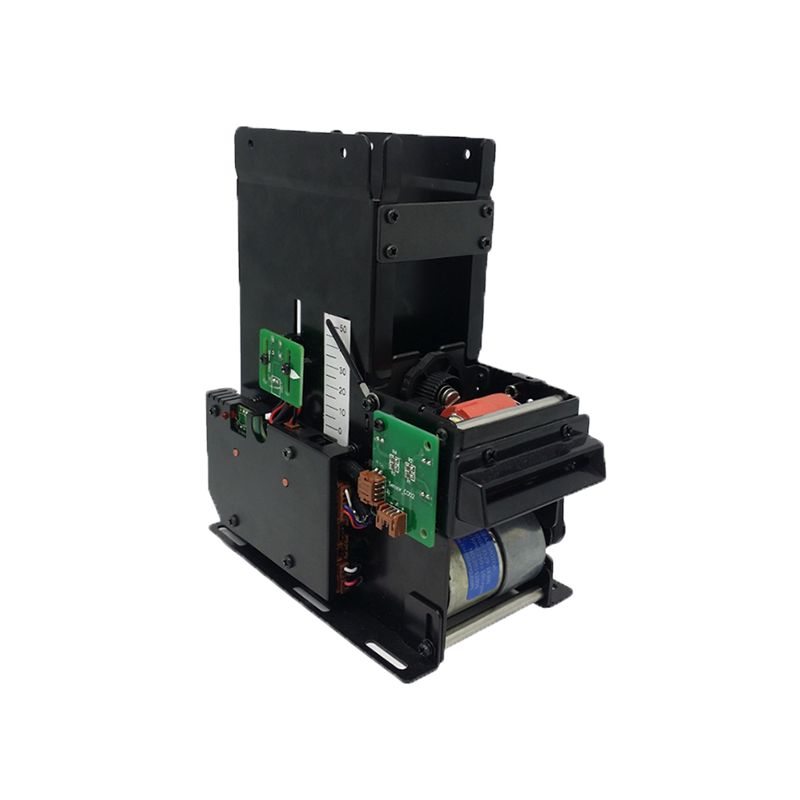
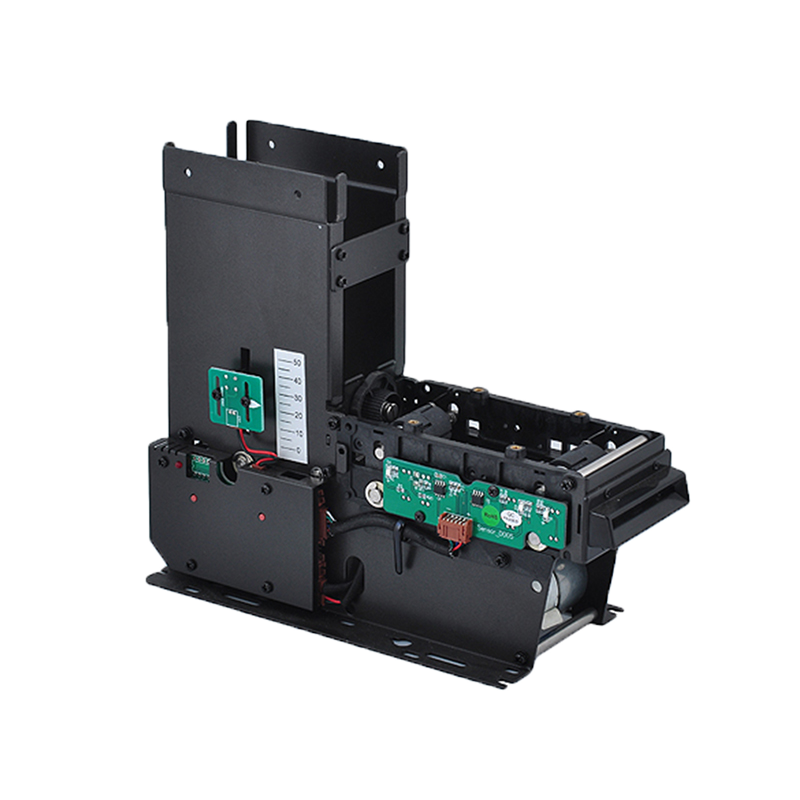
An RFID printer encoder prints visible information and writes RFID data into the tag during the same workflow.
For large batches of printable RFID labels, an RFID printer encoder is usually more efficient than programming tags one by one. See Syncotek’s RFID printers guide for more details.
Hardware alone is not enough. RFID programming requires software to control the reader, select the memory bank, enter data, write to the tag, and verify the result.
RFID programming software may support:
For simple workflows, basic reader software may be enough. For production workflows, software should support data import, validation, and reporting.
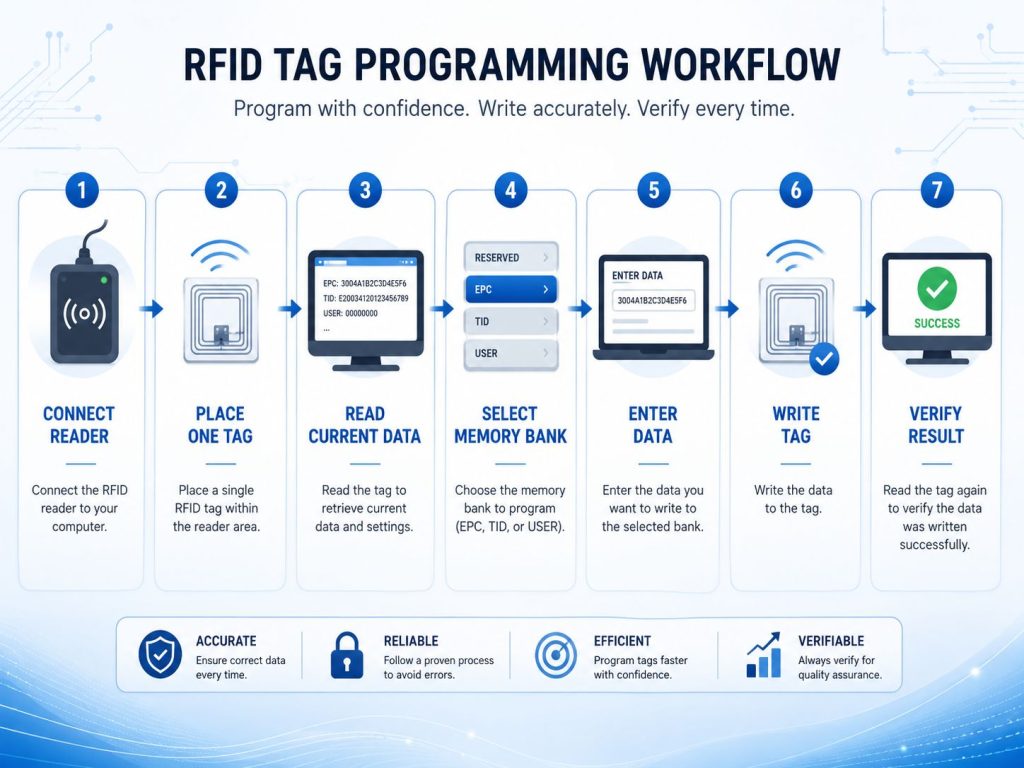
A typical RFID tag programming process includes:
The most important rule is simple: write one tag at a time unless the system is specifically designed for controlled batch encoding.
Verification is one of the most important steps in RFID programming.
After writing data, the system should read the tag again and confirm that the stored data matches the expected value.
Verification helps prevent:
For inventory, logistics, retail, manufacturing, and asset tracking, verification is not optional. It protects data accuracy before tags enter operation.
Some RFID tags allow users to lock memory after encoding. Locking can prevent accidental or unauthorized changes.
However, tag locking should be used carefully. If a tag is locked too early or with the wrong settings, it may become difficult or impossible to rewrite.
Best practice: test the full workflow before using memory lock or password protection at scale.
Different workflows require different programming methods.
| Workflow | Recommended Method |
|---|---|
| One tag or a few sample tags | USB or desktop reader-writer |
| Field tag update | Handheld reader-writer |
| Controlled production station | Fixed reader-writer |
| Hundreds or thousands of labels | RFID printer encoder |
| Printed label + encoded EPC | RFID printer encoder |
| Database-driven serialized labels | RFID printer encoder or advanced software |
For businesses building complete RFID systems, programming should be planned together with tags, readers, antennas, software, and deployment environment. Syncotek’s full RFID products can support different identification and tracking applications.
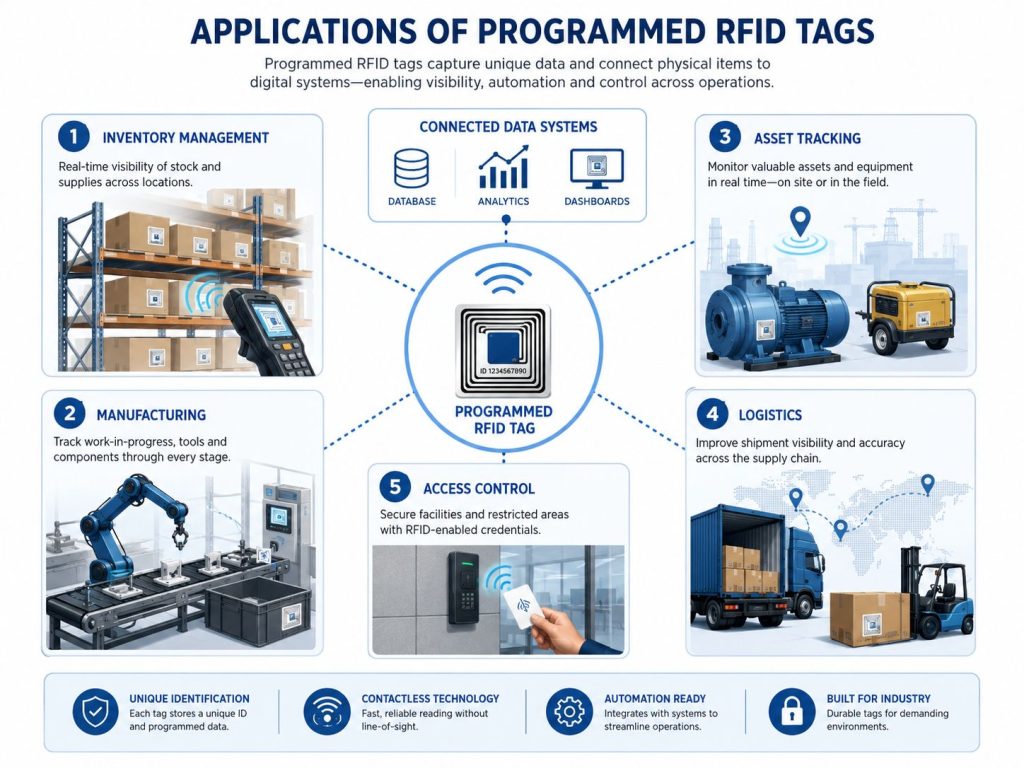
RFID tags can be programmed with item IDs, carton IDs, pallet IDs, or stock codes. These IDs can then connect physical goods with digital inventory records.
For warehouse and stock control projects, see Syncotek’s guide on RFID inventory management.
In manufacturing, programmed RFID tags can identify work orders, WIP items, tools, fixtures, parts, and finished goods.
RFID programming helps support traceability, process verification, and production visibility. For more application details, review Syncotek’s guide on RFID in manufacturing.
Asset tags can be programmed with asset IDs, department codes, maintenance references, or serialized records.
For metal tools, machines, racks, or IT equipment, standard labels may not perform reliably. In those cases, mount on metal RFID tags may be required.
RFID labels can be programmed with shipment, carton, pallet, or container IDs. This supports receiving, sorting, staging, and shipping verification.
RFID cards, badges, or wristbands can be programmed with attendee IDs, access permissions, or credential numbers. These can support attendee check-in, session access, VIP areas, or staff control.
For most applications, EPC memory is the correct place for the main ID. Writing data to the wrong memory area can cause reading or system integration problems.
If the software or reader expects Hex but the tag is encoded in ASCII, the data may appear incorrect.
Trying to write too much data can cause failed encoding or truncated values. Use a unique ID on the tag and store detailed information in software.
If multiple tags are in the write zone, the system may write the wrong tag or create duplicate records.
A tag may appear to be written successfully, but verification is needed to confirm the stored data.
RFID readers should be configured for the correct regional frequency rules before testing or deployment.
Do not lock memory until the data format, workflow, and verification process are fully confirmed.
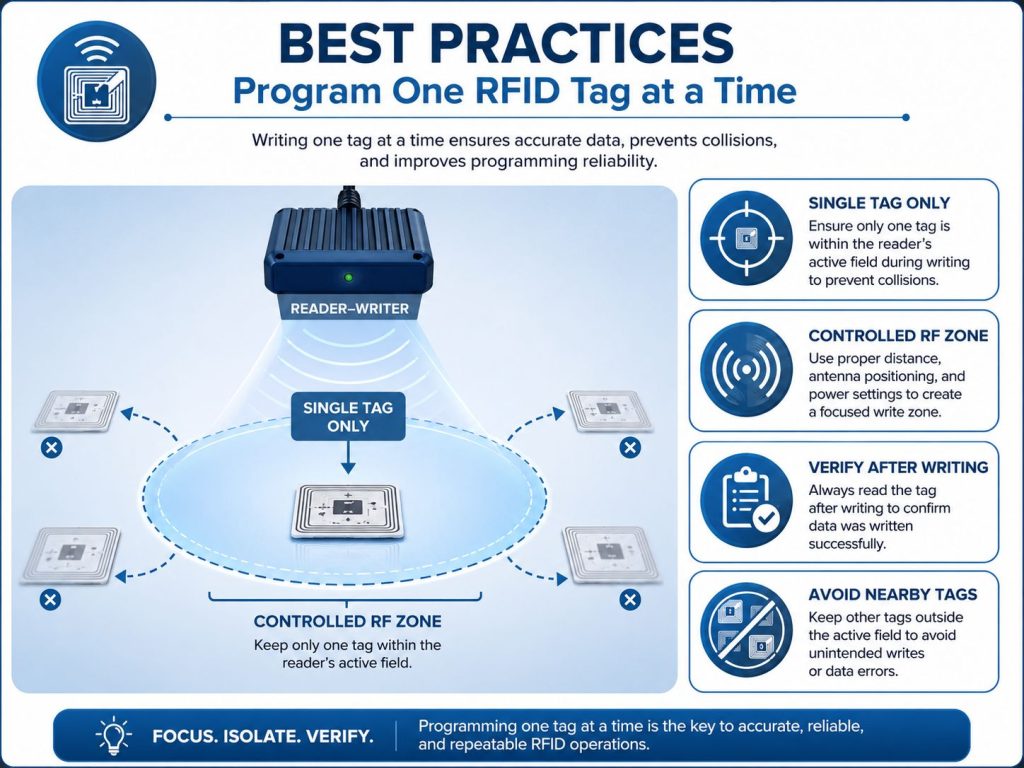
To improve programming reliability, follow these practices:
A reliable RFID programming workflow protects the entire tracking system from data errors.
Before programming RFID tags, confirm:
Programming an RFID tag is the process of writing useful identification data into the tag’s memory. A successful RFID programming workflow starts with the basics: choose the correct memory bank, select the right data format, confirm memory capacity, and use compatible hardware and software.
For small batches, a USB or desktop RFID reader-writer can be a practical choice. For field updates, a handheld reader-writer may be useful. For high-volume printable labels, an RFID printer encoder is usually the best option.
The most important steps are controlled writing and verification. If every tag is encoded correctly before deployment, the RFID system becomes easier to manage, more accurate, and more reliable.
Programming an RFID tag means writing data into the RFID chip memory so the tag can identify an item, asset, product, carton, or other tracked object.
Many RFID tags can be reprogrammed if the memory is writable and not locked. Some memory areas may be factory-programmed or protected.
For most applications, EPC memory is used for the main identification value. User memory can be used when additional application-specific data is needed.
Hex is usually preferred for compatibility and compact data storage. ASCII is useful when the tag needs to store readable letters, words, or mixed text.
It depends on the tag chip and memory size. A 96-bit EPC memory can typically store 24 Hex characters or 12 ASCII characters.
You need a compatible RFID reader-writer or RFID printer encoder, RFID tags, and software that can control the writing process.
For most controlled workflows, it is safer to program one tag at a time. Batch encoding requires software and hardware designed to avoid duplicate or incorrect writes.
Verification confirms that the correct data was written to the correct tag. It helps prevent failed writes, duplicate IDs, and system data errors.
Need RFID Tags, Readers, or Encoding Solutions for Your Project?
Syncotek provides RFID tags, readers, antennas, labels, and system components for inventory management, logistics, manufacturing, asset tracking, access control, and industrial identification applications.
Whether you need to encode a few sample tags, prepare asset tags, or build a high-volume RFID label workflow, Syncotek can help you evaluate suitable RFID components based on your tag type, memory requirements, read/write distance, software workflow, and deployment environment.
 Knowledge
In an RFID system, the antenna is one of the most important components that determines how well tags can be read. The reader generates RF energy, but the antenna controls how that energy is transmitted into the read zone and how tag responses are received. Many RFID projects focus heavily on tags and readers, while […]
READ MORE Knowledge
RFID—Radio Frequency Identification—is a wireless technology that identifies objects using radio waves. An RFID system can detect items without line-of-sight, often in bulk, and can automate tracking across warehouses, factories, retail stores, hospitals, and security systems. This guide explains what RFID is, how it works, RFID frequencies (LF/HF/NFC/UHF/RAIN), tags and readers, passive vs active vs […]
READ MORE Knowledge
Hospitals manage thousands of physical items every day. Infusion pumps move between departments. Surgical supplies enter and leave operating rooms. Medical consumables are stored across multiple locations. Staff search for wheelchairs, monitors, portable diagnostic equipment, linen, medications, and other resources while maintaining strict operational and documentation requirements. Many of these workflows still depend on: manual […]
READ MORE Uncategorized
RFID printers play an important role in RFID deployment because they combine two tasks in one workflow: printing visible information on a label and encoding digital data into the RFID inlay inside the label. For many businesses, RFID printing is the bridge between traditional barcode labeling and automated RFID identification. A properly selected RFID printer […]
READ MORE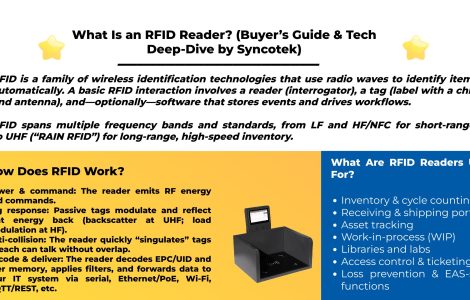 Knowledge
RFID is a family of wireless identification technologies that use radio waves to identify items automatically.
READ MOREIf you are interested in our services or need customized solutions, please feel free to contact us.