
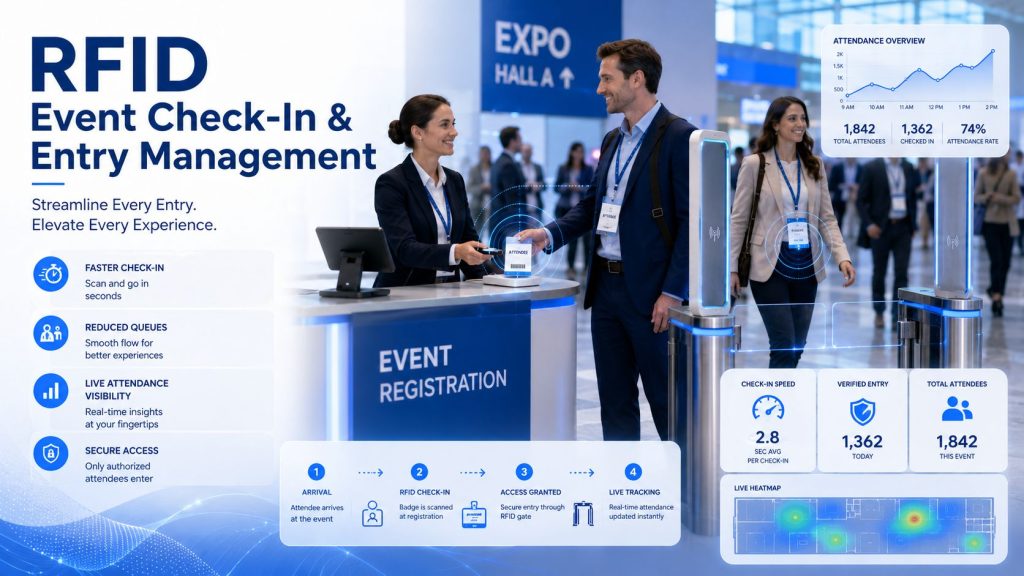
Conferences, exhibitions, trade shows, corporate events, training programs, and large public venues all need accurate attendee data. Event organizers want to know who arrived, where attendees went, which sessions attracted the most visitors, how long people stayed in certain areas, and whether sponsors or exhibitors received meaningful engagement.
Traditional event attendance tracking often relies on manual check-in, barcode scanning, paper lists, badge checks, or staff counting. These methods can work for small events, but they become slow and labor-intensive when the event scale grows. They may also provide limited data after the event is already over.
RFID attendee tracking provides a more automated way to identify, monitor, and analyze attendee movement. By assigning each visitor an RFID badge, card, wristband, or tag, event organizers can collect attendance and movement data through RFID readers installed at entrances, session rooms, booths, VIP areas, and other important event zones.
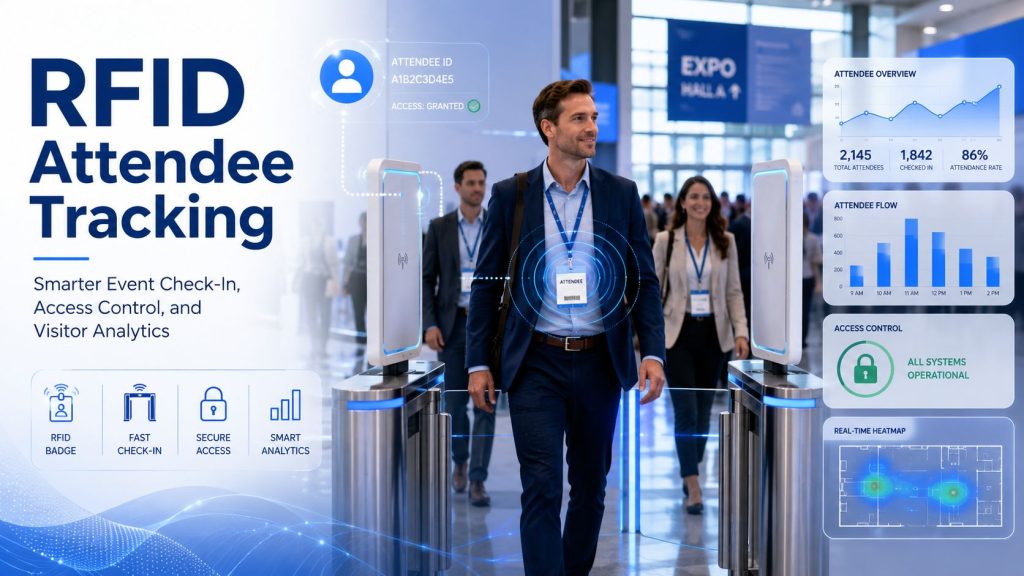
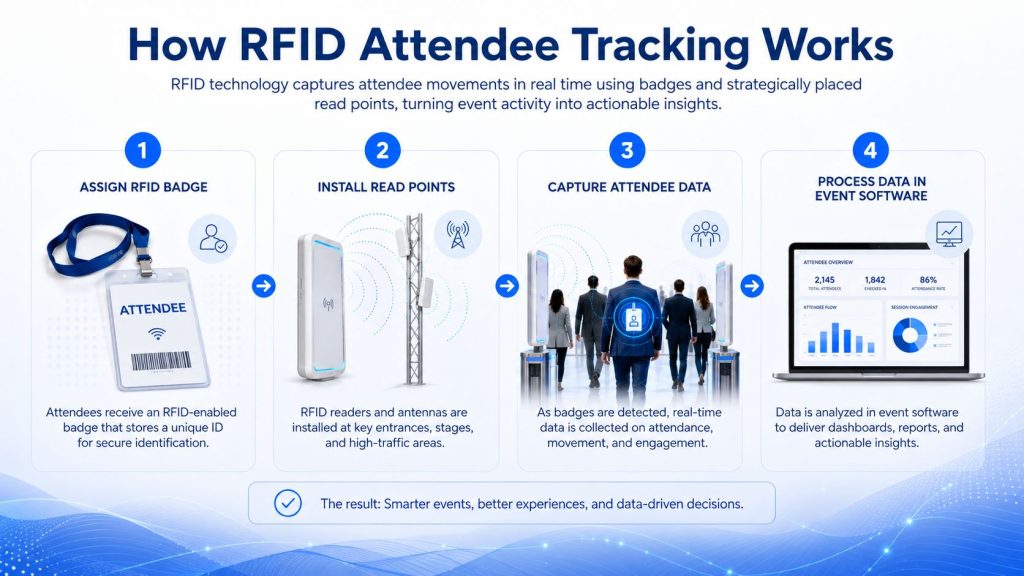
RFID attendee tracking is the use of radio frequency identification technology to identify and track attendees during an event. Each attendee receives an RFID-enabled badge, card, lanyard, wristband, or ticket. When the attendee passes near an RFID reader or scans at a checkpoint, the system captures the unique RFID ID and connects it with the attendee’s registration record.
A typical RFID attendee tracking system may include:
The system can be designed for active scanning, where attendees tap or scan their badges, or passive reading, where attendees are detected as they pass through a controlled read zone.
Event organizers often need more than a registration list. They need accurate event behavior data.
RFID can help answer questions such as:
Without automated tracking, this information may require manual counting, staff observation, barcode scanning, or post-event surveys. RFID helps collect more consistent data with less manual effort.
A basic RFID attendee tracking workflow usually includes the following steps.
Each attendee is assigned an RFID credential during registration or check-in.
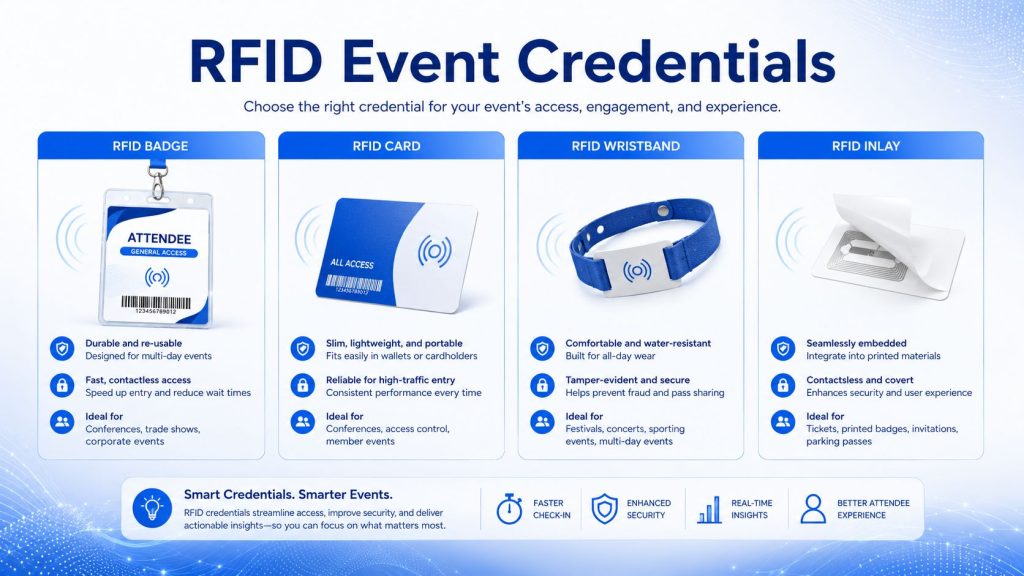
Common RFID attendee credentials include:
The RFID ID is linked to the attendee profile in the event software.
For a better understanding of RFID product formats, you can also review Syncotek’s guide on RFID inlays, tags, and labels.
RFID readers and antennas are installed at important event locations.
Common read points include:
The goal is to capture useful attendee movement without creating a slow or uncomfortable experience.
When an attendee passes a read point or scans their RFID credential, the system captures event data.
Common data fields include:
This raw data can later be converted into attendance reports, traffic maps, engagement analytics, and access records.
RFID hardware creates data, but event software turns the data into useful information.
The software may generate:
This makes RFID attendee tracking valuable not only during the event but also after the event when organizers evaluate performance and ROI.
RFID can help speed up attendee check-in and entry verification. Instead of manually searching names or scanning each barcode one by one, staff can use RFID-enabled badges or wristbands to identify attendees more efficiently.
RFID check-in can support:
For large exhibitions and conferences, faster check-in can reduce queues and improve the first impression of the event.
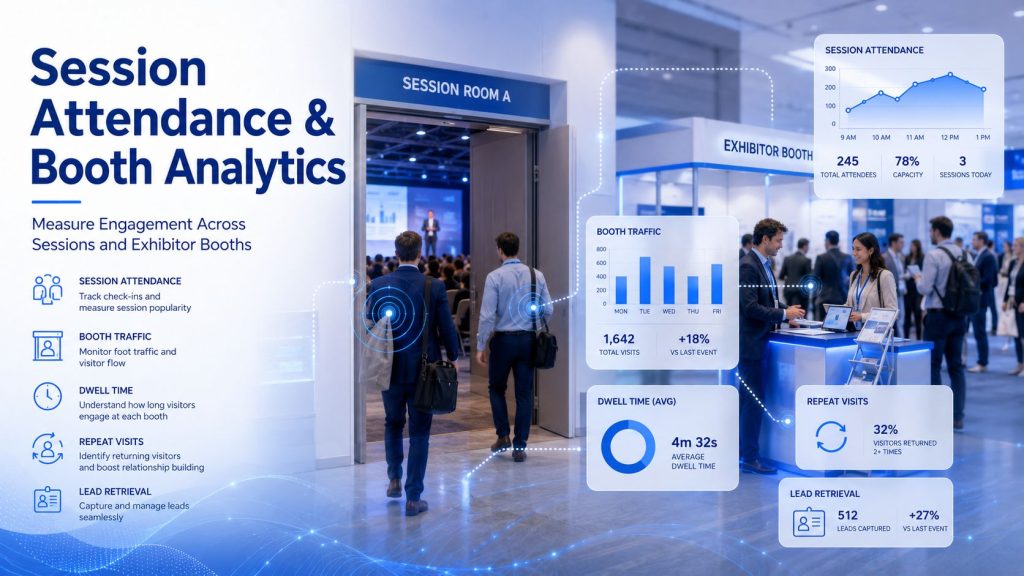
Many conferences, training programs, and professional events need to know which sessions attendees joined.
RFID can help track attendance for:
This is useful when organizers need attendance records for certification, continuing education credits, attendee engagement scoring, or session performance analysis.
For trade shows and exhibitions, exhibitors want to know whether their investment created measurable results. RFID attendee tracking can provide booth traffic data that is difficult to collect manually.
Booth analytics may include:
This helps exhibitors evaluate staffing, booth layout, product interest, and follow-up strategy.
RFID attendee credentials can support lead retrieval when attendees enter a booth, tap a badge, or interact with an exhibitor station.
Lead retrieval can help exhibitors collect:
This can reduce manual business card collection and improve post-event sales follow-up.
RFID attendee tracking can also support access control. Some event areas may be limited to certain attendee types, ticket levels, speakers, staff, VIP guests, or paid sessions.
RFID access control can be used for:
When an attendee scans their badge, the system can confirm whether access is allowed.
This is similar to other RFID access control and identification workflows, where the right credential must be matched with the right reader and permission rule.
RFID can help organizers understand how people move inside a venue.
Visitor flow data can show:
This information can help organizers improve floor plans, booth placement, signage, security staffing, and future event layouts.
RFID attendee data can be used to create more personalized event experiences when privacy rules and attendee consent are properly handled.
Examples include:
For some event formats, RFID wristbands or badges may also support interactive engagement, gamification, or sponsor activations.
In some event environments, RFID wristbands or cards can be connected with payment or stored-value systems.
This can support:
This use case is more common in festivals, entertainment venues, sports events, and closed-loop payment environments. For business conferences, RFID is more commonly used for access, attendance, and analytics.
Different event formats require different RFID credential types.
| Credential Type | Best Use |
|---|---|
| RFID badge | Conferences, trade shows, exhibitions, corporate events |
| RFID card | Access control, staff ID, VIP management, reusable credentials |
| RFID wristband | Festivals, sports events, concerts, hospitality, cashless payment |
| RFID inlay | Embedded into printed badges, tickets, passes, or custom event materials |
| RFID lanyard tag | Business events, conference passes, attendee identification |
The right format depends on event type, branding needs, read distance, comfort, durability, and whether the credential is disposable or reusable.
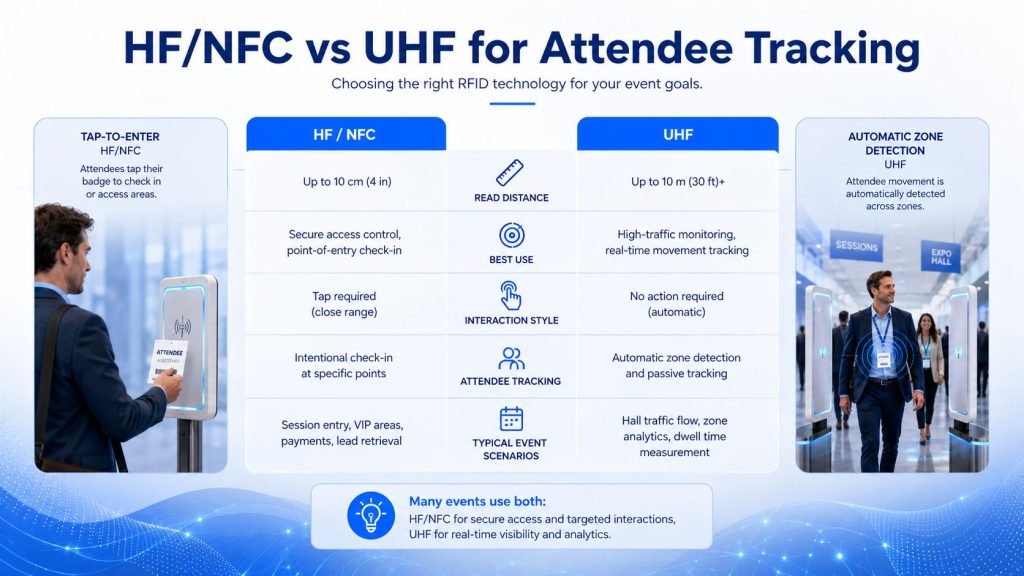
RFID attendee tracking can use different frequency technologies depending on the workflow.
Low Frequency RFID is typically used for short-range identification. It is less common for large event attendee tracking but may appear in access control or simple identification systems.
HF and NFC are commonly used for close-range badge tapping, access cards, wristbands, and interactive experiences.
HF/NFC may be suitable for:
NFC is especially useful when mobile phone interaction or attendee engagement is part of the experience.
UHF RFID can support longer read distances and can be useful when the goal is automatic attendee detection across entrances, halls, booths, or zones.
UHF RFID may be suitable for:
For UHF-based event systems, antenna selection and read-zone design are especially important. You can review Syncotek’s guide on how to select the right RFID antenna when planning RFID coverage areas.
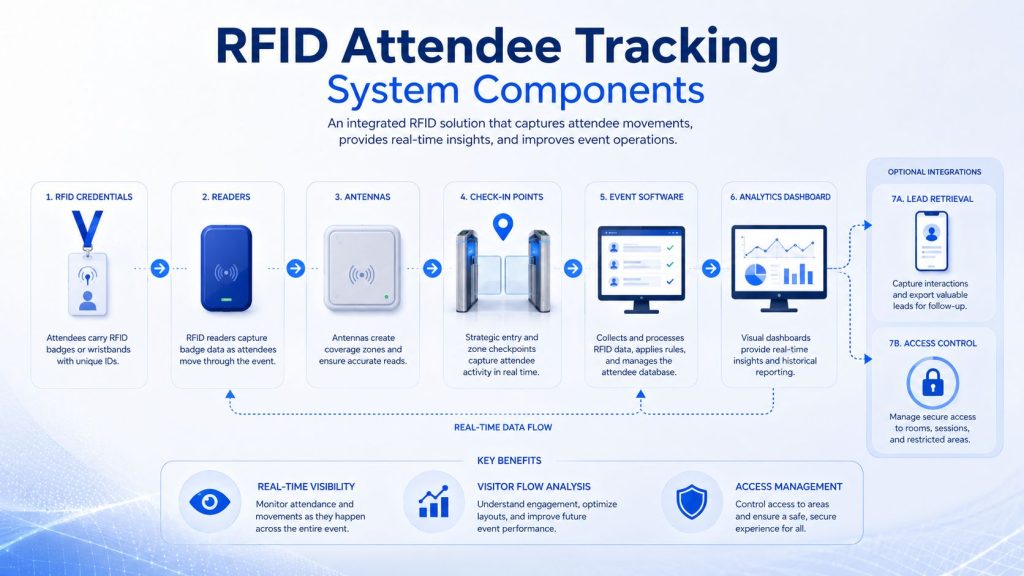
A complete attendee tracking system usually includes several hardware and software components.
These are the badges, cards, wristbands, or inlays assigned to attendees. They must be comfortable, durable, readable, and suitable for the event brand and workflow.
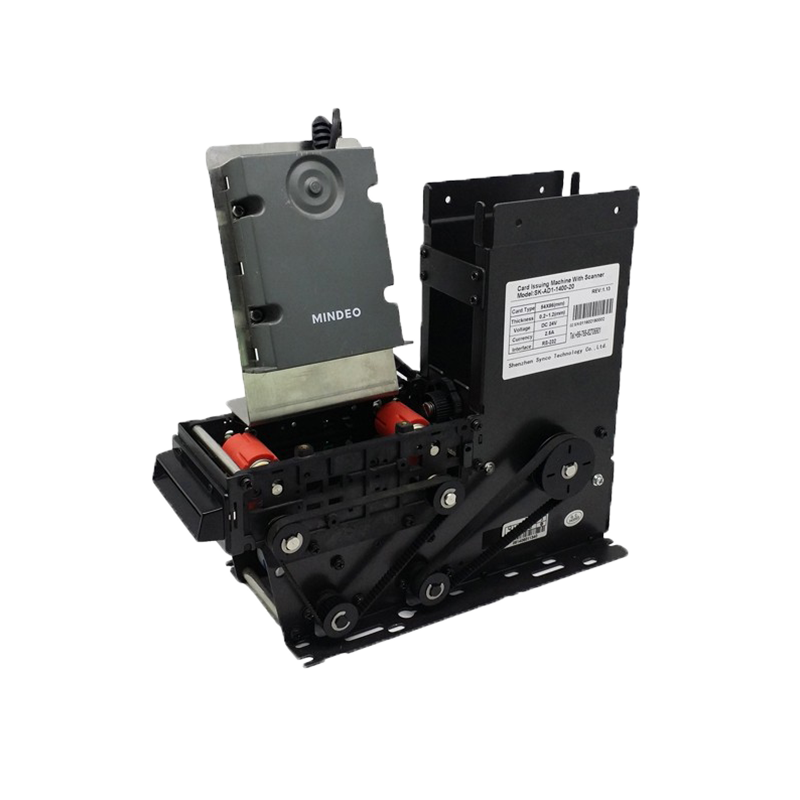
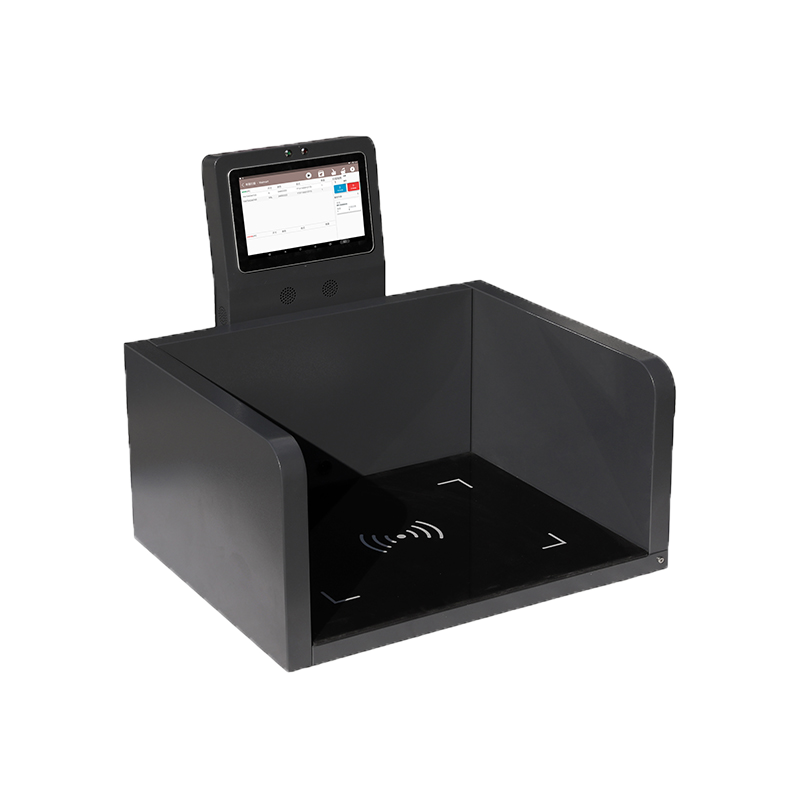
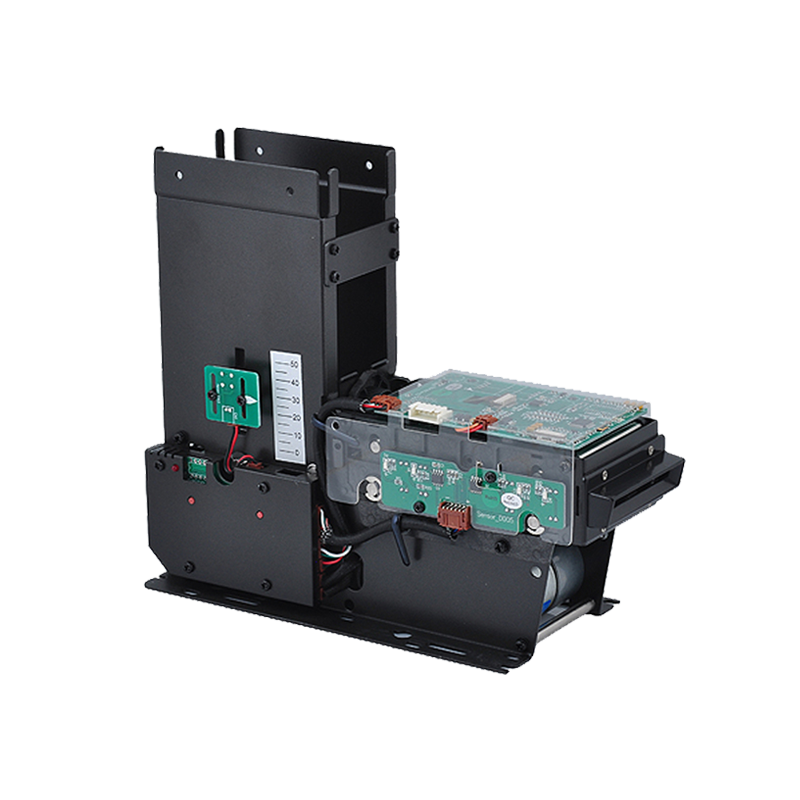
RFID readers capture attendee credential data at selected locations. Depending on the system, readers may be handheld, desktop, fixed, or integrated into a kiosk.
Reader types may include:
For projects involving RFID tag writing or badge preparation, Syncotek’s article on RFID writers can help clarify how readers may also be used to write or verify tag data.
Antennas define the read zone. In attendee tracking, they help determine whether a system reads one doorway, one booth, one room, or a wider area.
Antenna planning should consider:
For fixed installations, cables and connectors affect signal quality and system reliability. Poor cable selection can reduce read performance or create troubleshooting problems.
For reader-to-antenna deployment, review RFID cables, connectors, and adapters before final installation.
Software connects RFID reads with attendee profiles, permissions, dashboards, and reports.
It may support:
Barcodes and QR codes are widely used in event management. They are low-cost and easy to implement. However, RFID offers advantages when events need faster, more automated, or less visible tracking.
| Comparison | Barcode / QR Code | RFID |
|---|---|---|
| Scan method | Optical scan | Radio frequency scan |
| Line of sight | Required | Not always required |
| Speed | One-by-one scanning | Faster in many applications |
| Passive zone tracking | Limited | Possible with fixed readers |
| Staff workload | Higher for manual scanning | Lower when automated |
| Cost | Lower | Higher |
| Best use | Simple check-in and ticket validation | Attendance analytics, access control, zone tracking, booth engagement |
For many events, barcode and RFID can work together. QR codes may handle simple ticket check-in, while RFID supports real-time movement data, access control, and attendee analytics.
RFID can help reduce manual registration work and improve entrance flow.
Automated read points can reduce errors caused by manual counting or missed barcode scans.
Organizers can view attendance, session traffic, and movement patterns during the event instead of waiting until the end.
RFID booth analytics and lead retrieval can help exhibitors understand engagement and follow up more effectively.
RFID credentials can help manage paid sessions, VIP areas, staff zones, and restricted locations.
Traffic and dwell-time data can guide future layout, staffing, schedule, booth placement, and sponsor strategy.
RFID can reduce waiting, simplify access, and enable personalized event features.
Attendee tracking involves people data, so privacy must be handled carefully.
Event organizers should clearly define:
RFID attendee tracking should be designed to improve event operations without creating unnecessary privacy concerns. Clear communication and responsible data handling are essential.
Start by identifying the primary reason for using RFID.
Common goals include:
Different goals require different system designs.
Select the credential format based on event type.
Consider:
For printed RFID badges or labels, an RFID printer may be useful for in-house badge production and encoding.
Decide where RFID reads should happen.
Examples:
Avoid collecting unnecessary data. Focus on read points that support the event’s operational goals.
Choose RFID readers and antennas based on the required read range, read-zone shape, crowd density, and installation environment.
A session room doorway and a large exhibition hall entrance may require different hardware layouts.
RFID data is only valuable when it connects to the event database and reporting system.
The software should map each RFID ID to:
RFID systems should be tested before the event opens.
Test:
Testing helps prevent problems during live event operations.
More data is not always better. Collect the data that supports event goals and attendee trust.
If antennas are placed incorrectly, the system may miss attendees or read people outside the intended zone.
Attendees should understand how RFID is used and how their data will be handled.
A wristband may be ideal for a festival, while a printed RFID badge may be better for a business conference.
RFID reads must connect correctly with registration, access rules, dashboards, and reports.
Empty-venue testing is not enough. Crowd density, walking speed, and badge orientation can change real-world performance.
To improve system reliability, follow these practices:
RFID attendee tracking helps event organizers move from manual attendance records to faster, more accurate, and more useful event data. It can support event check-in, access control, session attendance, exhibitor booth analytics, lead retrieval, visitor flow analysis, and personalized attendee experiences.
The best RFID attendee tracking system is not only about giving every visitor an RFID badge. It requires the right credential type, read-zone design, RFID readers, antennas, software integration, privacy planning, and on-site testing.
For conferences, trade shows, exhibitions, training programs, and large venues, RFID can turn attendee movement into actionable insight and help organizers create more efficient, measurable, and engaging events.
RFID attendee tracking uses RFID badges, cards, wristbands, or tags to identify attendees and collect event data such as check-in time, session attendance, booth visits, location, and dwell time.
Each attendee receives an RFID credential linked to their registration profile. RFID readers installed at entrances, session rooms, booths, or access points capture the credential ID and send the data to event software.
It can collect attendee ID, location, timestamp, session attendance, booth visit, dwell time, movement direction, access status, and other event-related data depending on the system design.
RFID is better when the event needs automated tracking, faster movement, non-line-of-sight reads, booth analytics, or zone-level data. QR codes are still useful for simple ticket validation and low-cost check-in.
Yes. RFID badges can be scanned or detected at exhibitor booths to create lead records, visitor logs, and booth engagement reports.
Yes. RFID credentials can be linked to access permissions for VIP rooms, paid seminars, staff areas, workshops, or special event zones.
Business conferences often use RFID badges or cards. Festivals and entertainment venues often use RFID wristbands. The best choice depends on event type, read distance, branding, durability, and budget.
It can if data collection is not clearly explained. Event organizers should define what data is collected, how it is used, who can access it, and whether attendee consent or opt-out options are required.
Need RFID Hardware for Event Tracking, Access Control, or Visitor Analytics?
Syncotek provides RFID readers, antennas, tags, labels, and system components for identification, access control, inventory, event tracking, and industrial data capture applications.
Whether you are planning RFID attendee badges, access control checkpoints, booth tracking, session attendance monitoring, or event analytics, Syncotek can help you evaluate suitable RFID components based on your read distance, credential type, venue layout, and software workflow.
 Knowledge
An RFID tag may look like a simple adhesive label, plastic block, textile patch, card, or small industrial component. Inside, however, several electrical and mechanical elements work together to receive radio-frequency energy, process commands, store data, and communicate with an RFID reader. At its most basic level, a passive RFID tag contains: RFID Chip + […]
READ MORE Knowledge
RFID tags are small devices (a chip + antenna) that store an ID (and sometimes more data) and communicate wirelessly with an RFID reader. They’re used to identify, track, and manage items in warehousing, retail, manufacturing (WIP), healthcare, asset tracking, access control, and logistics—often faster and with less manual work than barcodes. This guide explains […]
READ MORE Knowledge
Tools are essential assets in many industries. Manufacturing plants, construction companies, hospitals, repair teams, rental businesses, warehouses, and maintenance departments all depend on tools being available, traceable, and properly maintained. However, tool management is often difficult. Tools may be misplaced, borrowed without record, left at job sites, stored in the wrong cabinet, sent for maintenance […]
READ MORE Knowledge
HF RFID runs at 13.56 MHz and is widely used for access control badges, contactless payments, libraries, healthcare wristbands, and NFC phone tap experiences. When people say “HF RFID,” they often mean very different things—because HF is a frequency band, while standards define the protocol stack (how tags and readers actually communicate). More about HF […]
READ MORE Knowledge
Learn the real differences between RFID and NFC—frequencies, range, security, smartphone compatibility, data models, and use cases. See when to choose UHF RFID (RAIN) vs. NFC, and how Syncotek readers fit your project.
READ MOREIf you are interested in our services or need customized solutions, please feel free to contact us.