

A thermal label printer can look like a simple piece of office equipment, but choosing the wrong model can create recurring problems: labels that do not fit the application, barcodes that are difficult to scan, print media that jams, connectivity that does not match the existing system, or labels that fade before the end of their service life.
The right choice depends on more than the printer's advertised speed. Buyers need to consider label width, printing method, resolution, daily print volume, media compatibility, connection options, software support, and the environment in which labels will be used.
This guide explains how thermal label printers work, compares direct thermal and thermal transfer printing, and shows how to select a suitable 2-inch, 3-inch, or 4-inch printer for retail, warehousing, shipping, healthcare, and manufacturing workflows. It also explains when a standard thermal label printer is sufficient and when an RFID printer encoder is required.
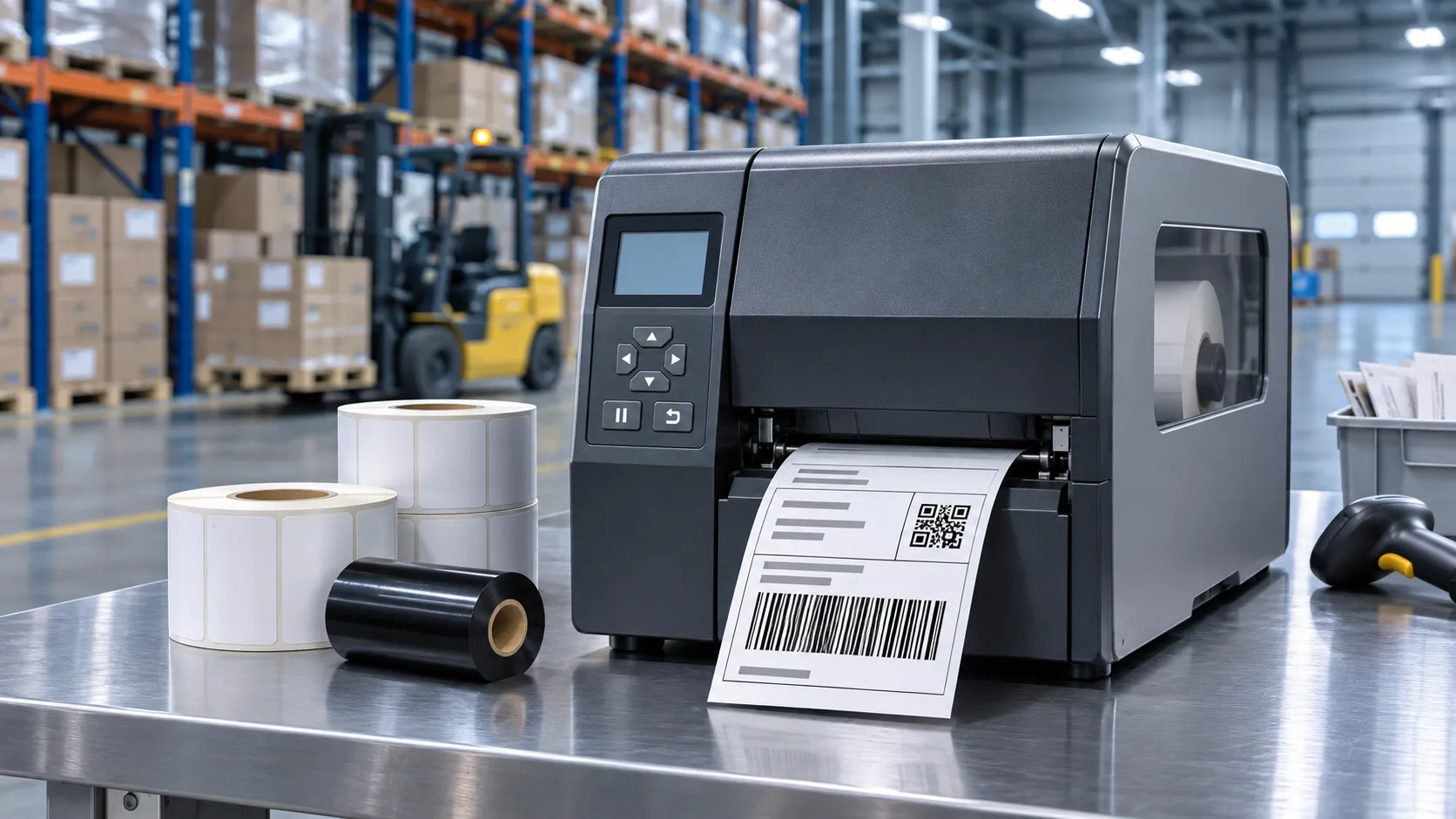
A thermal label printer produces text, barcodes, QR codes, graphics, and other information on heat-sensitive or ribbon-compatible label media. Instead of using liquid ink or toner, it uses a heated printhead to create an image on the media.
Thermal printing is widely used for product labels, shipping labels, inventory identification, shelf labels, tickets, receipts, sample identification, and other applications where businesses need to print variable information on demand.
A typical thermal label printing workflow includes:
The printer is only one part of the workflow. Label stock, adhesive, ribbon where required, software, barcode design, and the surface receiving the label all influence the final result.
A regular inkjet or laser printer is designed for sheets of paper and general documents. A thermal label printer is designed for roll-fed or fanfold media and repeated printing of small, application-specific labels.
| Consideration | Thermal Label Printer | Regular Office Printer |
|---|---|---|
| Media handling | Label rolls, continuous media, or fanfold media on supported models | Primarily sheets of paper |
| Printing method | Direct thermal or thermal transfer | Inkjet or laser |
| Typical output | Product labels, barcodes, shipping labels, tickets | Documents, reports, forms |
| Variable label printing | Suitable for repeated, sequential labels | Possible, but usually less convenient |
| Consumables | Thermal media and, for transfer printing, ribbon | Ink or toner and paper |
| Workflow | Often integrated with POS, warehouse, shipping, or production software | Usually document-oriented |
For businesses that print labels throughout the day, a dedicated thermal label printer can simplify media handling and improve workflow consistency.
Thermal label printers are available in different sizes and configurations. The best type depends on where printing takes place, how many labels are printed, and the dimensions of the label.
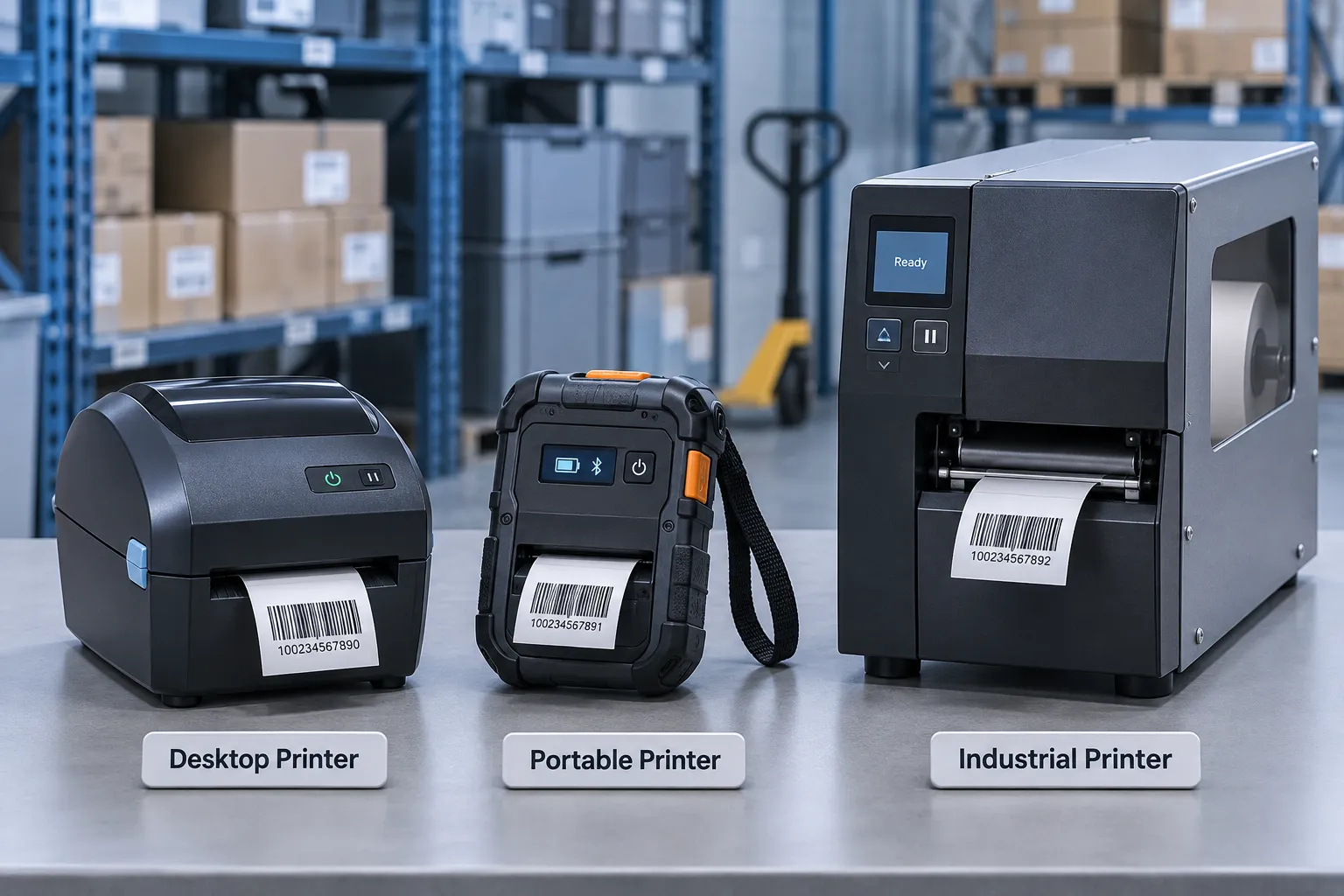
Desktop printers are compact devices designed for counters, offices, packing stations, small warehouses, laboratories, and other work areas with limited space.
They are suitable when a business needs regular label printing but does not require a large industrial mechanism. Buyers should check the supported media width, roll diameter, print speed, cutter or peeler options, and the manufacturer's recommended workload.
A desktop model may be a practical choice for retail price labels, order labels, shelf identification, and routine warehouse tasks.
Portable printers are designed for mobile work. Staff can print labels near shelves, products, storage locations, service points, or workstations rather than returning to a fixed computer.
Portable models commonly use rechargeable batteries and wireless connections such as Bluetooth. Depending on the model, they may support receipt paper, label paper, or both.
A portable printer is useful when mobility is more important than wide-format printing or high-volume continuous output. Before selecting one, confirm the actual label width, battery capacity, supported mobile operating systems, connection method, and whether the printer supports the label material required by the application.
See the Syncotek portable printer range for mobile printing options.
Kiosk printers are designed to be integrated into self-service terminals, weighing equipment, ticketing machines, payment systems, and other equipment.
Unlike a conventional desktop printer, a kiosk printer may be installed inside a machine or a purpose-built enclosure. Integration requirements therefore matter as much as print quality.
Check the printer's dimensions, mounting arrangement, paper loading direction, power supply, interface, command compatibility, paper roll capacity, and cutting or dispensing method before designing the host equipment.
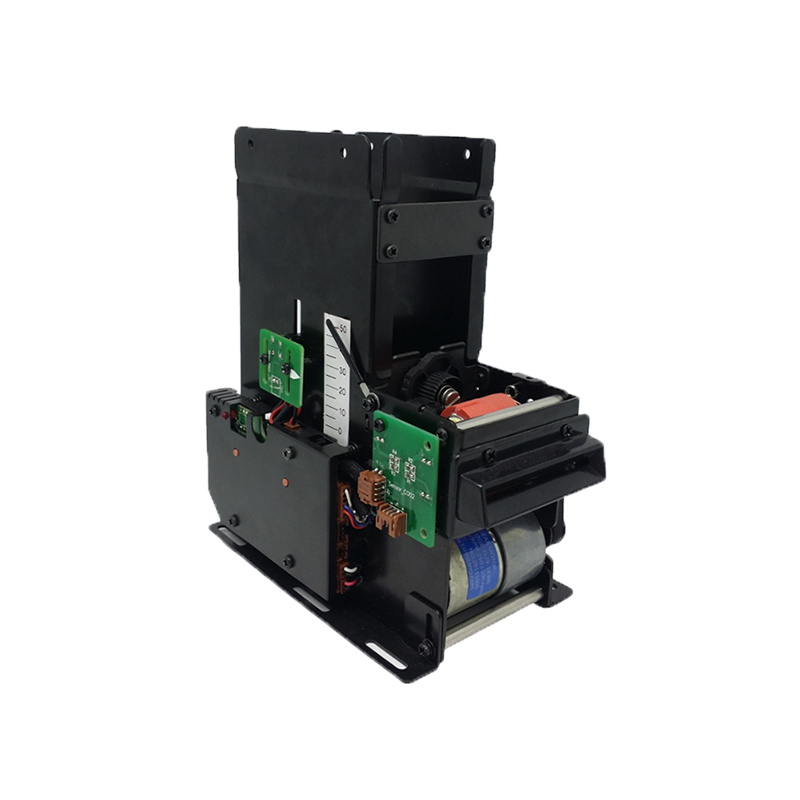
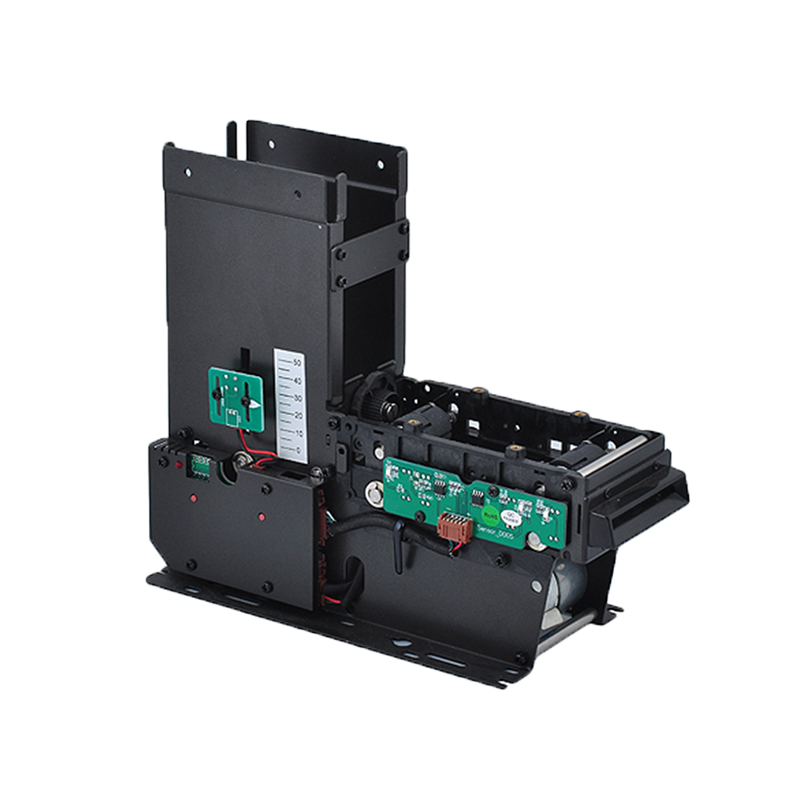
The RG-LP56A 2-inch kiosk thermal label printer is one example of a compact model that supports thermal labels and common thermal paper.
Industrial printers are intended for more demanding environments and higher or more continuous print workloads. They are commonly considered for manufacturing lines, distribution centers, large warehouses, and operations where label printing is part of a critical process.
When evaluating an industrial printer, look beyond the maximum speed. Review the manufacturer's duty-cycle guidance, printhead life, media capacity, mechanism construction, maintenance requirements, supported interfaces, and availability of service parts.
A printer should be selected against the actual workload and environment rather than the word "industrial" in a product description.
One of the most important decisions is whether to use direct thermal or thermal transfer printing. Both methods use heat, but they create the printed image in different ways.
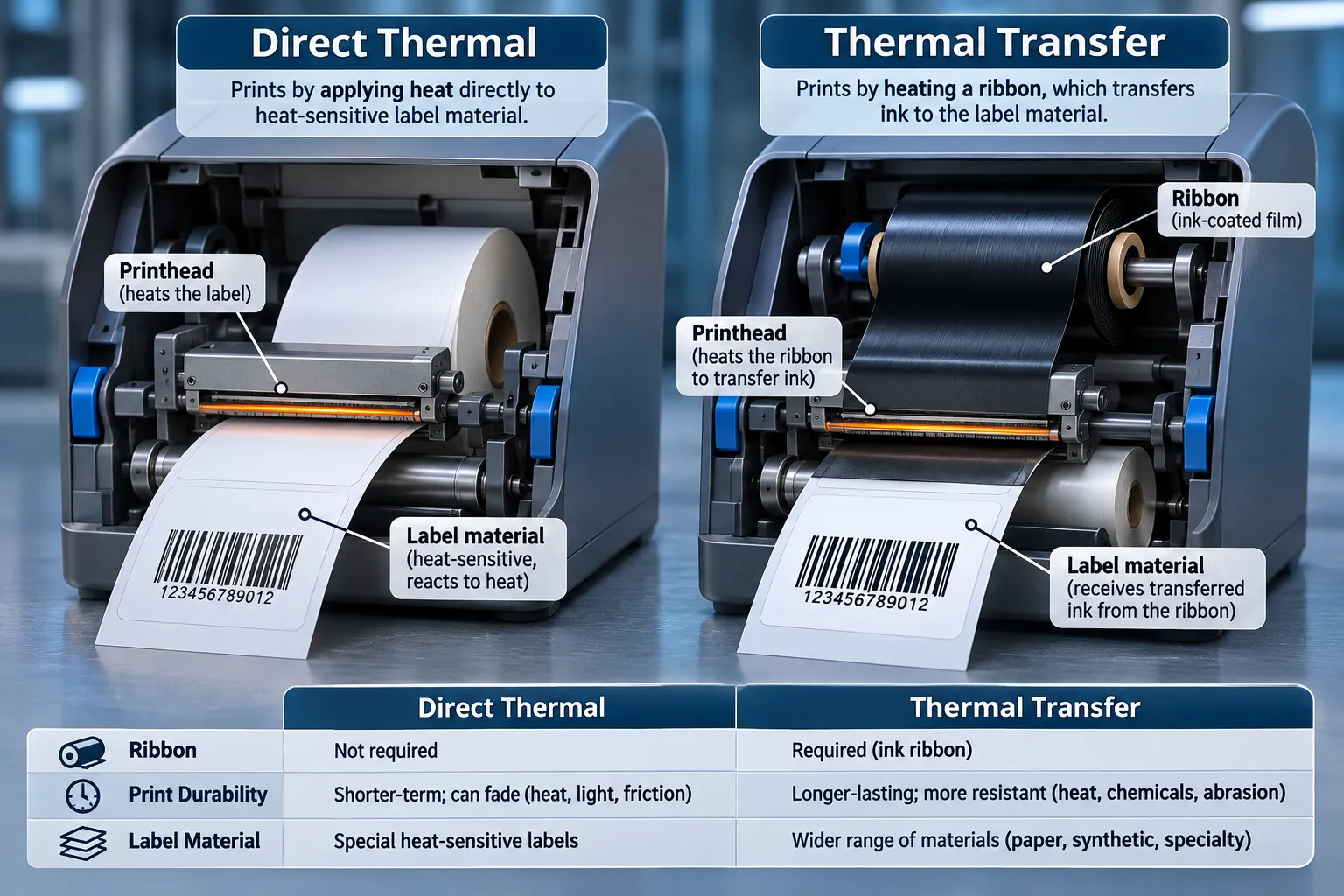
Direct thermal printing uses a heat-sensitive coating on the label or paper. The printhead applies heat to selected areas, causing the coating to darken and form text, barcodes, or graphics.
A direct thermal printer does not need an ink ribbon.
Typical advantages include:
The main limitation is media durability. Direct thermal images can be affected by heat, sunlight, friction, and some environmental conditions. The actual service life depends on the label material, coating, storage conditions, and exposure.
Direct thermal printing is often suitable for shipping labels, receipts, short-term inventory labels, order labels, and other applications where the label does not need to remain readable for a long period in harsh conditions.
Thermal transfer printing uses a ribbon between the printhead and the label material. Heat transfers ink from the ribbon onto the label surface.
This method supports a wider range of label materials than direct thermal printing, depending on the printer and ribbon combination. It is often selected when labels need better resistance to abrasion, moisture, chemicals, heat, or long-term handling.
Common ribbon categories include:
The correct ribbon depends on the label face material, surface coating, printhead settings, and expected exposure. A resin ribbon does not automatically make every label durable; the media and ribbon must be compatible and tested together.
| Factor | Direct Thermal | Thermal Transfer |
|---|---|---|
| Ribbon | Not required | Required |
| Label material | Heat-sensitive media | Compatible paper and synthetic media |
| Consumables | Thermal label stock | Label stock plus ribbon |
| Image durability | Depends strongly on thermal coating and exposure | Can provide greater durability with the right media and ribbon |
| Typical uses | Receipts, shipping labels, short-term identification | Product identification, asset labels, manufacturing and longer-life labels |
| Media selection | Must use suitable direct thermal stock | Must match label material and ribbon type |
Choose direct thermal when the label is expected to be used for a relatively short period, the application uses compatible heat-sensitive media, and minimizing ribbon handling is important.
Choose thermal transfer when the label needs to remain readable for longer or must withstand more demanding handling or environmental conditions. Confirm the exact media and ribbon combination before placing a production order.
Some printers support both methods. For example, the RG-LP42T product page lists both thermal transfer and direct thermal printing. The page specifies a 203 dpi configuration and also lists 203 dpi and 300 dpi as options in its feature information, so buyers should confirm the required resolution and configuration for the order.
Printer width affects the size of labels that can be produced, but the nominal printer class is not the same as the exact printable width. Always compare the maximum media width and effective print width in the product specification.
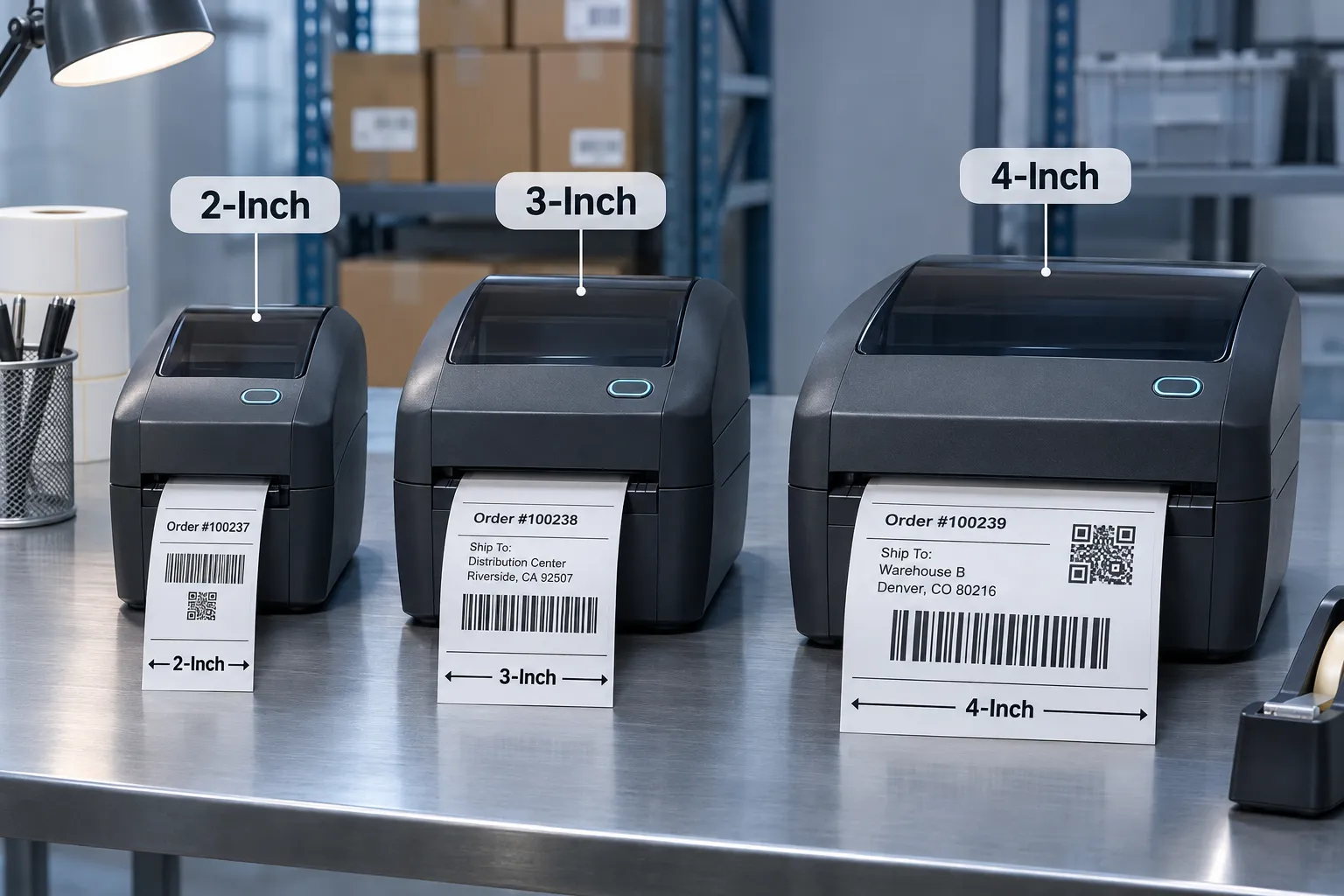
A 2-inch printer is designed for narrow labels and compact output. It may be suitable for small product labels, shelf or bin identification, tickets, weighing equipment, and compact self-service devices.
For example:
A 2-inch printer is not automatically the best option simply because the label is small. Check whether the barcode, text, logo, and required quiet zones can fit within the effective print width.
A 3-inch printer provides more room for label layouts than a compact 2-inch model while remaining relatively small.
The RG-LP80C is listed as a 3-inch thermal label printer. Its specifications include a maximum paper width of 80 mm, an effective print width of 72 mm, direct thermal printing, a maximum speed of 75 mm/s, and USB plus Bluetooth connectivity.
This class can be considered for retail, kitchens, supermarkets, warehouses, catering, and store operations where a wider label or ticket is needed but a full 4-inch format is unnecessary.
A 4-inch printer is commonly considered for shipping labels, logistics labels, warehouse identification, product labels, and other layouts that need more horizontal space.
Two Syncotek models illustrate different configurations:
These models should not be treated as interchangeable. The RG-LP42T supports thermal transfer and direct thermal printing, while the SP-TL54 is specified as a thermal line printer for normal thermal paper, thermal label paper, and fanfold paper.
| Printer class | Example model | Effective print width | Printing method |
|---|---|---|---|
| 2-inch | RG-LP56A | 56 mm | Thermal line |
| 2-inch | SP-TL24 | 48 / 56 mm | Thermal line |
| 3-inch | RG-LP80C | 72 mm | Direct thermal line |
| 4-inch | RG-LP42T | Up to 104 mm | Direct thermal and thermal transfer |
| 4-inch | SP-TL54 | 108 mm | Thermal line |
The figures above are taken from the corresponding Syncotek product information. Confirm the exact configuration, interface, and media compatibility for the selected model before ordering.
The same printer may support several types of work, but the right media and label layout depend on the application.
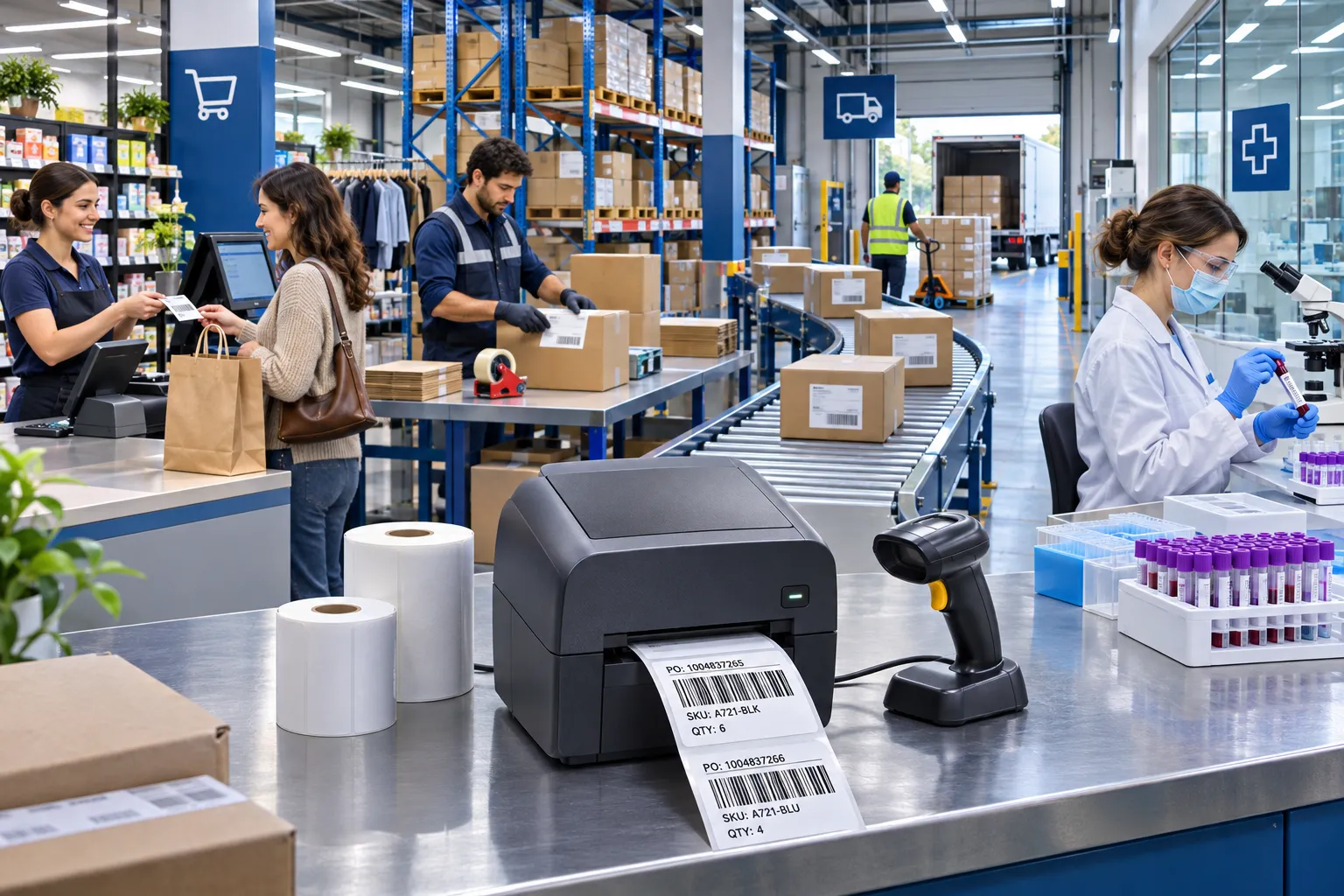
Retailers use thermal printers for price labels, shelf labels, product identification, order labels, and receipts. A compact printer may be sufficient for narrow labels or counter-based tasks.
Important considerations include label width, print speed, barcode readability, connection to the POS system, and the ability to replace media quickly.
Warehouses use labels to identify products, cartons, shelves, bins, storage locations, and outgoing shipments.
A printer for warehouse use should match the label dimensions and daily volume. If staff print labels at different locations, a portable printer may reduce walking time. If labels are printed at a fixed packing station, a desktop or wider-format model may be more practical.
For labels that remain on assets or storage containers for a long period, choose media and adhesives according to the surface and operating environment.
Shipping workflows often require labels with recipient information, routing data, tracking barcodes, and handling instructions.
A 4-inch printer may be useful when the shipping label layout requires a wider format. Buyers should check the exact label dimensions required by their carrier or shipping platform, the printer's effective print width, and whether the software can generate the required label format.
Thermal printers can be used for patient identification, specimen labels, sample tracking, medication-related workflows, and laboratory records.
Healthcare and laboratory applications require careful media selection. The label must remain readable under the actual storage, handling, refrigeration, cleaning, or chemical exposure conditions. Barcode size, print contrast, adhesive performance, and applicable facility procedures should be validated before deployment.
Manufacturers may print labels for work-in-process identification, component tracking, finished goods, packaging, inspection records, and internal logistics.
The printer should be selected according to the production environment, label substrate, print volume, and integration requirements. If labels must remain attached to parts exposed to heat, oils, solvents, abrasion, or outdoor conditions, test the full label construction rather than selecting a printer based on resolution alone.
The printer and the consumables must be treated as one printing system. A printer that supports a certain paper width does not necessarily support every label material, adhesive, thickness, or roll configuration.
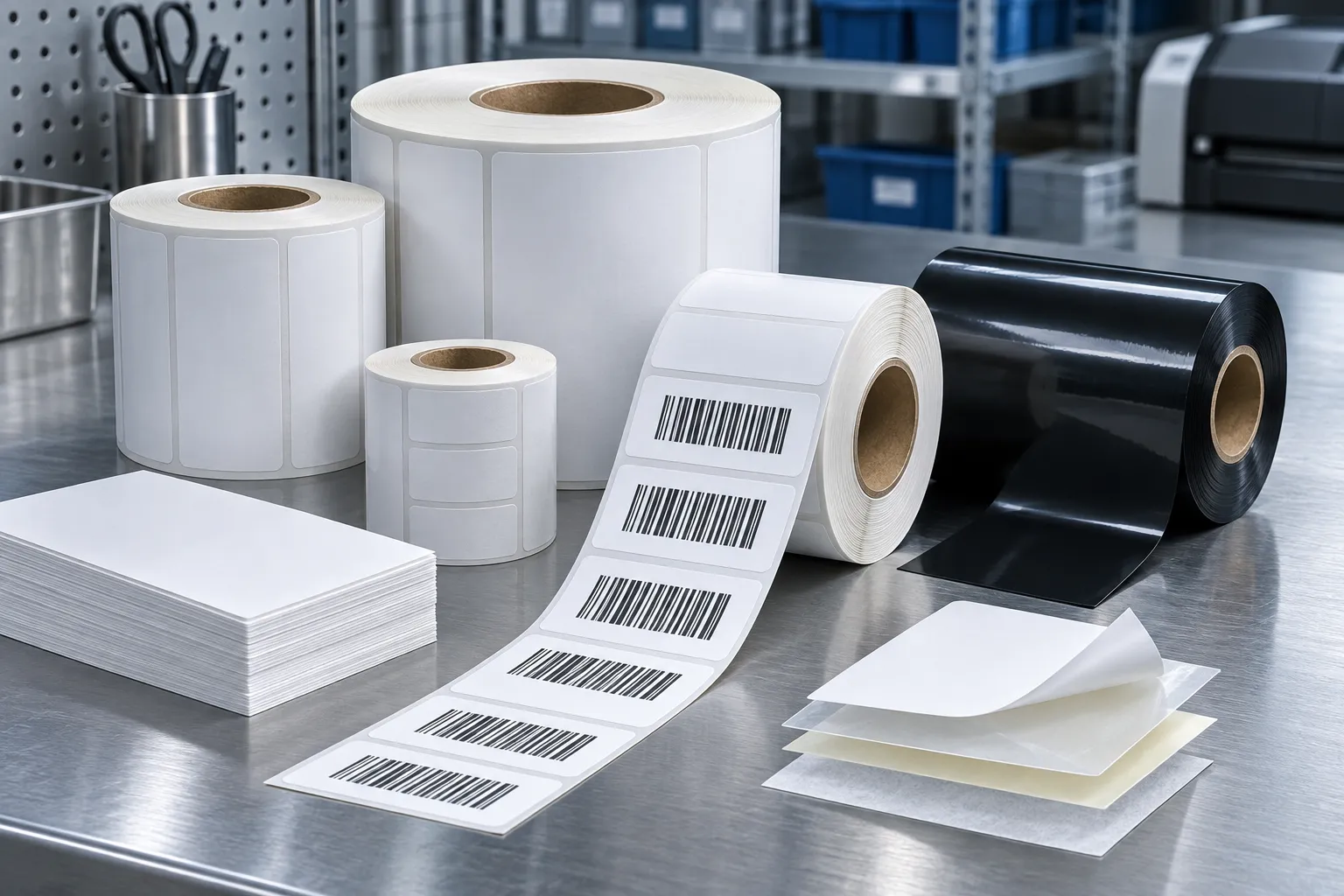
Thermal label printers may support roll labels, continuous paper, black-mark media, gap-separated labels, or fanfold media, depending on the model.
Before ordering media, confirm:
The media dimensions must stay within the printer's stated limits. A roll that is too large, too thick, or incorrectly wound can cause feeding and detection problems.
Thermal transfer printers require a ribbon that matches both the printer mechanism and the label material.
Check ribbon width, roll length, core size, outer diameter, winding direction, and whether the printer supports the selected ribbon configuration. The ribbon should cover the print area appropriately without creating unnecessary wrinkles or waste.
A media supplier should be able to recommend a compatible ribbon based on the label face material and required durability.
Label performance also depends on the adhesive and the surface receiving the label.
A label applied to clean cardboard may behave differently from one applied to textured plastic, painted metal, a curved container, or a surface exposed to moisture or oil.
For demanding applications, test the label on the actual surface under realistic temperature, humidity, cleaning, and handling conditions.
A structured selection process helps avoid buying a printer that meets one specification but fails in the real workflow.
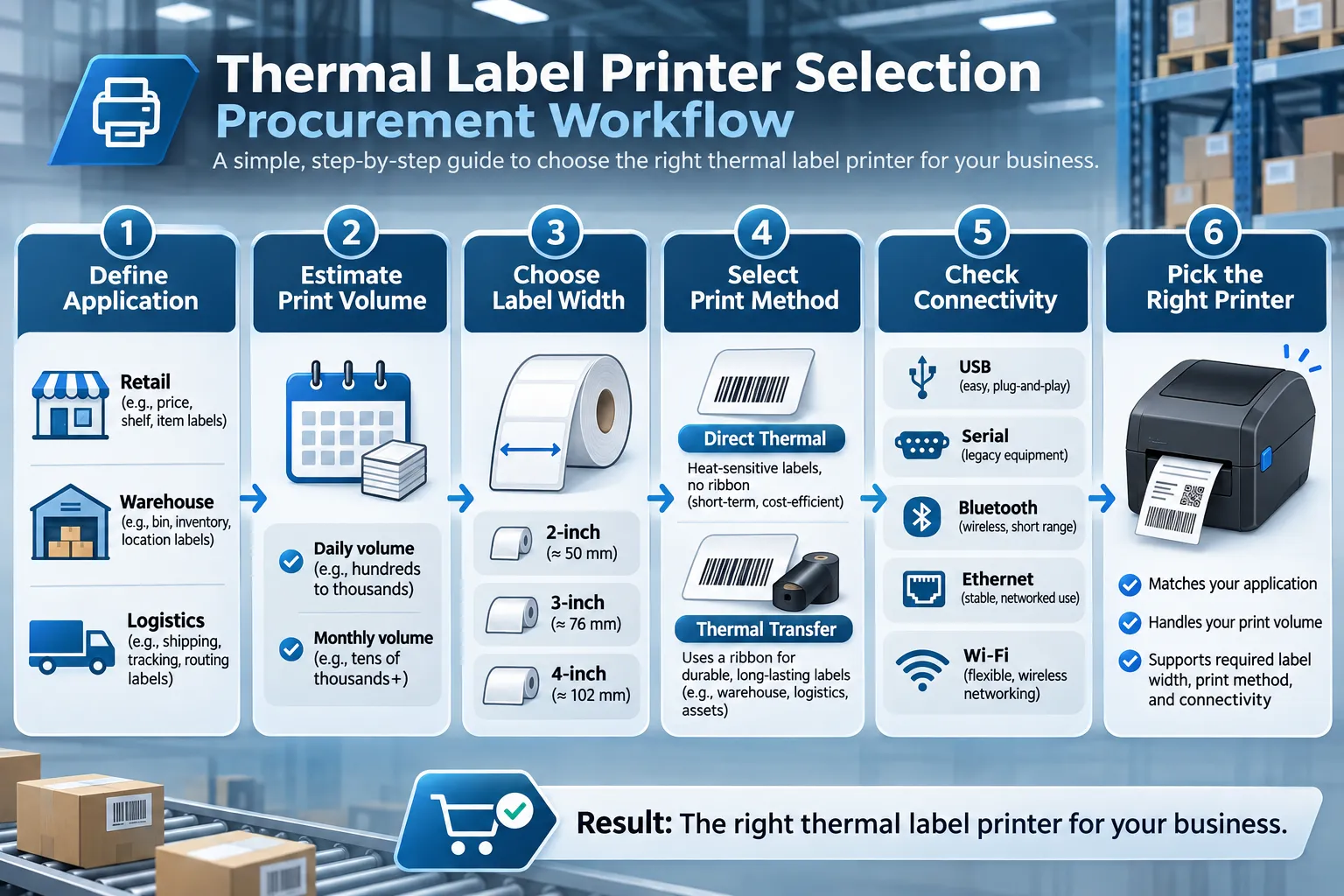
Start with the label's purpose. Is it a shipping label, product label, shelf label, asset label, ticket, receipt, sample label, or work-in-process label?
The application determines the label size, required information, media type, expected service life, and printing location.
Estimate the average number of labels printed per day and the busiest operating period. Also consider whether printing happens continuously or in short batches.
Do not select a printer using maximum speed alone. Actual throughput can be affected by label length, print density, data processing, media feeding, cutter or peeler operation, and the time required for staff to handle each label.
Ask the supplier for guidance on the expected workload and the model's recommended operating conditions.
Measure the actual label, including the area needed for text, barcode, QR code, logo, and quiet zones.
Distinguish between:
The effective print width is usually the more important figure when checking whether a label layout will fit.
Choose direct thermal or thermal transfer according to label life, exposure, material, and operating cost.
If you are unsure, test sample labels under the conditions in which they will be used. A short print test cannot fully predict long-term durability, but it can identify problems with print contrast, barcode scanning, adhesion, and media feeding.
Resolution is commonly expressed in dots per inch (DPI).
Higher resolution is not automatically better for every application. It may affect printer cost, print speed, and the model options available. Select resolution based on the smallest element that must be printed clearly and scanned reliably.
Common connection options include USB, serial, Ethernet, Bluetooth, and Wi-Fi. Availability varies by model and configuration.
Check the following before ordering:
For example, the RG-LP80C product information lists USB and Bluetooth interfaces, Windows and Linux driver support, and compatibility with ESC/POS and CPCL commands. The exact software integration should still be tested with the buyer's application.
A tear bar may be sufficient when staff manually remove each label. A cutter can help when labels or tickets need to be separated automatically. A peeler can support workflows where an operator removes labels one at a time.
Printers may also use gap sensors, black-mark sensors, or other media detection methods. Select the detection method that matches the label stock.
The purchase price is only one part of the cost. Also consider:
A printer with a lower initial price may not be the most economical option if it requires frequent media changes or does not match the workload.
A standard thermal label printer prints visible information such as text, barcodes, and QR codes. It does not automatically write data to an RFID chip.
An RFID printer encoder combines label printing with RFID encoding. In addition to printing the visible label, it can write data to the RFID inlay embedded in a compatible label and, on supported models, verify the encoding process.
| Function | Standard Thermal Label Printer | RFID Printer Encoder |
|---|---|---|
| Print text and graphics | Yes | Yes |
| Print barcodes and QR codes | On supported models | On supported models |
| Print on ordinary label media | On supported media | On supported media |
| Write data to an RFID inlay | No | Yes |
| Verify RFID encoding | No | Supported models can provide verification |
| Typical output | Printed label | Printed and encoded RFID label |
Choose a standard thermal label printer when visible identification is sufficient. Choose an RFID printer encoder when each label must also carry electronically readable RFID data.
For more information about RFID printing, encoding, and printer selection, read the Syncotek RFID Printer Guide.
Possible causes include unsuitable media, incorrect darkness settings, a dirty or worn printhead, or an unsuitable ribbon and label combination.
Use media recommended for the printing method, clean the printhead according to the manufacturer's instructions, and check the printer settings.
A barcode may be difficult to scan if it is too small, distorted, too close to the label edge, printed with insufficient contrast, or placed without the required quiet zone.
Check the barcode dimensions, print resolution, media quality, darkness setting, and scanner compatibility. Test the actual printed label with the scanners used in the workflow.
Incorrect media dimensions, sensor settings, roll installation, or label gaps can cause feeding and positioning problems.
Confirm the media type, load the roll in the correct direction, and calibrate the printer according to the model's instructions.
This is often a media or surface issue rather than a printer issue. The adhesive may not match the material, surface texture, temperature, or environmental exposure.
Test the label and adhesive on the actual application surface before large-scale use.
For thermal transfer printers, ribbon wrinkles can result from incorrect loading, incompatible ribbon width, uneven tension, or unsuitable print settings.
Follow the printer's ribbon-loading procedure and use a ribbon that matches the label material and printer mechanism.
The following checklist can help purchasing teams prepare a clear printer requirement before requesting a quotation.
| Requirement | Information to prepare |
|---|---|
| Application | Shipping, retail, warehouse, manufacturing, healthcare, kiosk, or other use |
| Label dimensions | Width, height, and layout |
| Printing method | Direct thermal, thermal transfer, or both |
| Daily print volume | Average and peak labels per day |
| Resolution | 203 dpi, 300 dpi, or another supported option |
| Print speed | Required output under the actual workload |
| Media | Roll, fanfold, gap, black mark, or continuous |
| Connection | USB, serial, Ethernet, Bluetooth, or Wi-Fi |
| Software | Operating system, driver, SDK, and command compatibility |
| Accessories | Cutter, peeler, external holder, or other options |
| Environment | Temperature, humidity, dust, chemicals, abrasion, and label service life |
Providing these details helps a supplier recommend a suitable model and identify any configuration requirements before purchase.
Syncotek offers label printer options for different label widths, printing methods, and application requirements.
The RG-LP56A is a 2-inch kiosk thermal label printer supporting thermal labels and common thermal paper. It provides USB and RS232 interfaces and is designed for compact integration applications.
The SP-TL24 is another 2-inch thermal label printer option, supporting 1-inch and 2-inch label sizes with USB and Bluetooth configurations.
The RG-LP80C is a 3-inch direct thermal label printer with USB and Bluetooth connectivity. Its product information lists support for different paper widths up to 80 mm and Windows and Linux drivers.
The RG-LP42T supports both direct thermal and thermal transfer printing, with optional interfaces and cutter or peeler configurations listed on its product page.
The SP-TL54 is a 4-inch thermal line printer supporting normal thermal paper, thermal label paper, and fanfold paper. It provides a maximum effective print width of 108 mm.
Explore the Syncotek Label Printer product range to compare available models. For mobile printing requirements, visit the Portable Printer category.
A thermal label printer describes the printing technology and device type. A barcode printer is a printer configured to produce barcode labels. Many thermal label printers can print barcodes, but barcode support, supported symbologies, label dimensions, and resolution vary by model.
No. Thermal printers do not use liquid ink or toner. Direct thermal printers use heat-sensitive media and do not require a ribbon. Thermal transfer printers use a ribbon to transfer ink onto the label material.
Neither method is best for every application. Direct thermal is convenient for short-term labels and receipts. Thermal transfer is often preferred when labels need greater durability or must use compatible synthetic materials. Select the method based on label life, exposure, media, and total operating cost.
Choose according to the actual label width and printable area. A 2-inch printer is suitable for narrow labels, a 3-inch printer provides more layout space, and a 4-inch printer is commonly used for wider shipping, logistics, and product labels. Always compare effective print width rather than relying only on the printer's nominal size.
203 dpi is suitable for many common barcode and shipping label applications. Smaller labels, compact text, or dense graphics may require a higher resolution. The barcode must also be designed at a suitable size and tested with the scanners used in the application.
A standard thermal label printer can print visible information on compatible label media, but it cannot encode an RFID chip unless it includes an RFID encoding function. RFID labels that require electronic data must be processed by a compatible RFID printer encoder.
Some thermal printers support both receipt paper and label media, but compatibility depends on the model, media width, sensor arrangement, and paper handling design. Confirm the supported media types and detection methods before using one printer for both workflows.
Provide the label dimensions, printing method, daily print volume, required resolution, media type, connection options, operating system, application environment, and any cutter or peeler requirements. A sample label or layout is also useful for checking whether the printer can meet the application's needs.
The right thermal label printer should match the label format, printing method, workload, media, and software environment. Selecting these requirements before purchasing helps reduce integration issues and avoid unnecessary operating costs.
If you are comparing 2-inch, 3-inch, or 4-inch thermal label printers, share your label dimensions, daily print volume, preferred printing method, and connection requirements with Syncotek.
Visit the Syncotek Label Printer range or contact our team to discuss a suitable configuration for your application.
 Uncategorized
RFID is no longer limited to experimental pilots or isolated warehouse projects. Large companies now use RFID to connect physical products, packages, credentials, vehicles, and customer interactions with digital business systems. Depending on the application, RFID can help a company identify an item, confirm its location, validate access, automate inventory counting, track movement, or trigger […]
READ MORE Knowledge
Automotive manufacturers manage thousands of components, work-in-progress (WIP) units, reusable containers, tools, and finished vehicles across complex production and logistics networks. As product variants increase and production schedules become more demanding, teams need reliable ways to identify items, confirm process steps, and make tracking data available to the right systems. Radio frequency identification (RFID) can […]
READ MORE Knowledge
Choosing an RFID printer is not just about buying a machine that can print labels. In real deployments, the printer, RFID labels, inlay position, ribbon, application environment, and encoding workflow all have to work together. If any one of those elements is mismatched, you can end up with failed encoding, poor print quality, wasted labels, […]
READ MORE Knowledge
RFID systems are designed to communicate wirelessly, which is exactly what makes them powerful in asset tracking, inventory management, logistics, access control, and identification workflows. But that same wireless behavior can also create problems. In some situations, you want RFID signals to move freely and read tags quickly. In others, you need to prevent unauthorized […]
READ MORE Knowledge
A passive RFID tag is the most common RFID tag type in the world. It has no battery. Instead, it is powered by the electromagnetic field generated by an RFID reader. Passive tags are the foundation of RAIN UHF RFID item labeling (retail, logistics), HF/NFC access cards and smart labels, and many LF identification systems. This guide explains what passive tags are, how they work, the differences […]
READ MOREIf you are interested in our services or need customized solutions, please feel free to contact us.