

RFID tag encoding is the process of writing identification data into a writable memory area of a radio frequency identification tag. In a typical UHF RFID project, an RFID reader writer sends an encoded Electronic Product Code (EPC) to a compatible tag, reads the stored data back, and verifies that it matches the expected identifier. The verified EPC can then be associated with a product, package, tool, or asset record in business software.
To encode a UHF RFID tag, you generally need a compatible EPC Gen2 tag, a reader writer with write capability, software or an SDK that supports the appropriate write commands, and a clearly defined identifier format. For retail supply chains, that may mean a GS1-compliant EPC scheme. For a closed industrial system, an organization may use a controlled custom identifier scheme when interoperability rules permit it.
This guide covers UHF EPC Gen2 / ISO 18000-63-style tag workflows. HF/NFC tags, contactless smart cards, and other RFID technologies use different memory structures and programming procedures.
An RFID tag can be identified by data stored in its chip. Encoding writes the required application data; reading retrieves information already stored; and verification checks whether the intended write was completed correctly. The three operations should not be treated as interchangeable.
Many UHF tags already have data when shipped. For example, the manufacturer commonly programs a TID field, while an EPC may also be preloaded. A business still may need to assign a new EPC to match its own item-level identification scheme, provided the EPC area is writable and the operation is authorized.
Encoding is not the same as printing. A barcode or human-readable number printed on an RFID label is visible information. The RFID chip stores electronic information that must be written and checked separately. A printer encoder can perform both tasks in a single label-production workflow, but an ordinary label printer cannot necessarily encode an RFID inlay.
For a basic desktop operation, prepare:
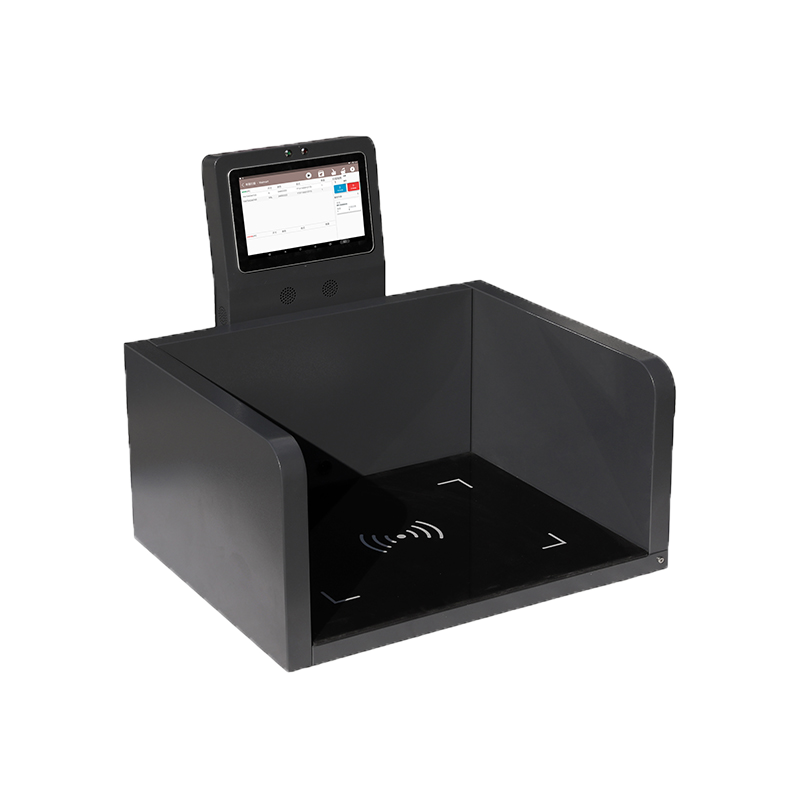
For a controlled PC workstation, see Syncotek's UHF Desktop RFID Reader Writer guide, which covers encoding, verification, interfaces, and available models.
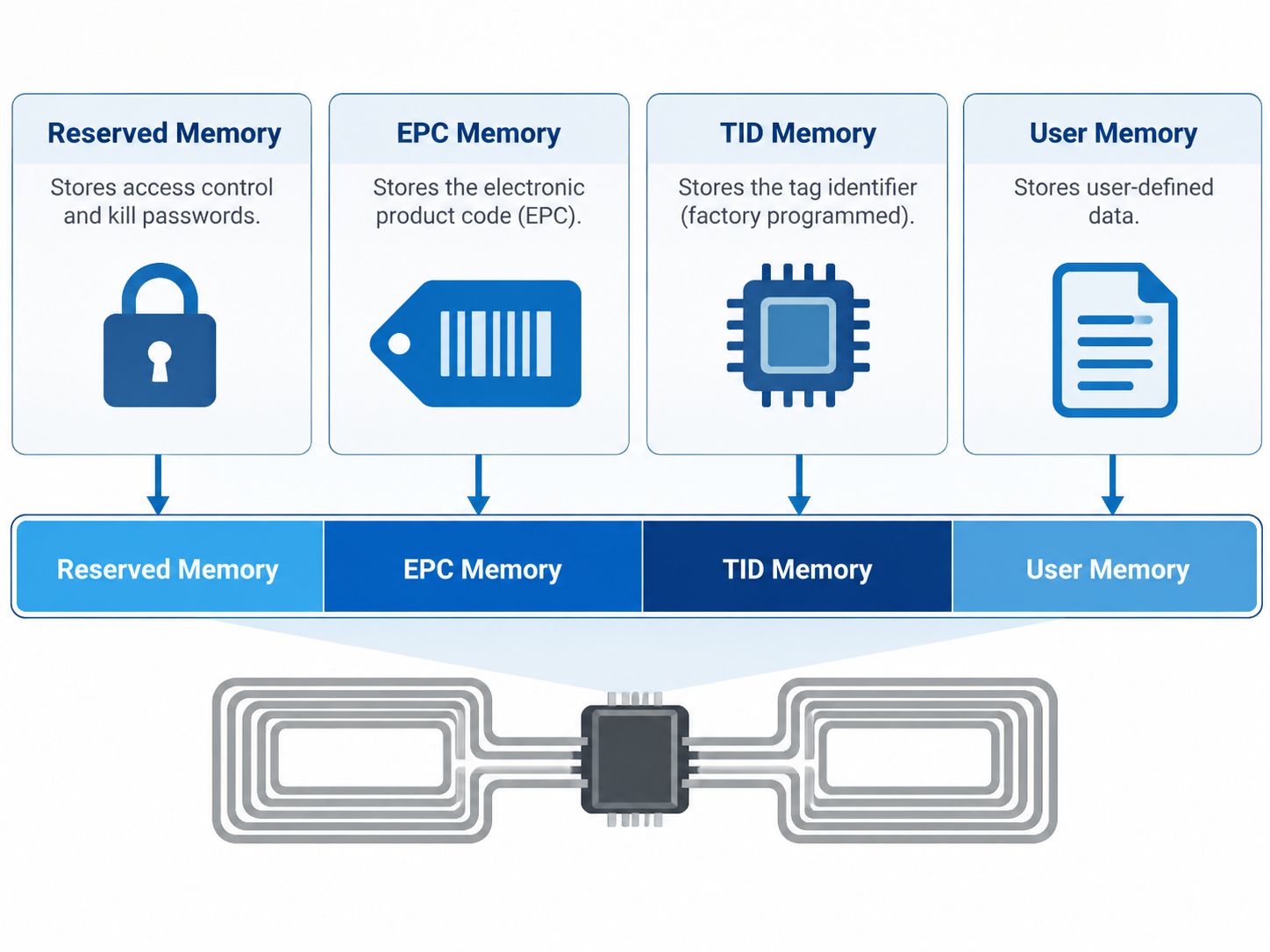
Most common EPC Gen2 UHF tags organize information into four memory banks. Their capabilities and available sizes depend on the chip model; a memory bank's presence does not guarantee that every location is writable.
| Memory bank | Purpose | Typical write behavior | Important limitation |
|---|---|---|---|
| Reserved (Bank 00) | Holds access and kill passwords where supported | Password changes depend on chip features and permissions | A password by itself is not equivalent to cryptographic authentication |
| EPC (Bank 01) | Holds EPC-related control information and the encoded identifier | Usually writable if not restricted by locks or access controls | Available EPC capacity and permitted writes vary by chip |
| TID (Bank 10) | Contains manufacturer and chip identification information; some tags include serialized identification | Commonly factory programmed and read-only or write-restricted | Do not assume every TID is a globally unique serial number |
| User (Bank 11) | Optional memory for application-specific data | Writable when present and permitted | Some chips have no User Memory at all |
A compatible chip may provide access and kill passwords in Reserved Memory. The access password can be involved in protected operations when supported by the tag's security configuration. The kill function is intended for permanent tag deactivation and is generally inappropriate for normal label commissioning.
Password values, lock states, and chip behavior must be understood before any protected operation. A careless access-control change may prevent later updates or make a tag unusable in the intended workflow.
The EPC memory bank contains the identifier read by an application as well as protocol control information. When encoding an EPC, software often manages the required length and associated control fields automatically. Operators should therefore distinguish the EPC payload from the complete contents of the EPC memory bank.
A hexadecimal EPC representation is simply a way to display binary information. It does not automatically mean the identifier follows a GS1 format or is unique within a business system.
TID typically communicates chip manufacturer and model information and, on certain chip families, additional serialized information. Because TID is commonly set during chip production, a normal EPC encoding task does not involve rewriting it. A user should inspect the selected chip's datasheet to determine exactly what the TID contains and whether a serialized TID is available.
User Memory may hold additional fields such as internal application information or small amounts of supplementary data. Its availability and capacity are chip-dependent. For frequently changing product details, many systems store a stable identifier on the tag and maintain full records in ERP, WMS, or asset management software rather than copying large amounts of business data into tag memory.
RFID chips store bits, while people and software often display those bits as hexadecimal strings. ASCII represents characters using numeric byte values; it is not inherently the same thing as a GS1 EPC encoding scheme. The software must translate the chosen business identifier into the correct binary representation for the target application.
For example, the four hexadecimal characters 4142 represent two bytes that can be interpreted as the ASCII text AB. That does not make 4142 a valid SGTIN-96 identifier. A standards-based EPC requires a particular field structure and valid business input data.
An Electronic Product Code is an identification scheme used to distinguish objects such as individual trade items, logistics units, or assets. GS1 defines EPC identity formats and their representations in its EPC Tag Data Standard (TDS). In standards-based deployments, the scheme selected must match the application's business identification requirements.
SGTIN (Serialized Global Trade Item Number) is one GS1 EPC identity scheme. The SGTIN-96 binary encoding contains six fields:
| SGTIN-96 field | Length | Purpose |
|---|---|---|
| Header | 8 bits | Identifies the binary encoding scheme |
| Filter | 3 bits | Provides a handling/classification hint |
| Partition | 3 bits | Determines the split between company prefix and item reference |
| GS1 Company Prefix | Variable | Identifies the GS1 company prefix within the selected partition |
| Indicator / Item Reference | Variable | Represents the trade-item reference information |
| Serial Number | 38 bits | Encodes the item-level numeric serial value |
The company-prefix and item-reference fields together use 44 bits; their split depends on the partition value. The complete SGTIN-96 encoding contains 96 bits, equivalent to 24 hexadecimal characters.
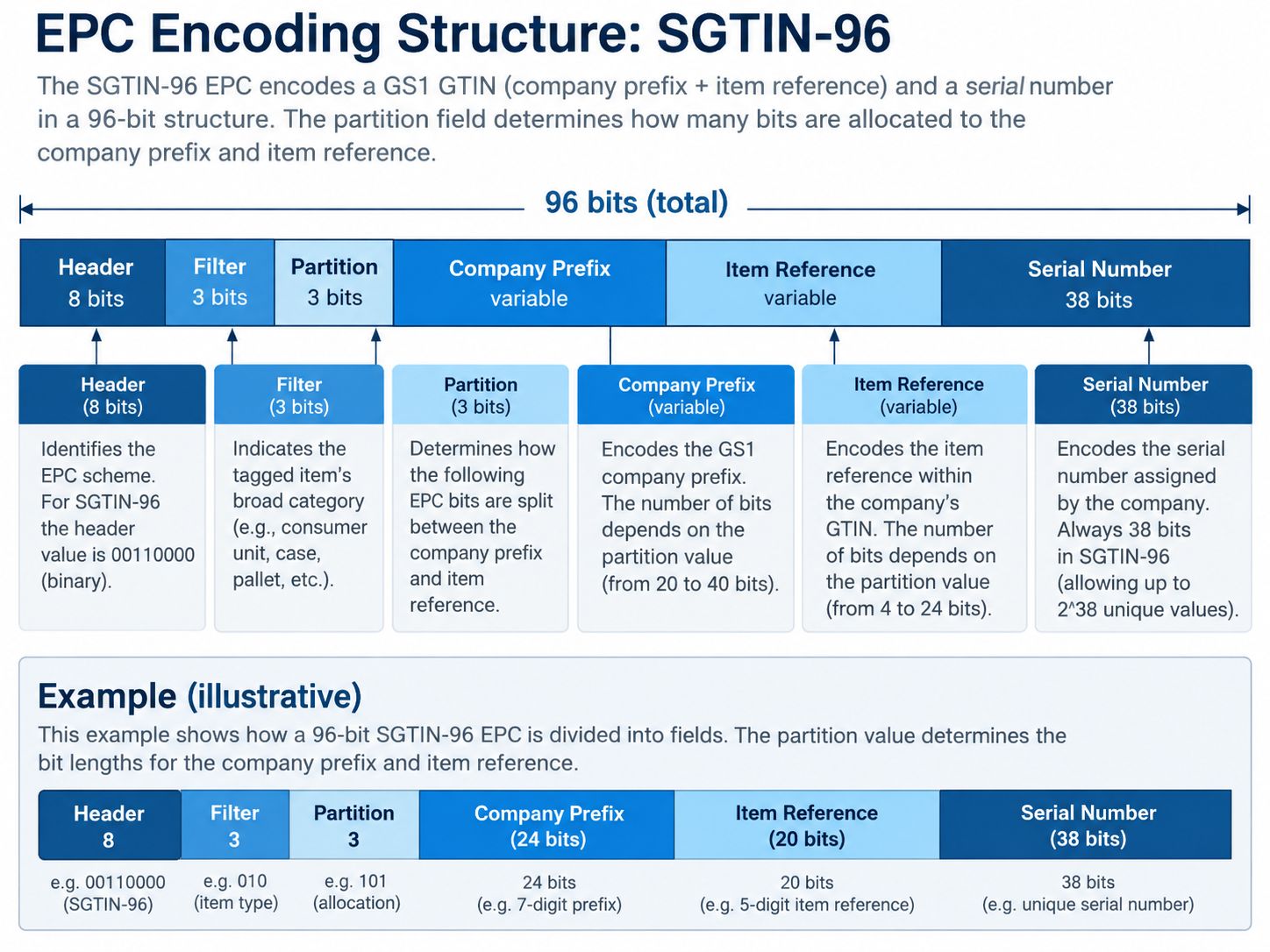
The 38-bit SGTIN-96 serial field is numeric and has constraints. In particular, serials with alphabetic characters or prohibited leading zeros cannot be represented using SGTIN-96. Other schemes, such as SGTIN-198, support different serial representations and requirements. The diagram is an illustrative overview; the official GS1 TDS is the definitive reference for field definitions and valid values.
Use the identifier format required by the receiving organization and its data-sharing partners. A brand, retailer, or logistics operator participating in a GS1 ecosystem should follow the relevant GS1 key assignment and encoding rules. A self-contained factory tool-tracking deployment may use a locally controlled identifier structure if external interoperability is not needed.
Custom identifiers still require clear length rules, centralized uniqueness management, documentation, and stable item-to-tag mappings. Writing an arbitrary hexadecimal string without any assignment system creates a future risk of collisions and inconsistent records.
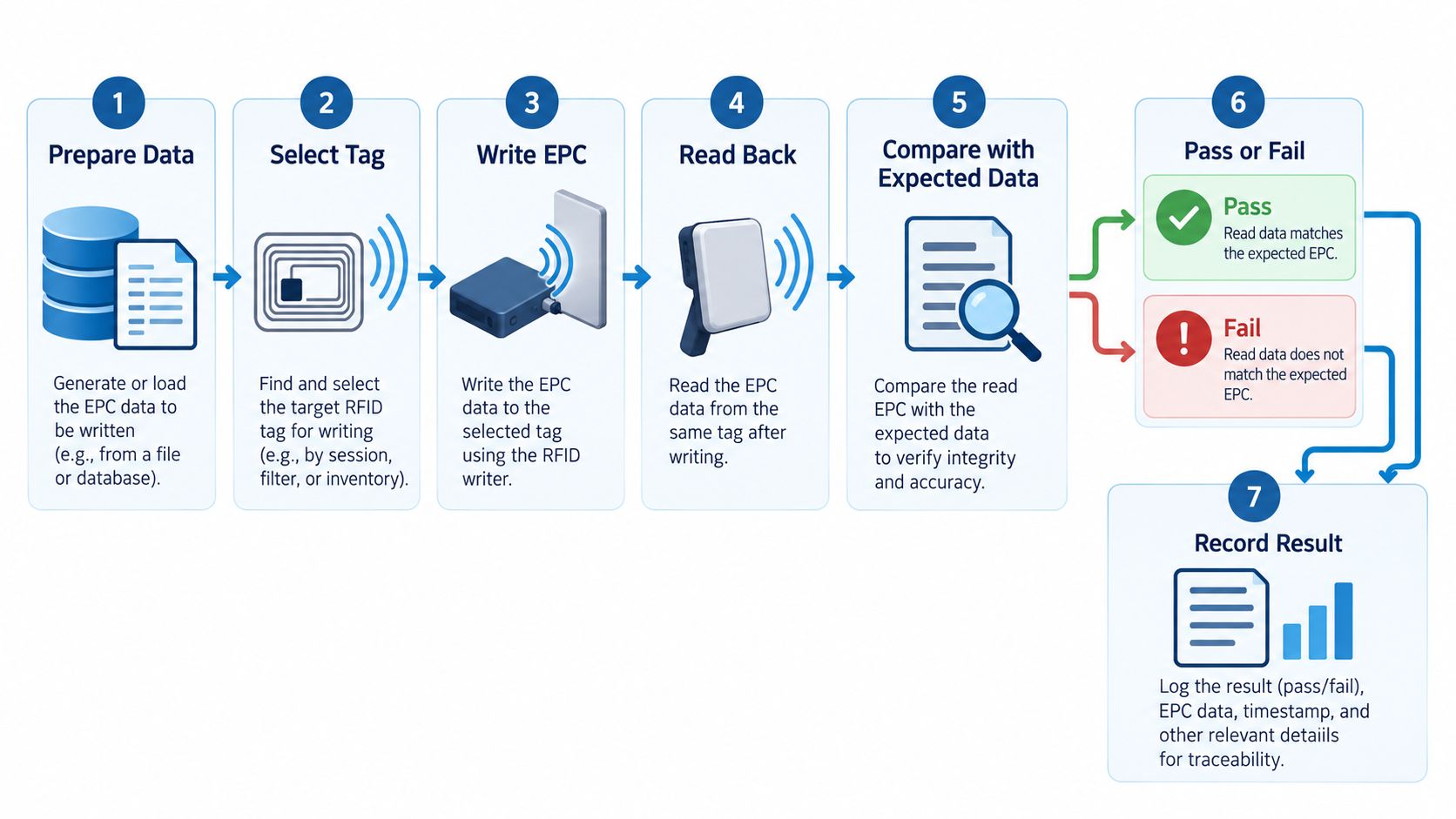
The exact buttons, command names, and input fields differ among readers and software packages. The following sequence describes a practical and broadly applicable UHF EPC Gen2 encoding workflow rather than the UI of any specific manufacturer.
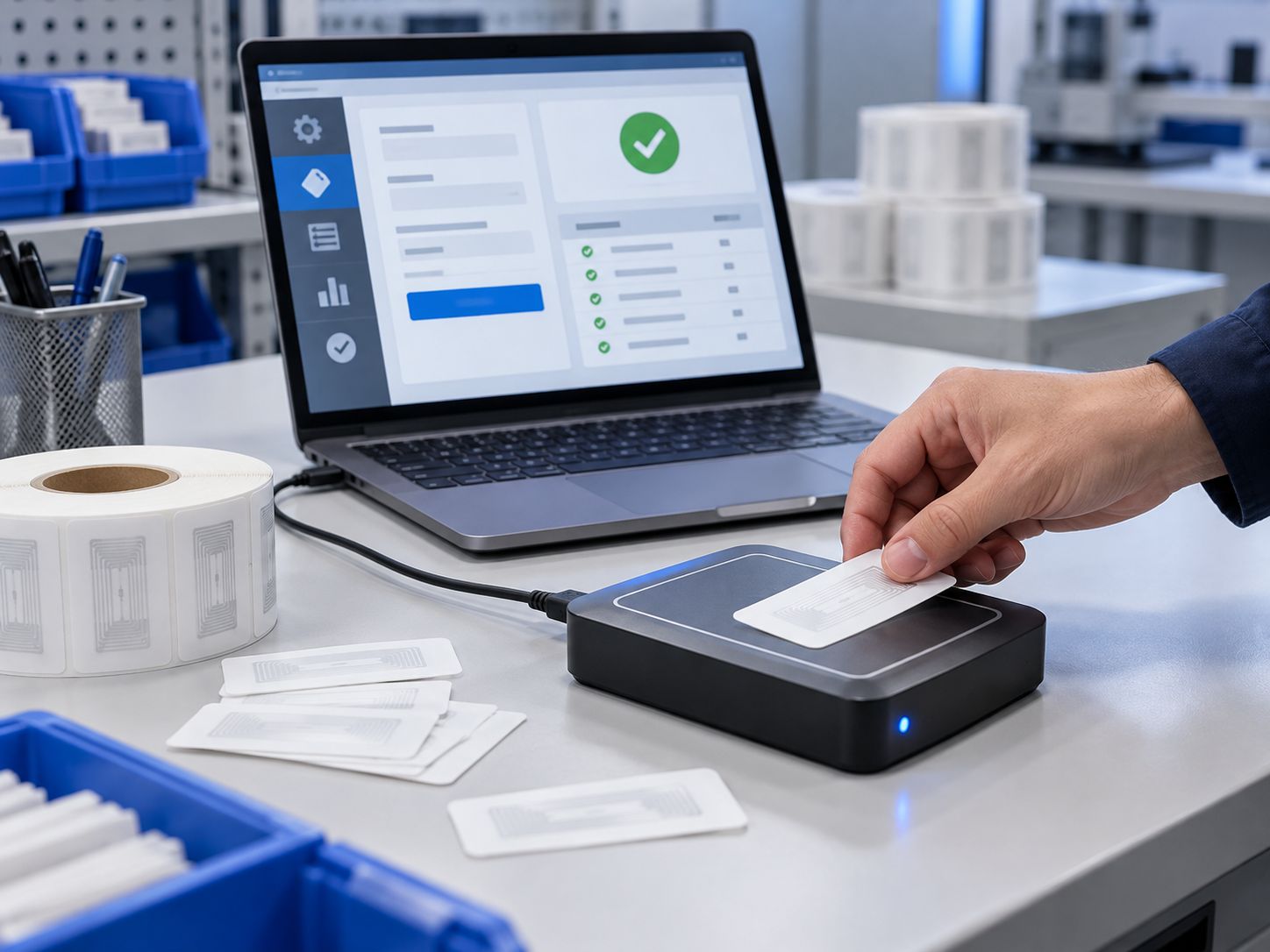
Identify the chip type and verify that its EPC memory has enough capacity for the required scheme. Confirm whether the EPC is already populated and whether your workflow permits overwriting it.
Create the new EPC using a controlled assignment process. If the identifier is GS1-based, encode it with compliant software or a validated conversion utility. Check the expected length, formatting, and uniqueness before beginning the write operation.
Connect a reader writer to the host PC or controller using its supported interface. Install the appropriate drivers, SDK, or utility where required. Select a frequency configuration permitted in the country where the system is operating.
Desktop readers are useful because they can create a relatively controlled write zone. Long-range capability is not always helpful when only one tag should be written; a large read field can increase the chance of selecting a nearby tag unintentionally.
Launch the software compatible with your reader model. Check communication settings such as serial port, USB mode, network address, reader connection, and antenna configuration. Run a basic inventory or read command to confirm communication with the hardware.
Place a single tag on the encoding pad or in a controlled fixture. Remove other writable tags from the field where practical. Read the existing EPC and, if needed, TID information to confirm the intended target.
In multi-tag environments, software must use an appropriate selection or singulation mechanism so the write command affects only the intended tag. Never assume the first tag reported by an inventory operation is automatically the correct one.
Select the supported EPC write function and provide the validated identifier in the required format. Depending on the software, you may enter a Hex EPC payload, paste a GS1 source identifier for conversion, or choose a prebuilt encoding scheme.
The system should manage any applicable EPC length-control requirements. If the interface exposes lower-level memory offsets and word counts, follow its documented command behavior rather than treating the complete EPC bank as an unrestricted byte array.
After the write command completes, perform a new read of the target tag and compare the returned EPC with the expected identifier. A success message from the write command alone should not replace read-back verification.
Check for exact byte-for-byte agreement where appropriate, and confirm that the assignment was not accidentally written to a neighboring tag. Mark unsuccessful items for investigation before they enter inventory or production.
If the workflow requires write protection, check the tag's password and lock capabilities after successful encoding and verification. Understand the differences among reversible protections, permanent locks, and any vendor-specific security features.
Do not permanently lock memory by default. A permanent lock may prevent the future correction of a bad identifier or legitimate reassignment. Protection decisions should follow the project's lifecycle and security requirements.
Store the EPC, corresponding business item or asset, encoding result, date/time, station or operator identifier where appropriate, and any relevant verification metadata in the system of record. This mapping allows the RFID identifier to drive inventory, traceability, and downstream business workflows.
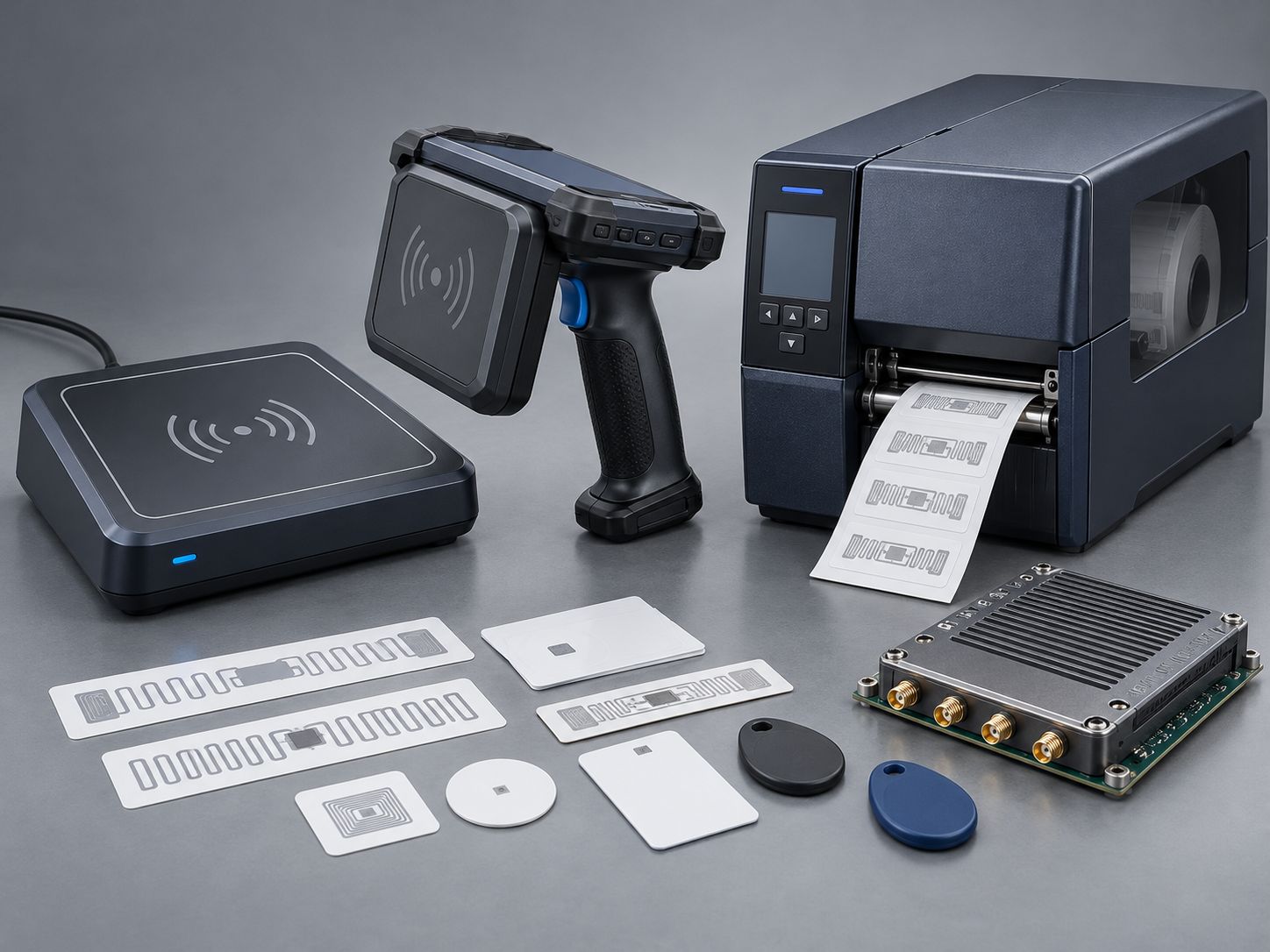
Hardware selection depends on encoding volume, tag form factor, target read zone, software integration, and whether labels also need printing. The best reader is not necessarily the model with the greatest published read distance.
| Encoding equipment | Best-fit workflow | Main advantages | Key limitation |
|---|---|---|---|
| Desktop RFID reader writer | Controlled station, one tag or small batches | Convenient PC integration and read-back verification | Not optimized for producing large volumes of printed labels |
| Handheld RFID reader writer | Field service, maintenance, remote asset checks | Mobile operation near tagged objects | Writing workflow and protection against selecting the wrong tag must be evaluated |
| RFID printer encoder | Printed RFID label creation at scale | Printing and electronic encoding in one workflow | Requires RFID-capable model, compatible media, and printer-specific setup |
| Embedded UHF RFID module | OEM kiosk, custom encoder, industrial machine | Flexible integration into purpose-built devices | Requires hardware, antenna, firmware, and software development |
A compact desktop unit is often a practical starting point for tag commissioning and verification. Syncotek's SR-RU7R3 UHF Desktop Reader supports Type-C USB and Bluetooth connectivity, with read/write capabilities described on its product page. For a USB-focused workstation, the SR-RU723 supports USB Virtual Serial Port and HID modes and provides software-development resources.
When comparing the two, start with the actual application software, operating system, and read-zone requirements rather than selecting solely from maximum-range figures. For more configurations, review the Syncotek Desktop RFID Reader Writer portfolio.
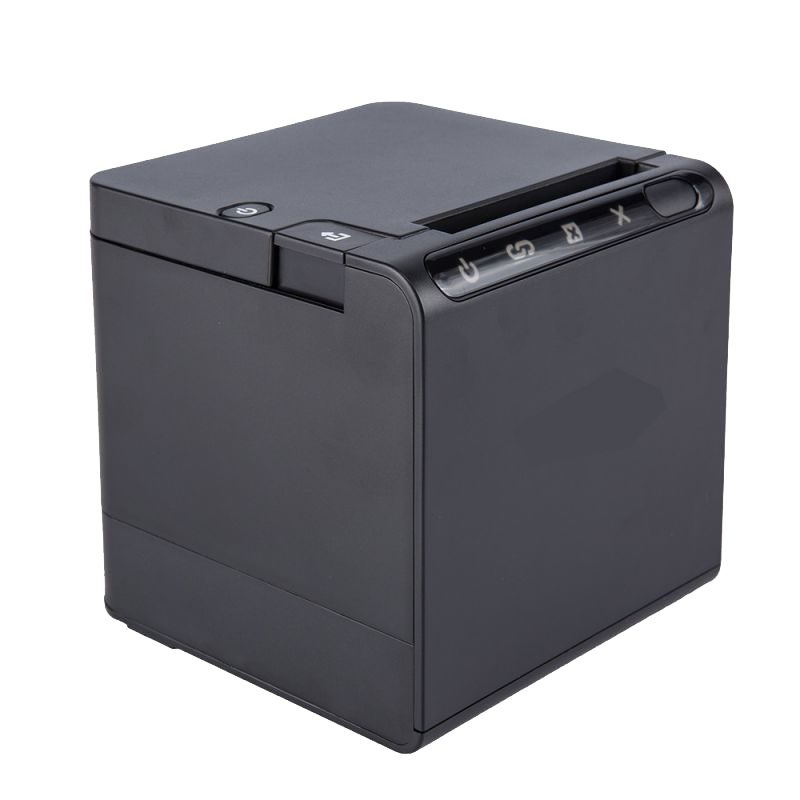
A printer encoder is appropriate when smart labels must be printed with text or barcodes and encoded electronically during label production. Syncotek lists POSTEK GX series printers with RFID-capable models GX2r, GX3r, and GX6r, as well as POSTEK TX series printers with RFID versions TX2r Exp, TX3r Exp, and TX6r Exp.
Specify the RFID-enabled version explicitly: the RFID encoding features are not automatically available on every non-RFID printer configuration. Also verify the label inlay, media pitch, supported protocol, and print/encode workflow before deployment.
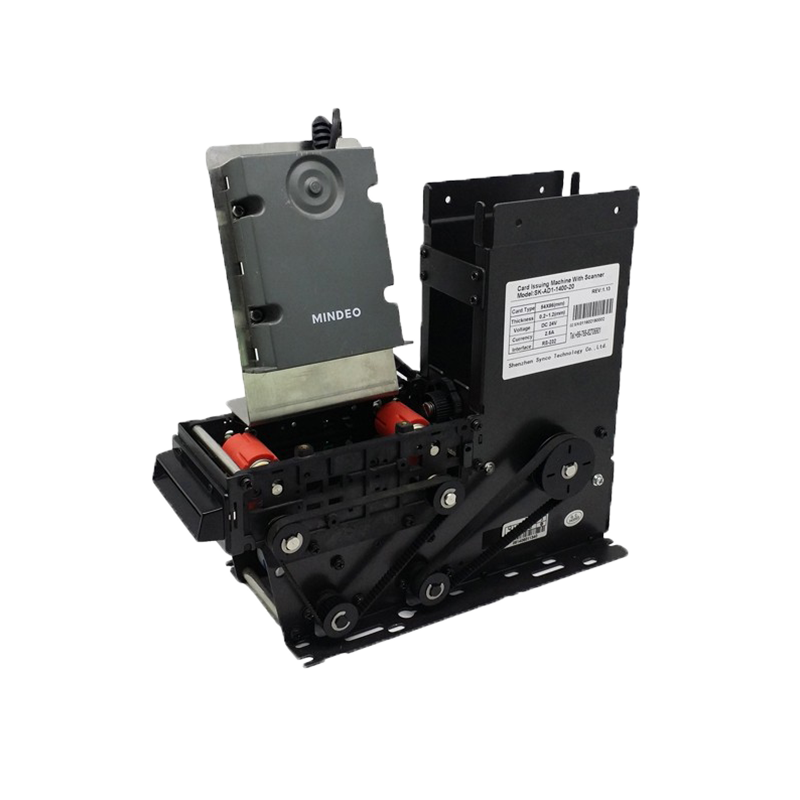
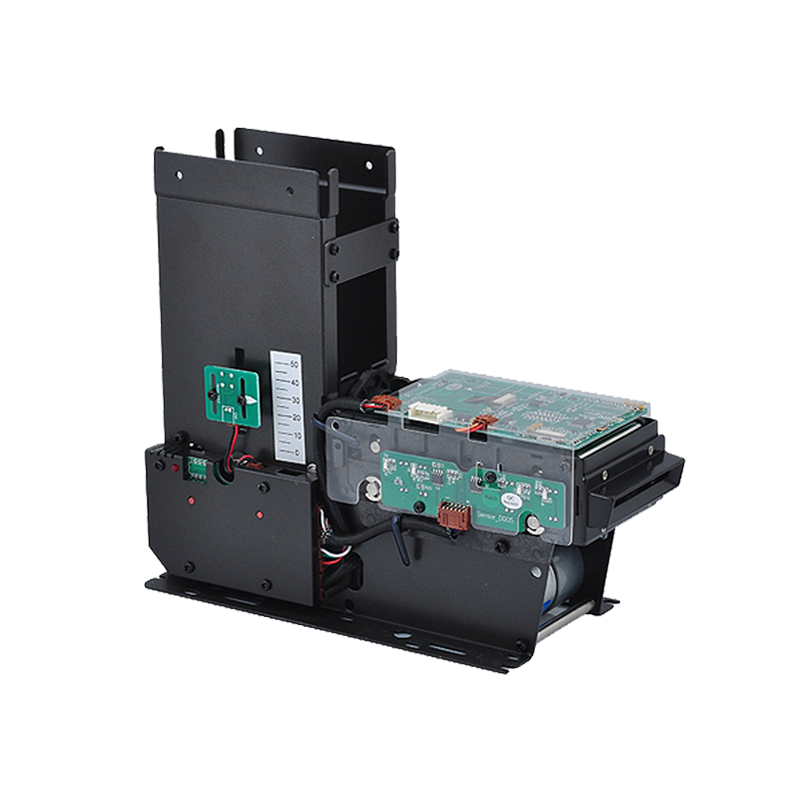
Developers building a self-service kiosk, industrial coding station, or integrated identification machine may prefer an embedded UHF RFID reader module. The host software must manage reader control, target selection, EPC assignment, write status, and verification. Select a module only after confirming protocol support, memory write functions, SDK access, antenna connections, power requirements, and regulatory compatibility for the intended market.
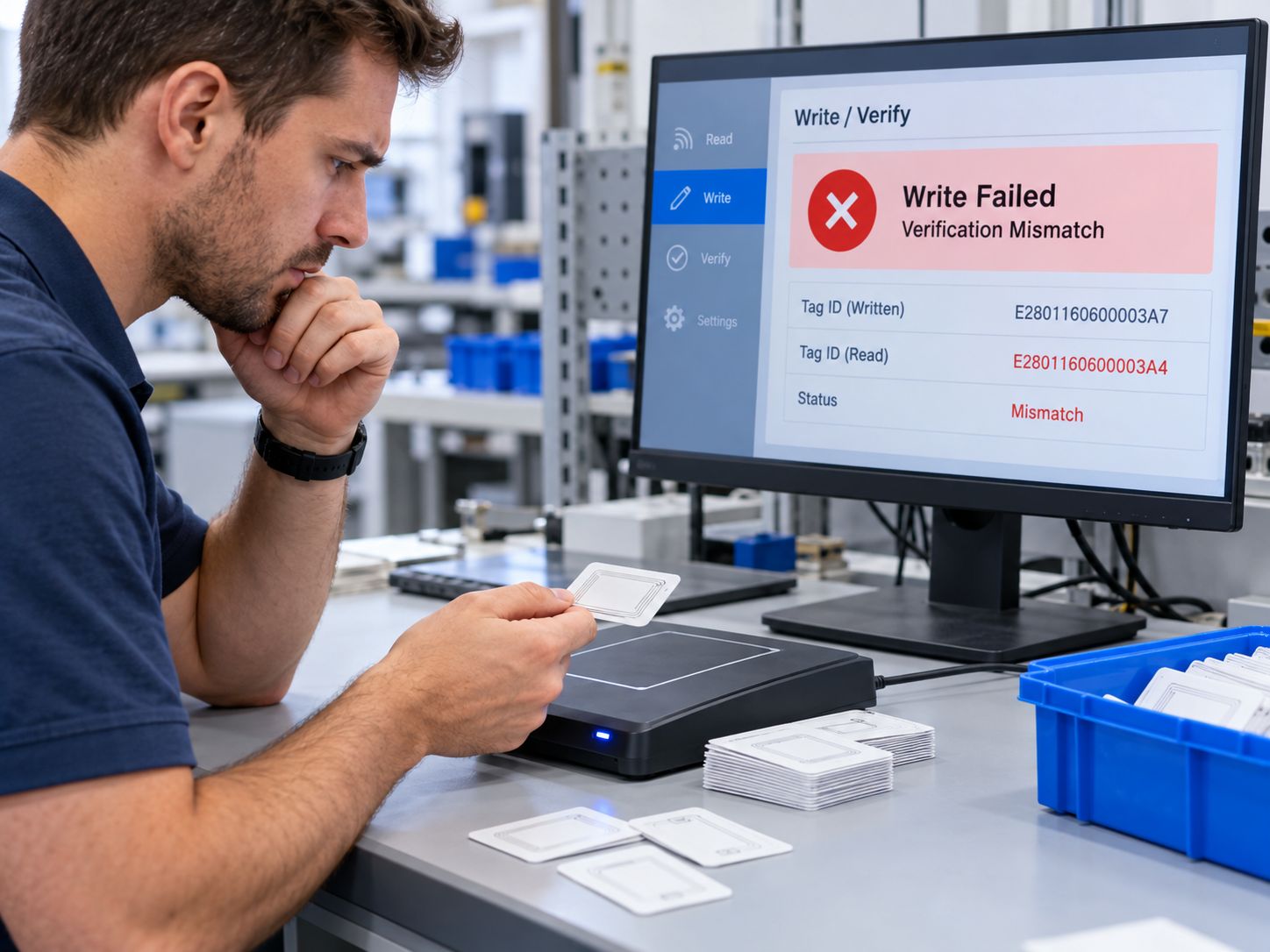
Encoding failures often result from the interaction of tag memory state, software commands, radio coverage, and identifier data. Troubleshooting should separate communication problems from target selection and data-format problems.
| Problem | Possible causes | What to check |
|---|---|---|
| Tag is not detected | Incompatible frequency/protocol, poor position, interference, disconnected reader | Verify tag type, connection, antenna placement, region settings, and whether the reader can inventory another known-good tag |
| Write command fails | Protected or locked memory, unsupported operation, insufficient EPC capacity, unstable read zone | Check chip datasheet, access settings, length, write permissions, and tag positioning |
| EPC differs after read-back | Wrong input conversion, wrong memory area, incorrect length settings, unintended target | Compare raw output with expected EPC and verify target selection and encoding format |
| Another tag is programmed | Multiple tags in RF field or incorrect selection filter | Isolate the tag and apply documented selection/singulation features |
| EPC contains unexpected digits | Hex/ASCII confusion, padding or endian assumptions, incorrect standards conversion | Validate the software input and expected binary representation |
| Tag cannot be rewritten | EPC permanently locked or access controls not met | Inspect lock state; do not attempt undocumented bypasses |
| Poor performance near metal | Detuning, shielding, reflection, unsuitable tag construction | Test on the actual material and consider an on-metal design or alternate fixture |
This is one of the most important failures to prevent. An encoder may successfully execute a write command while the selected target is not the item the operator intended. Controlled fixtures, inventory checks, suitable filters, and verification against the item's expected identifier help reduce the risk.
Hex strings represent four bits per character. A 96-bit binary EPC is 24 hexadecimal characters, but that arithmetic does not prove the contents are a valid SGTIN-96 encoding. Check both the number of bits and the semantics of the chosen data scheme. Also confirm that the chip offers sufficient writable EPC memory for the intended payload.
A tag may be readable while EPC writing is prohibited by its current memory protection settings. The allowed next step depends on the chip's documented lock behavior and whether authorized credentials are available. Permanent protections should be treated as design decisions rather than troubleshooting shortcuts.
Generate and reserve each identifier in a controlled database or numbering service. Avoid ad hoc manual edits when multiple operators, printers, or production sites share the same identifier namespace.
Read back each newly written tag. Record a pass/fail result and quarantine tags that do not match. For important workflows, include a second identification check or software-level association confirmation before releasing the item.
Separate waiting and completed tags, limit nearby RF exposure where practical, and test the actual fixture. A short and repeatable write zone can be more valuable than maximum coverage at a tagging station.
Use write protection only when it fits the intended lifecycle. A tag that must be updated, reused, or corrected later needs a different control policy from a label intended for one-time commissioning. Document permissions and recovery limitations.
For warehouse and asset tracking, the identifier is most useful when its mapping is available to ERP, WMS, MES, or another designated system of record. Keep business data consistent when items are returned, reworked, relabeled, or retired.
Test the actual labels, substrate materials, production rates, printer media or desktop fixtures, and environmental conditions. Include difficult cases such as dense tag stacks, nearby metal, and simultaneous tags. Set measurable acceptance criteria for the write/verify operation before scaling up.
Retail product identification: Serial-level EPC assignment helps associate individual tagged merchandise with product records, stock movement, and business processes. A standards-based GS1 approach may be required when data must be exchanged with trading partners.
Warehousing and logistics: RFID labels can be encoded when cartons, containers, assets, or other trackable units are commissioned. The correct identifier type depends on what is being tagged and the participating data ecosystem.
Manufacturing and work-in-progress: Encoding stations can assign identifiers to components, carriers, or fixtures before those objects move through production. The EPC becomes a key used to retrieve work orders, process records, or history in the plant software.
Industrial asset tracking: A controlled asset ID can associate an RFID tag with tools, returnable equipment, or maintenance records. Durable tag designs and on-metal performance can matter as much as the encoding procedure itself.
OEM devices and self-service systems: Embedded readers and middleware can support equipment that creates, verifies, and registers tags without an operator using a full desktop application.
No. Whether a tag can be rewritten depends on the RFID technology, chip design, target memory bank, lock state, access permissions, and available writable capacity. Even when EPC memory is rewritable, the TID is commonly factory programmed and not freely editable.
Connect a compatible UHF RFID reader writer, select the correct tag and writable EPC memory area, write a validated EPC using compatible software, then read the tag back and compare the result with the intended value. Record the tag-to-item assignment after successful verification.
In normal EPC Gen2 deployment, TID is factory programmed and should be treated as not user-rewritable unless the specific chip documentation says otherwise. Reprogramming an EPC does not ordinarily change the TID.
Yes, you need software or firmware that can issue the supported write operation through the reader. This may be the reader vendor's utility, an RFID printer's encoding application, or your own application using an appropriate SDK or API.
Some systems support workflows involving more than one tag, but target selection must be designed carefully. For dependable commissioning, many projects choose a controlled per-tag writing process or a well-validated automated encoding/verification line.
A reader retrieves tag data. A reader writer can perform supported read and write operations. An encoder refers to the device and software process used to assign and write the required data format; an RFID printer encoder additionally prints smart labels while encoding their inlays.
Only if the project's requirements justify it. Locking can reduce some unauthorized or accidental changes, but available modes and their consequences vary by tag. Permanent protection may block future corrections, and simple memory locks should not be treated as comprehensive anti-counterfeit security.
A private system may use a controlled proprietary identifier when its technical rules and interoperability obligations allow it. However, a random hexadecimal string is not automatically a valid GS1 EPC. If the identifier must be exchanged with retailers or partners requiring GS1 data, follow the applicable official coding scheme and assignment rules.
Reliable RFID encoding combines a valid identifier, a compatible tag, a write-capable reader, controlled target selection, and read-back verification. Getting all five right is more useful than choosing a high-power reader without defining the commissioning workflow.
Syncotek offers UHF desktop RFID reader writers, UHF RFID modules, and RFID-capable GX and TX printer configurations for different encoding and integration requirements.
To discuss a suitable setup, share your tag type and chip, EPC format, number of tags to encode per day, whether labels also need to be printed, required PC or controller interface, operating system, SDK needs, operating country, and estimated project quantity. Contact Syncotek to request a hardware recommendation or quotation.
 Knowledge
Hospitals manage thousands of physical items every day. Infusion pumps move between departments. Surgical supplies enter and leave operating rooms. Medical consumables are stored across multiple locations. Staff search for wheelchairs, monitors, portable diagnostic equipment, linen, medications, and other resources while maintaining strict operational and documentation requirements. Many of these workflows still depend on: manual […]
READ MORE Knowledge
What is load modulation? Load modulation is the method most HF RFID (13.56 MHz) and NFC tags use to send data back to a reader in the near field. Instead of actively transmitting RF power, the tag switches an electrical load (often a resistor or transistor network) across its antenna coil. That change in tag current is coupled back through mutual inductance and becomes a […]
READ MORE Knowledge
A production manager may know that Work Order WO-1026 is scheduled to finish today. But that does not necessarily answer: Where is the order physically located? Has machining actually started? Did it complete inspection? Has it been waiting between operations for four hours? Was a required production step skipped? Did it enter rework? Which workstation […]
READ MORE Company Events
Our new website offers streamlined access and insights into our latest products, solutions and services to better serve customers globally.
READ MORE Knowledge
Automotive manufacturers manage thousands of components, work-in-progress (WIP) units, reusable containers, tools, and finished vehicles across complex production and logistics networks. As product variants increase and production schedules become more demanding, teams need reliable ways to identify items, confirm process steps, and make tracking data available to the right systems. Radio frequency identification (RFID) can […]
READ MOREIf you are interested in our services or need customized solutions, please feel free to contact us.