Read, write, initialize and verify UHF RFID tags directly at a desktop workstation. Syncotek provides compact USB RFID reader writers, high-performance desktop RFID encoders and multi-interface workstation readers for retail, jewelry, library, logistics, self-service and industrial applications.
Desktop readers are designed for controlled workstations where an operator needs to interact with one tag, one tray or a localized group of tagged items without creating a large RFID read zone.
Write or update EPC and other permitted RFID memory fields when tags are commissioned or associated with an item.
Read the tag again after writing to confirm that the required RFID data has been stored correctly.
Count tagged jewelry, documents, retail items or other products within a controlled workstation read zone.
Connect directly to desktop software using USB, Type-C or other available interfaces depending on the reader.
Use DEMO, DLL, SDK or source-code resources available with selected models for secondary development.
Desktop readers help avoid the unnecessarily large RF coverage that can occur when a long-range reader is used at a workstation.
Encode RFID identifiers when associating a tag with a product, document or asset.
Read multiple items on a jewelry counter, retail desk or controlled inventory station.
Read or update UHF tags during book, document or archive handling workflows.
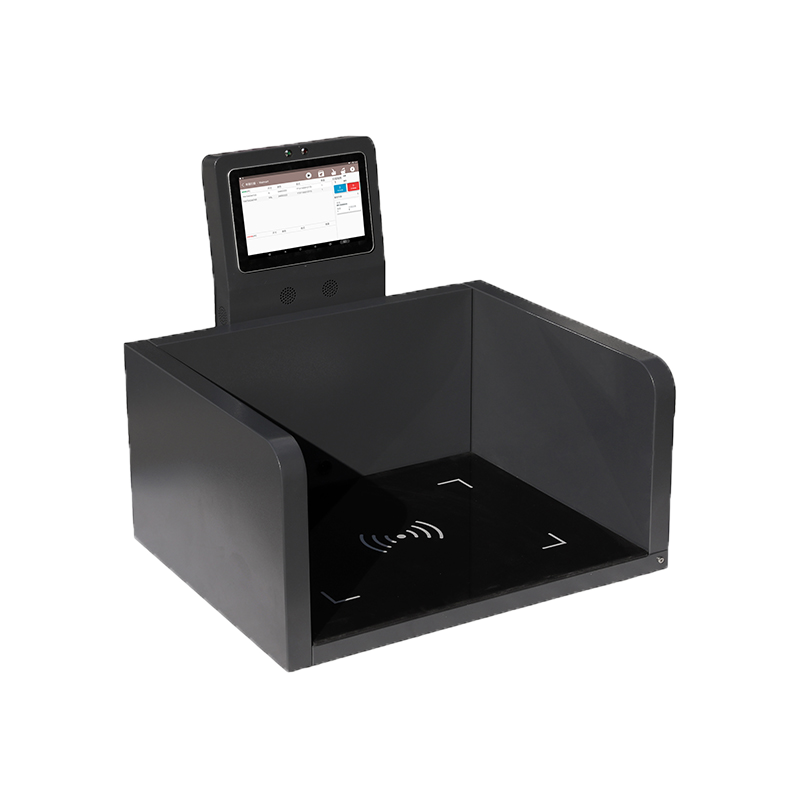
Integrate a desktop RFID reading area into kiosks and specialized identification stations.
The product lineup ranges from compact USB/HID readers to high-performance workstation readers with Bluetooth, serial and Ethernet options.
| Model | Positioning | RF Output | Connection | Reference Read Zone* | Development | Recommended Use |
|---|---|---|---|---|---|---|
| SR-RU7R3 | Desktop Pad | 1–30 dBm | Type-C USB, BLE 4.0 | Up to 50 cm* |
USB: Android / Windows Bluetooth: Android / iOS |
Retail collection, controlled desktop reading, mobile-connected workstation |
| SR-RU726 | High Performance | Up to 30 dBm | Type-C USB 3.0; Bluetooth 5.1 optional | <50 cm or 100–500 cm depending on antenna configuration* | DLL and demonstration source code | Jewelry, library/archive, self-service kiosk, retail logistics |
| SR-RU723 | Compact USB | Up to 26 dBm | USB Virtual Serial Port, HID | Max 150 cm* | Windows, Android, Linux; C / C# / Java | USB workstation, library, logistics, registration |
| SR-RU7R8 | Multi-Interface | Up to 26 dBm | USB; RS232 / RS485 / Wiegand optional | Max 150 cm* | DLL and demo software source code | Logistics, library, attendance, industrial workstation |
| SR-RU721D | Large Workstation | Up to 30 dBm | USB, RS232, RJ45 | Application dependent* | Windows, Android, Linux; C / C# / Java | Counter inventory, library, logistics, larger desktop stations |
*Published read ranges are reference values and vary with RF output, built-in or selected antenna, RFID tag, orientation and working environment. For encoding stations, the ideal read zone is often intentionally smaller than the reader's maximum possible distance.
A good starting point when the workstation needs a controlled reading area and both Type-C USB and Bluetooth connectivity.
Higher-performance desktop platform for applications requiring flexible read-zone design and modern Type-C connectivity.
Compact reader writer for projects where simple USB Virtual Serial or HID connectivity is the main workstation requirement.
Suitable when the desktop reader must connect to equipment beyond a normal PC USB interface.
Larger reader writer for counter inventory and applications requiring USB, serial or Ethernet connectivity.
Send the tag type, required read zone, host interface and intended application instead of selecting only by maximum RF power.
Both devices can be involved in RFID tag encoding, but they serve different production workflows.
Choose a desktop reader writer when the RFID tag already exists and an operator or application needs to read, initialize, modify or verify tag data.
Choose an RFID printer encoder when the workflow needs to create a physical smart label and encode the RFID inlay during the same label-production process.
Select the interface according to where the desktop reader will be installed and how the software expects to receive RFID data.
Count tagged jewelry at a controlled counter or tray workstation.
Read, write and verify document or book tags at librarian workstations.
Perform localized item registration, verification and inventory operations.
Associate RFID tag identifiers with product or asset records.
Register tagged packages, bags or assets before movement.
Read or update RFID information at a controlled production workstation.
Integrate RFID read/write functionality into a customer-facing workstation.
Read product RFID identifiers within an authentication workflow.
Tell us whether you need tag encoding, desktop inventory, jewelry counting, library use or OEM integration, together with the required read zone and host interface.
Desktop RFID projects are easier to specify when the required read zone and workflow are defined before selecting RF power.
A workstation usually needs to read the tag placed intentionally on the desk, tray or pad — not every tagged item several meters away.
For jewelry, document or encoding stations, a controlled read zone can reduce unintended tag capture and make software workflows easier to manage.
This is why SR-RU7R3's localized desktop architecture or configurable SR-RU726 antenna options may be more relevant than simply choosing the reader with the largest maximum-distance specification.
Browse Syncotek desktop reader writer models and individual specifications.
View Desktop Readers →Match the reader with the correct RFID tag according to product material and application.
Explore RFID Tags →For workflows that need to print labels and encode UHF RFID inlays at the same time.
View RFID Printers →It is a desktop UHF RFID device used to read and write EPC Gen2 / ISO 18000-6C tags from a controlled workstation. Typical uses include tag commissioning, encoding, verification and desktop inventory.
Yes. Syncotek desktop reader writer products support tag read/write operations. The exact memory operation depends on the tag, protocol and software implementation.
A desktop reader writer interacts with an existing RFID tag. An RFID printer encoder is designed to print a physical smart label and encode its RFID inlay as part of the label-printing process.
SR-RU7R3 supports BLE 4.0 and Type-C USB. SR-RU726 provides Type-C USB 3.0 with Bluetooth 5.1 available as an option.
SR-RU723 supports USB Virtual Serial Port and HID mode, making it suitable for compact PC and workstation integration.
SR-RU726 specifically lists jewelry management as an application and supports configurable antenna/read-zone options. Final selection should consider tray size, tag type and the number of items to be counted.
Yes. Several Syncotek desktop readers list library applications, while SR-RU726 also specifically lists library and archive librarian workstations.
No. Interface availability varies by model. Options across the desktop lineup include Type-C USB, standard USB, Bluetooth, RS232, RS485, Wiegand and RJ45.
Not necessarily. Desktop RFID workstations often benefit from a controlled and localized read zone. Excessive range can create unwanted reads from nearby tagged items.
Tell us whether you need RFID tag encoding, verification, jewelry inventory, library management, retail counting or OEM workstation integration. Include your required read zone, UHF tag, operating region and preferred interface so we can recommend a suitable desktop reader configuration.
Choose a Desktop Reader Explore Desktop ReadersIf you are interested in our services or need customized solutions, please feel free to contact us.