

RFID self-checkout systems allow shoppers to place multiple tagged products in a defined checkout area and have the system identify them without scanning each barcode individually. A UHF RFID reader and antenna capture the unique identifiers stored on product tags; checkout software matches those identifiers with product records, builds the basket, and passes the transaction to the point-of-sale (POS) and payment systems.
For retailers, the main opportunity is faster item identification and a simpler checkout interaction, especially in apparel and other stores where products can carry item-level RFID tags. For equipment manufacturers and system integrators, the project is more than choosing a reader: it requires a controlled read zone, suitable tags, application software, POS integration, payment hardware, and a clear process for exceptions and loss prevention.
This guide explains how RFID self-checkout works, what hardware it requires, how to reduce unintended reads, and how to evaluate readers and embedded modules for a retail kiosk or smart counter.
An RFID self-checkout system is a retail checkout solution that uses radio-frequency identification to identify multiple tagged products at the point of sale. Instead of asking a shopper to find and scan each barcode, the system reads the RFID tags within a defined area, retrieves the associated product information, and displays the items for confirmation.
Most item-level retail checkout applications use passive UHF RFID, also known as RAIN RFID, based on the EPC Gen2 / ISO 18000-63 air-interface family. Each tagged item has a unique identifier, commonly an Electronic Product Code (EPC), that software can associate with a product record.
The EPC is an identifier, not a complete receipt or payment instruction. The retailer's product database or POS software uses the identifier to retrieve information such as the SKU, product description, size, color, price, tax category, promotion eligibility, and inventory record.
An RFID reader does not independently calculate the final price, authorize a card, or settle a payment. Those tasks belong to the retail application, POS, and payment provider.
RFID self-checkout can be implemented in several ways:
These configurations share the same basic identification process, but their antenna layouts, user interfaces, security controls, and software requirements can be different.
An RFID self-checkout kiosk still has a defined checkout interaction: the shopper presents items, reviews the basket, and completes payment. A walk-through or cashierless store is a broader system that may combine multiple readers, sensors, cameras, store infrastructure, and transaction software to associate product movements with a shopper's visit.
A kiosk project is usually a more contained starting point. It focuses on a known reading zone and a deliberate customer action, such as placing a basket or bag on a counter.
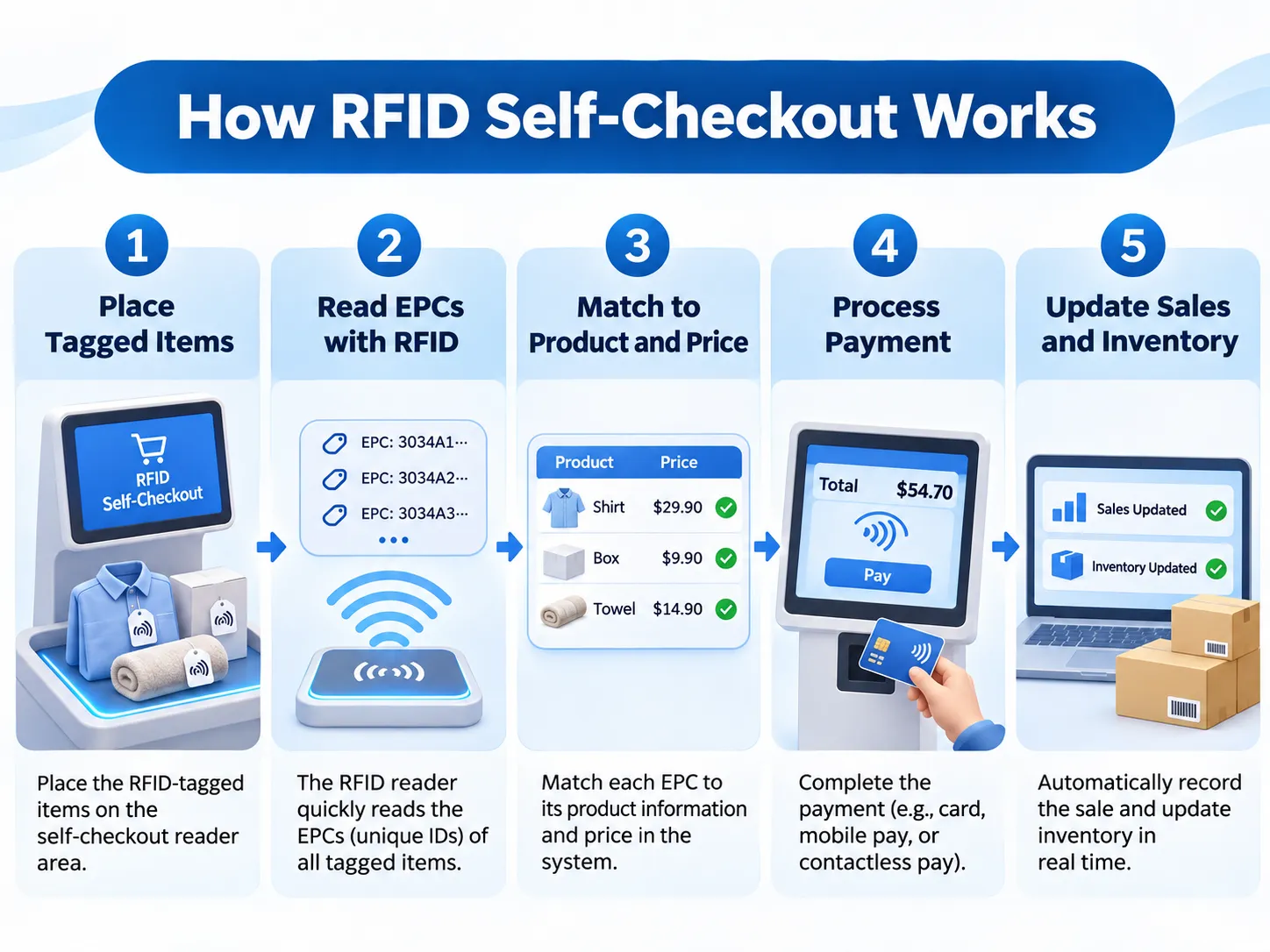
A typical RFID checkout transaction follows a sequence from item identification to payment confirmation. The exact user interface varies by retailer, but the system architecture usually separates RFID reading from product lookup and payment processing.
Each participating product must carry a compatible RFID tag. In apparel retail, this may be a hangtag, adhesive label, care-label inlay, or another form factor suitable for the product and supply chain. The tag's EPC is associated with the relevant product or serialized item record. The retailer must maintain this association accurately from tagging and item commissioning through store operations.
The shopper places the items, basket, or bag in the designated checkout area. The physical design should make it clear where products need to be presented and should keep the intended read zone separate from nearby merchandise. A bag-validation kiosk may use a hook, tray, shelf, or recessed counter. A countertop design may ask shoppers to place folded garments directly on the reading surface.
The reader energizes nearby passive tags and receives their responses. UHF anti-collision protocols allow multiple tags to be inventoried in the same reading session, so the shopper does not need to present every item to a barcode scanner one at a time. The number of tags that can be identified reliably in a real checkout is not determined by reader power alone. Tag design, antenna configuration, item arrangement, materials, read-zone geometry, regional RF limits, and transaction timing all matter.
The application receives the tag identifiers and processes them before creating the basket. Typical tasks include removing repeated reads of the same EPC within a transaction window, applying read-zone and session rules, rejecting tags that are not associated with saleable products, checking whether each EPC maps to an active product record, handling duplicate or invalid identifiers, and confirming that the item list is stable before showing the basket.
The software should not treat every raw reader event as a separate product. A single tag may be read many times during a short session; the application needs to consolidate those events into one item record.
After EPCs are resolved, the application sends the recognized item identifiers to the POS or retail software. The POS retrieves the current product information, price, tax treatment, discounts, and any applicable membership or promotion rules. This is an important system boundary: RFID identifies the tagged item, while the retailer's business system determines what that item means in the transaction.
The screen displays the detected products and transaction total. The shopper can review the basket and follow the retailer's defined process for removing an item, correcting an exception, or requesting assistance. Payment is completed through a separate payment terminal or an approved payment integration. The RFID reader itself does not authorize bank cards, process mobile payments, or handle payment settlement.
After payment is approved, the POS records the sale and updates inventory according to the retailer's system design. If the deployment includes a supported loss-prevention workflow, the system may also update the security state of the tag or associated item record.
The post-sale process must be designed deliberately. Tag privacy features, electronic article surveillance (EAS), returns handling, and reactivation behavior depend on the selected tag technology and the retailer's solution. They should not be assumed to work automatically with every generic UHF tag.
RFID self-checkout is most straightforward when products are tagged at item level and the retailer can maintain a reliable EPC-to-product relationship. Apparel is a well-known use case, but the same principle can be applied to other product categories when tag performance and checkout workflows are suitable.
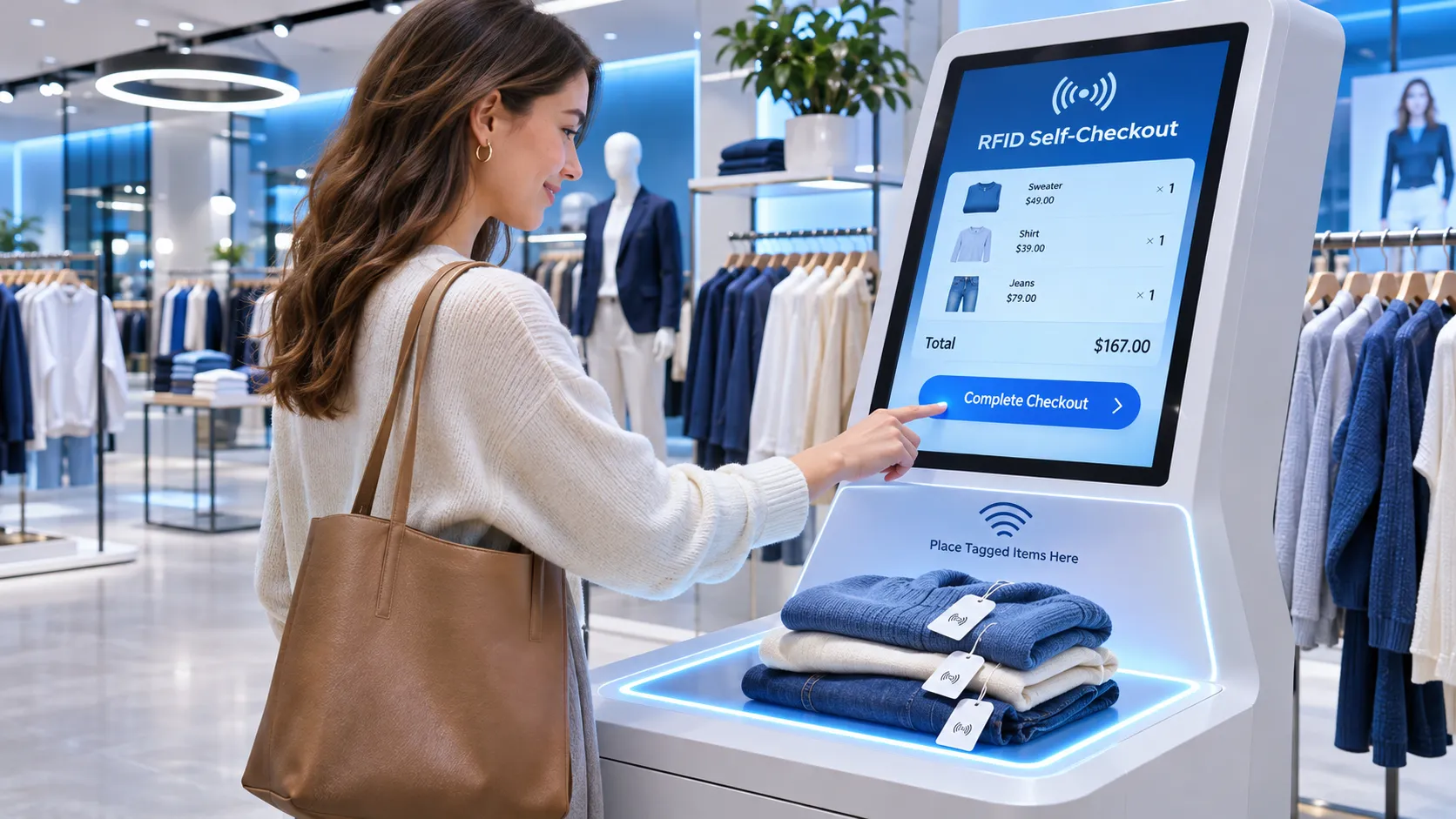
Clothing is a natural application because garments can carry RFID hangtags or labels, and a shopper may purchase several items in one transaction. A reader can identify multiple tagged garments without requiring each barcode to be located and scanned. The system can retrieve style, color, size, and price from the retailer's product database. This is especially useful when several garments are folded, stacked, or placed together in a basket.
Shoes, bags, belts, and accessories can also use item-level RFID tags. Tag placement and product materials should be tested, particularly where metal components, foil packaging, or dense product arrangements may affect RF performance.
Sportswear, equipment, and specialty products may benefit from faster basket identification. However, different product shapes and materials can require different tag types and placement rules.
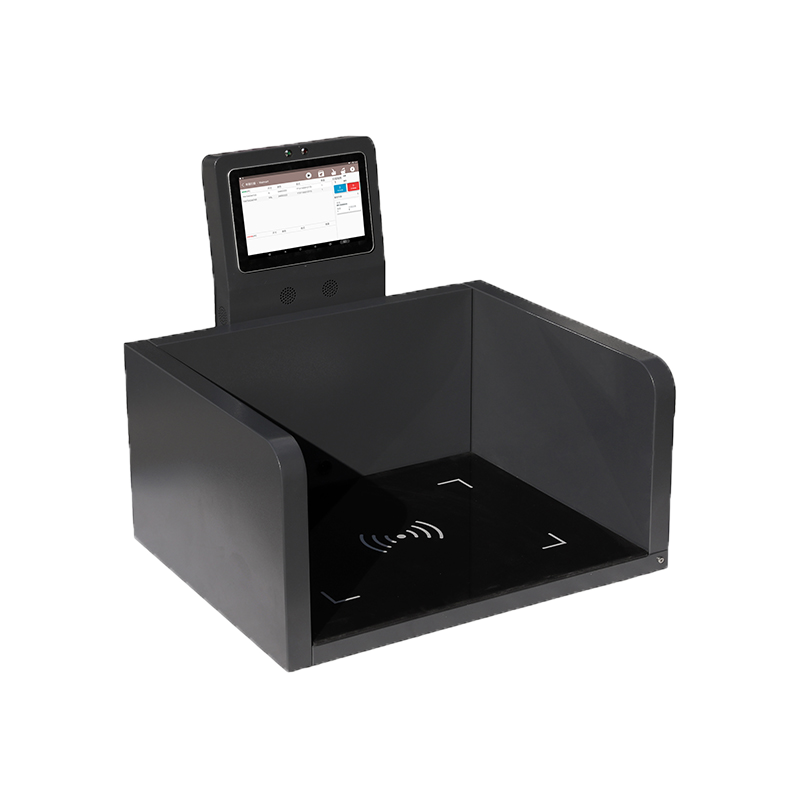
A smart counter can combine an RFID reading surface with a display, barcode scanner, operator interface, and payment terminal. This is relevant for OEM manufacturers and system integrators building custom checkout equipment for a particular store format.
Not every product in a store will necessarily carry an RFID tag. A hybrid system can use RFID for tagged products and barcode scanning or staff assistance for items without compatible tags. The software should make the exception path clear rather than silently omitting unrecognized products.
Impinj describes UNIQLO as an example of apparel retail using RAIN RFID across its supply chain and in-store operations. In the example, products carry RFID tags, and shoppers place their basket on an RFID-enabled self-checkout kiosk. The kiosk reads the tags in the basket and presents the purchase total.
This example illustrates why item-level identification matters beyond the checkout itself. When the same item identifiers are used in distribution centers and stores, retailers can connect checkout events with inventory visibility and replenishment processes.
The example should not be interpreted as proof that every RFID reader can reproduce the same checkout experience. The complete deployment depends on item tagging, reader and antenna design, software, POS integration, store procedures, and any required loss-prevention functions.
Reference: Impinj – How RAIN RFID Is Shaping the Future of Retail Self-Checkout (PDF).
A retail RFID checkout kiosk combines several functional layers. Keeping these layers separate makes the system easier to integrate, test, and maintain.
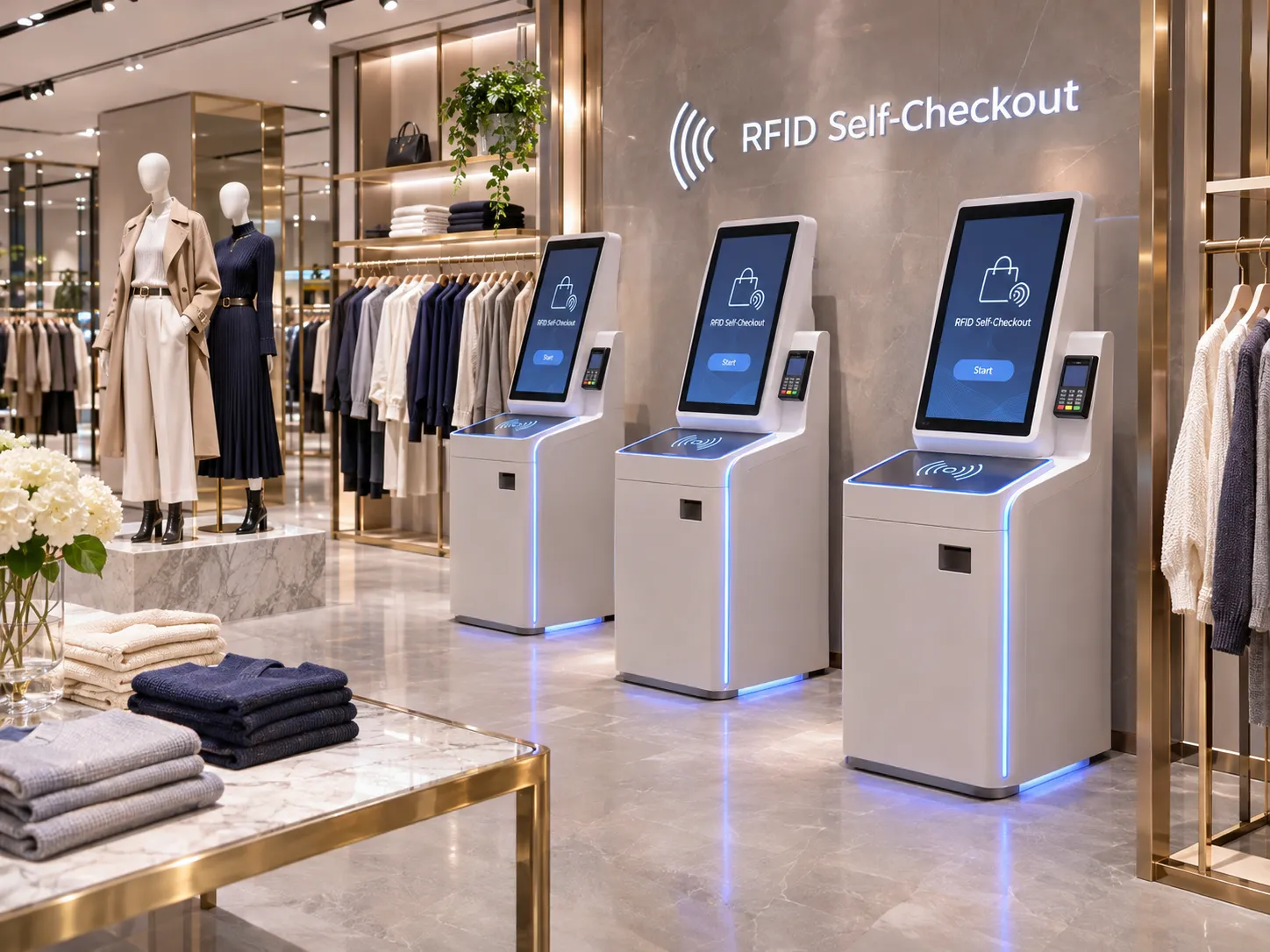
Tags provide the item identifier that the reader captures. The tag must be compatible with the reader's air-interface protocol and the frequency band used in the deployment region.
The reader performs tag inventory and reports identifiers to the host system. It may be a desktop reader, an integrated reader, or an embedded module, depending on the kiosk design.
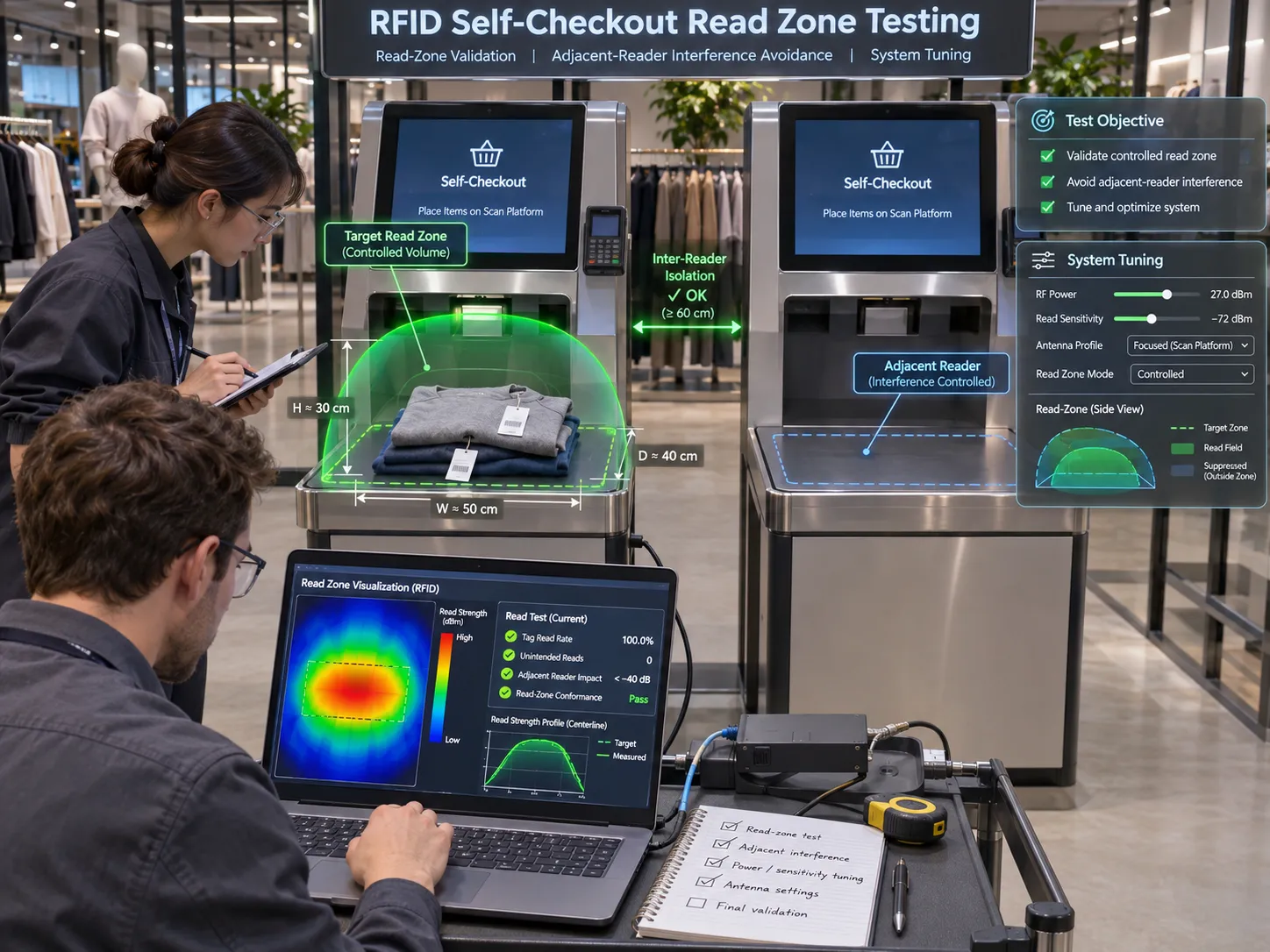
The antenna determines where the reader can reliably identify tags. A checkout kiosk needs a deliberate read zone around the bag, tray, or counter surface. The objective is to detect the items being purchased while minimizing reads from nearby shelves, other customers, and adjacent checkout lanes.
The controller runs the checkout application or communicates with a host computer. The display guides the shopper through item review, exception handling, and payment. The user interface should show when reading is in progress and when the basket is ready for confirmation.
The POS or retail application maps EPCs to product records and applies the retailer's pricing, promotions, taxes, and transaction rules. It also records the completed sale.
A payment terminal processes the selected payment method through the retailer's payment provider. It should be integrated with the checkout application using the payment provider's supported interface and security requirements.
The retailer may connect the transaction to inventory, returns, and security workflows. These integrations are solution-specific. A standard RFID reader does not automatically provide a complete EAS or loss-prevention system.
A controlled read zone is one of the most important parts of an RFID self-checkout project. The goal is not to maximize read distance. The goal is to read the intended items consistently and avoid including unrelated tags outside the customer's basket or checkout area.
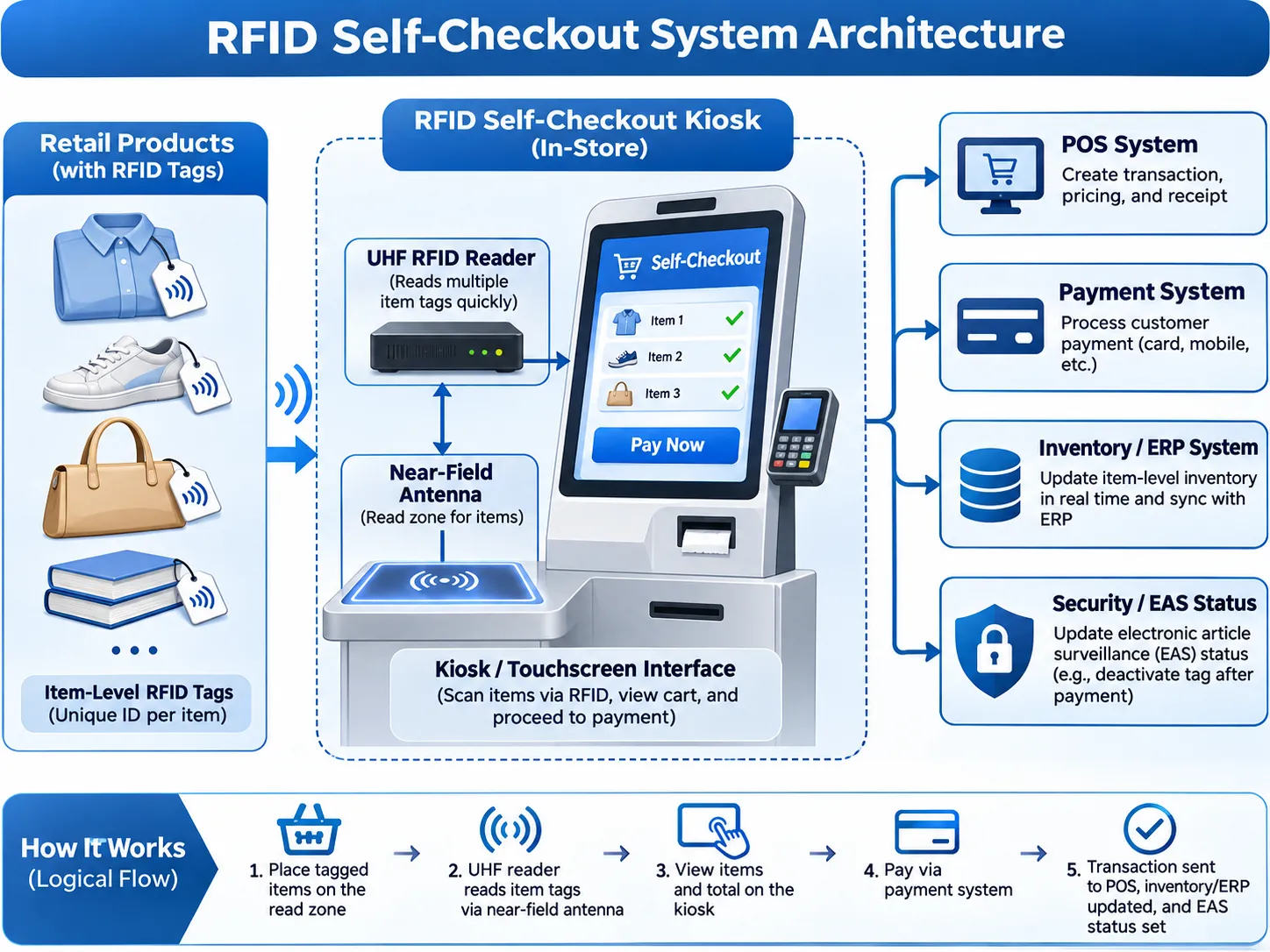
Near-field antenna designs can help concentrate the effective reading area around a bag or counter. They are useful when the system must distinguish items presented at one kiosk from tagged products nearby.
A practical reference is the Times-7 RFID self-checkout configuration. Its example uses an antenna mounted within the kiosk to create a controlled read zone around the customer's bag area, with the display and payment terminal positioned as separate parts of the station. This is an example architecture, not a universal performance guarantee. Actual results depend on the antenna, reader, tag population, item arrangement, enclosure, and store environment.
The antenna may be installed beneath a counter, inside a tray, behind a panel, or in a bag presentation area. The enclosure and nearby metal structures can affect the RF field, so testing should use the final mechanical design whenever possible.
Increasing RF output power may help detect difficult tags, but it can also increase unintended reads. Reader power, antenna gain, polarization, antenna position, and software filtering should be tuned together.
Adjacent kiosks can interfere with one another if their RF fields overlap or if they inventory tags at the same time. Multi-lane deployments should test simultaneous operation, reader scheduling, frequency settings, physical spacing, and any required shielding or RF coordination.
Liquids, metal objects, foil packaging, tightly packed products, and tag orientation can all affect UHF performance. A system that works with a single garment on a test bench may behave differently when a full bag contains mixed merchandise. The pilot should use the retailer's actual products and typical basket arrangements.
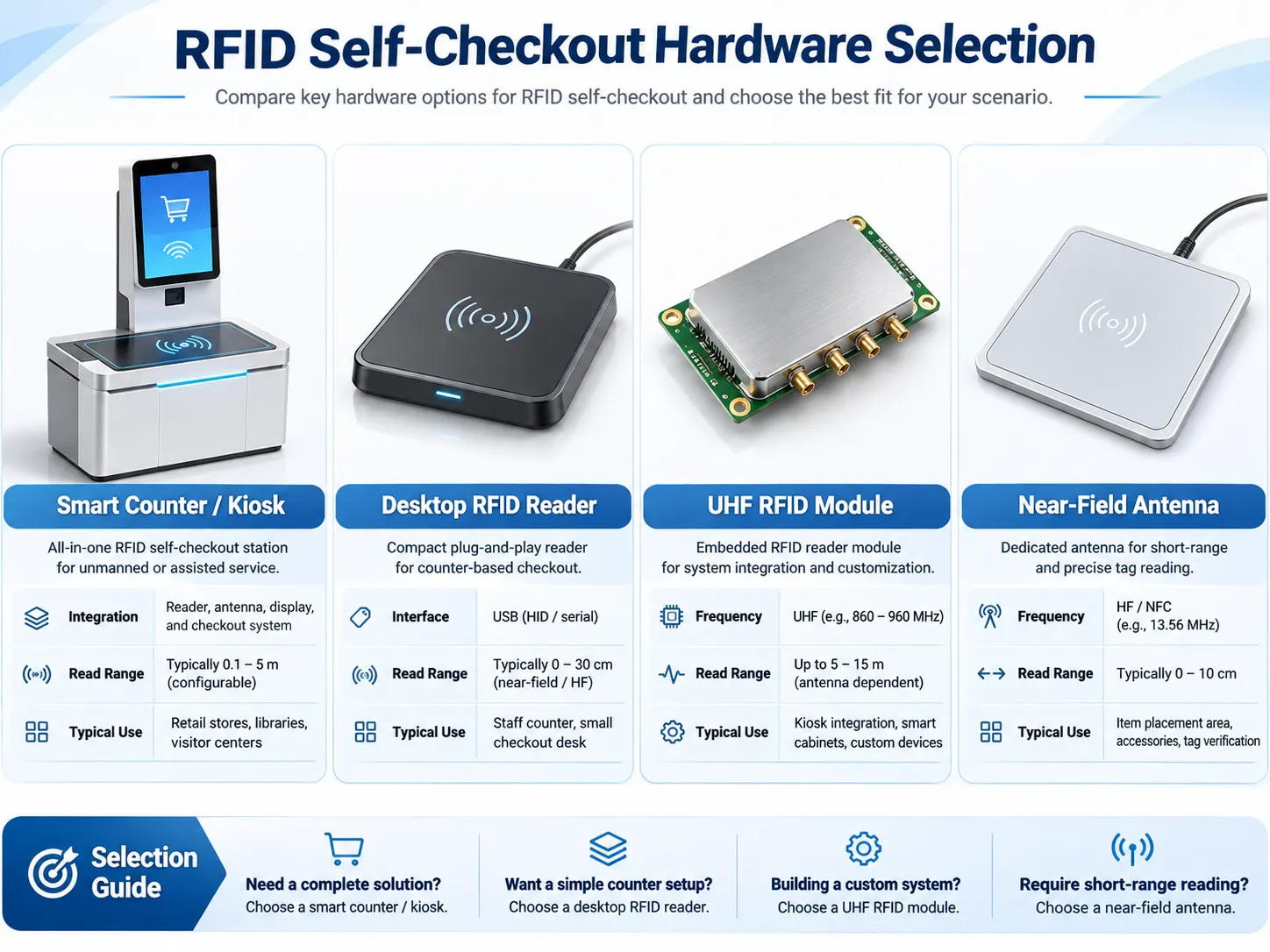
Hardware selection should start with the intended checkout design. A compact reader for a small counter, a smart vertical counter, and an embedded module for a custom kiosk are different choices.
For projects that need a complete physical workstation, an integrated smart counter can reduce mechanical integration work. Syncotek's RUX-TM113B RFID Intelligent Device is described as a UHF RFID smart vertical counter with multiple antennas, a near-field antenna design, dual displays, and Android or Windows options.
The published specifications include a 21.5-inch display, a 550 × 500 mm RFID reading area, RS232 or TCP/IP interfaces, Ethernet and Wi-Fi connectivity, and an adjustable UHF output-power range listed as 0–33 dBm. The product page also lists UHF EPC Class 1 Gen 2 / ISO 18000-6C support and several regional frequency options.
The same product page lists both HF and UHF specification sections. Buyers should therefore confirm the exact RF configuration, frequency band, antenna setup, and intended application with Syncotek before ordering. The RUX-TM113B is a smart counter hardware platform; a retailer's complete basket software, POS, payment processing, and loss-prevention workflow still need to be specified and integrated.
A desktop reader can be suitable for a compact checkout prototype, staff-assisted counter, or custom workstation where the reader is connected to a PC or embedded host.
Syncotek's SR-RU726 UHF Desktop Reader supports EPC Class 1 Gen 2 / ISO 18000-6C tags, adjustable RF output up to 30 dBm, Type-C USB 3.0, and optional Bluetooth 5.1. The product page lists self-service kiosks and retail logistics among its applications. Its effective read distance depends on the antenna configuration, tag, and working environment.
The SR-RU721D UHF Desktop Reader supports up to 30 dBm output, command, polling, and trigger modes, with USB, RS232, and RJ45 interface options. It also provides DEMO and SDK resources for software development.
For an OEM building a custom checkout kiosk, an embedded UHF module may offer more flexibility than a finished desktop reader. The module can be integrated into the kiosk's electronics and connected to one or more antennas according to the required read-zone design.
Syncotek's UHF RFID module portfolio includes compact modules and multi-port options for embedded devices, kiosks, and other RFID equipment. The right model depends on antenna count, RF output, interface, host platform, regional frequency requirements, and the intended operating duty cycle.
| Selection factor | What to confirm |
|---|---|
| RFID protocol | EPC Gen2 / ISO 18000-63 compatibility with the selected tags |
| Frequency band | Correct regulatory band for the country or region |
| Reader type | Smart counter, desktop reader, integrated reader, or embedded module |
| Antenna | Near-field or other antenna design suitable for the target read zone |
| Read area | Physical size and depth of the bag, tray, or counter zone |
| RF output | Adjustable range and compliance with local RF regulations |
| Interfaces | USB, Type-C, RS232, Ethernet, UART, or other required connection |
| Software | SDK, API, demo tools, operating system, and integration support |
| Mechanical design | Mounting space, materials, heat dissipation, and service access |
| Project scope | Prototype quantity, production volume, customization, and support needs |
RFID and barcode checkout solve the same broad retail task, but they identify products in different ways.
| Factor | RFID Self-Checkout | Barcode Self-Checkout |
|---|---|---|
| Item identification | Radio communication with compatible RFID tags | Optical scan of printed barcode |
| Line of sight | Not normally required | Barcode must be visible to the scanner |
| Multiple items | Can inventory multiple tagged items in one read session | Usually requires individual item scans |
| Item-level identity | Can use a unique EPC for each serialized item | Depends on the barcode data structure and retailer system |
| Product preparation | Requires RFID tags and EPC-to-product association | Requires readable barcodes |
| Read-zone design | Requires RF planning and control of stray reads | Requires scanner placement and barcode presentation |
| Best fit | Tagged-item retail and workflows needing faster group identification | Broad retail use where barcode scanning is already established |
RFID is not automatically the better choice for every store. A retailer should compare tag costs, tagging coverage, checkout volume, product mix, integration effort, loss-prevention requirements, and the expected operational benefit. A hybrid workflow may be the most practical option when only part of the assortment is RFID-tagged.
This is a read-zone problem. The antenna and kiosk structure should focus the read field on the intended presentation area. Software filtering can help, but it should not be expected to compensate for a poorly designed RF environment.
Tag orientation, product materials, item stacking, and antenna placement can affect read completeness. Test the actual products and common basket combinations instead of relying only on a reader's maximum read-distance specification.
A reader may report the same tag multiple times during an inventory session. The application should consolidate repeated EPC events and define when a checkout session is complete.
The system needs a clear exception process for items with no RFID tag, damaged tags, unreadable tags, or EPCs that do not match an active product record. Barcode scanning or staff assistance can provide a fallback.
Several kiosks operating close together require coordinated RF settings and testing under simultaneous operation. Test the complete lane layout, not just one station in isolation.
A completed sale may need to update the item record, inventory status, or security state. These functions depend on the tag IC, reader capabilities, application logic, and retailer's security architecture. Do not assume that every EPC Gen2 tag can be switched into a privacy or deactivation mode.
Retailers should define what information is stored on the tag, what information remains in backend systems, how transaction records are protected, and what happens to tag behavior after purchase or return. The EPC should generally be treated as an identifier that links to controlled product records, not as a place to store sensitive customer information.
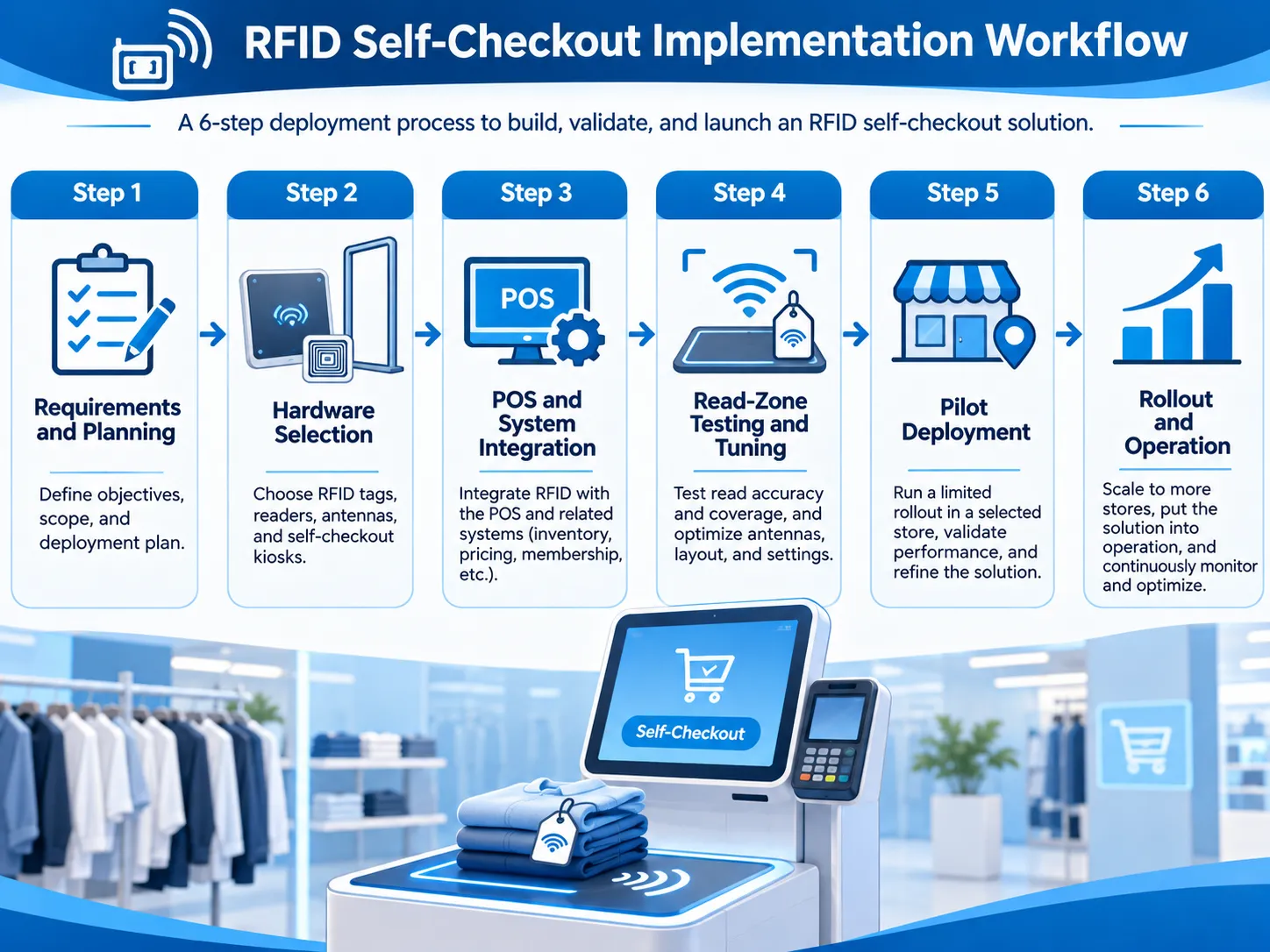
A pilot should validate the complete customer journey, not only whether the reader can detect a sample tag.
Decide whether the project is for apparel, footwear, accessories, sporting goods, or another product category. Define whether shoppers will place individual items, a basket, or a full bag in the read zone.
Identify the tag types, EPC format, product master data, and item commissioning process. Confirm that the retailer can reliably map each EPC to the correct SKU or serialized item.
Choose between an integrated counter, desktop reader, or embedded module. Define the antenna position and target read zone based on the physical kiosk and actual merchandise.
Implement EPC filtering, product lookup, basket display, price retrieval, promotions, tax, payment handoff, and transaction completion. Confirm which system owns each function.
Test different item counts, tag positions, bag materials, dense product combinations, nearby tagged merchandise, and multiple active kiosks. Also test unknown EPCs, missing tags, duplicate reads, network loss, cancelled payments, and returns.
Deploy a limited number of stations in a representative store. Observe shopper behavior, staff intervention, transaction time, exception rates, and inventory updates. Refine the RF layout and user interface before a larger rollout.
A successful pilot needs measurable acceptance criteria. Avoid relying on a single headline read-rate figure.
| Pilot metric | What to measure | Why it matters |
|---|---|---|
| Item read completeness | Percentage of intended tagged items identified in the test basket | Detects missed items |
| Unwanted read rate | Tags detected outside the intended basket or counter zone | Detects stray reads |
| Basket accuracy | Agreement between the displayed basket and the actual items presented | Measures checkout correctness |
| Transaction time | Time from item presentation to confirmed basket | Measures shopper experience |
| Exception rate | Frequency of manual intervention or fallback scanning | Reveals workflow friction |
| Adjacent-lane performance | Read accuracy when nearby kiosks operate simultaneously | Validates multi-kiosk deployment |
| POS synchronization | Accuracy of price, tax, sale, and inventory updates | Confirms end-to-end integration |
| Repeatability | Consistency across repeated tests, operators, and product combinations | Indicates deployment readiness |
Test with representative products, not only a small set of identical tags. Define acceptance thresholds with the retailer and system integrator before the pilot begins.
Yes. UHF RFID anti-collision technology allows a reader to inventory multiple compatible tags in the same read session without scanning each barcode individually. The reliable item count depends on the tag population, antenna design, product materials, item arrangement, and read-zone conditions.
For RFID-based item identification, each product that must be recognized by RFID needs a compatible tag or another supported identification method. Untagged products require a fallback such as barcode scanning or staff assistance.
No. The reader captures tag identifiers such as EPCs. The POS or retail application maps those identifiers to product records and retrieves prices, promotions, and tax information.
No. Payment is handled by a payment terminal or an approved payment integration. The RFID reader identifies products; the POS manages the transaction; the payment system authorizes and processes payment.
It can be designed for bag or tote validation, provided the antenna, reader, tags, bag materials, and product mix are tested together. Do not assume every bag or basket configuration will produce the same read performance.
Yes, if the checkout application and POS provide compatible interfaces. The integration needs to map EPCs to product records and handle basket creation, pricing, promotions, payment status, inventory updates, and exceptions.
Not in every design, but a controlled read zone is essential. Near-field antenna designs can help localize reads around a bag or counter. The best antenna depends on the physical layout, required coverage, tag population, and surrounding RF environment.
It may support parts of a loss-prevention workflow when the tags, readers, software, and store security systems are designed for that purpose. Tag privacy modes or security-state changes are not universal features of every RFID tag, so compatibility must be verified.
The RUX-TM113B is a smart vertical counter platform with a near-field antenna and UHF configuration listed in its product specifications. SR-RU726 and SR-RU721D are desktop reader options for kiosk or workstation development. OEMs building a custom enclosure may also evaluate Syncotek's embedded UHF modules. Final selection depends on the target read zone, tag type, host interface, regional frequency, and software requirements.
Syncotek provides UHF RFID readers, desktop readers, embedded modules, and intelligent RFID devices for OEMs and system integrators developing retail kiosks and customized identification equipment.
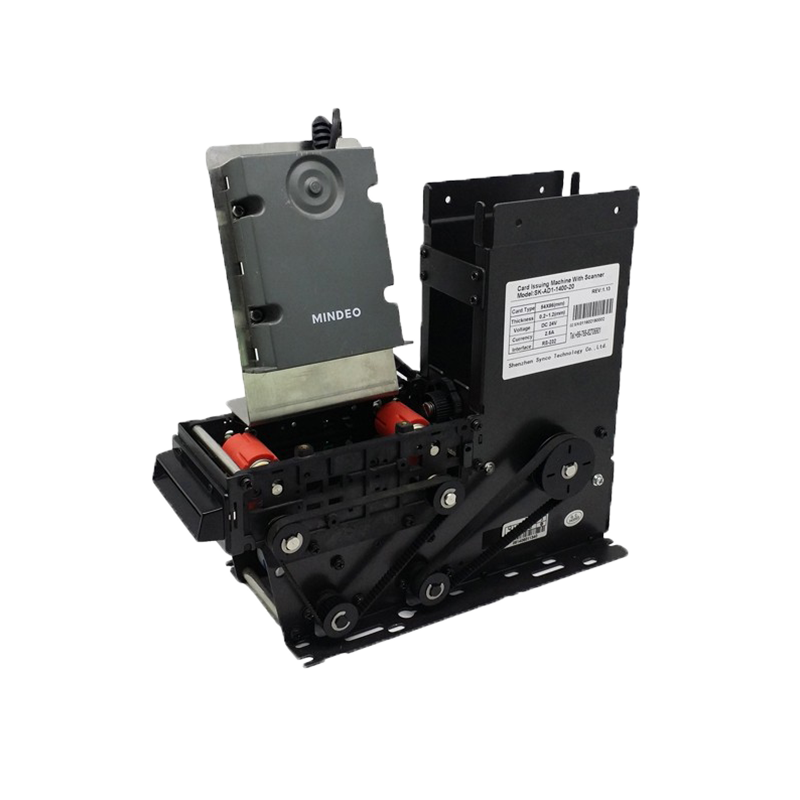
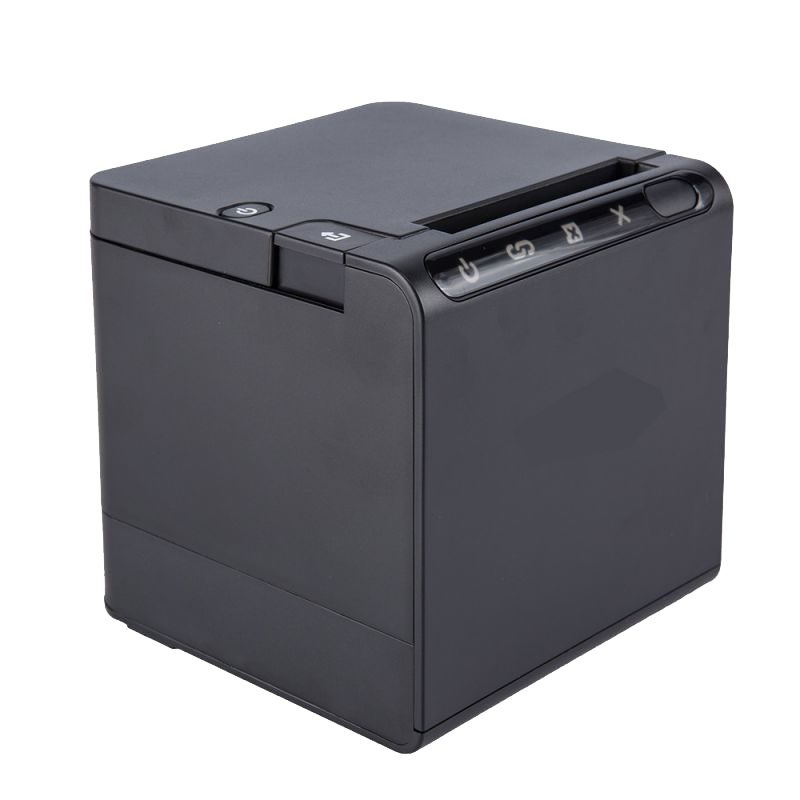
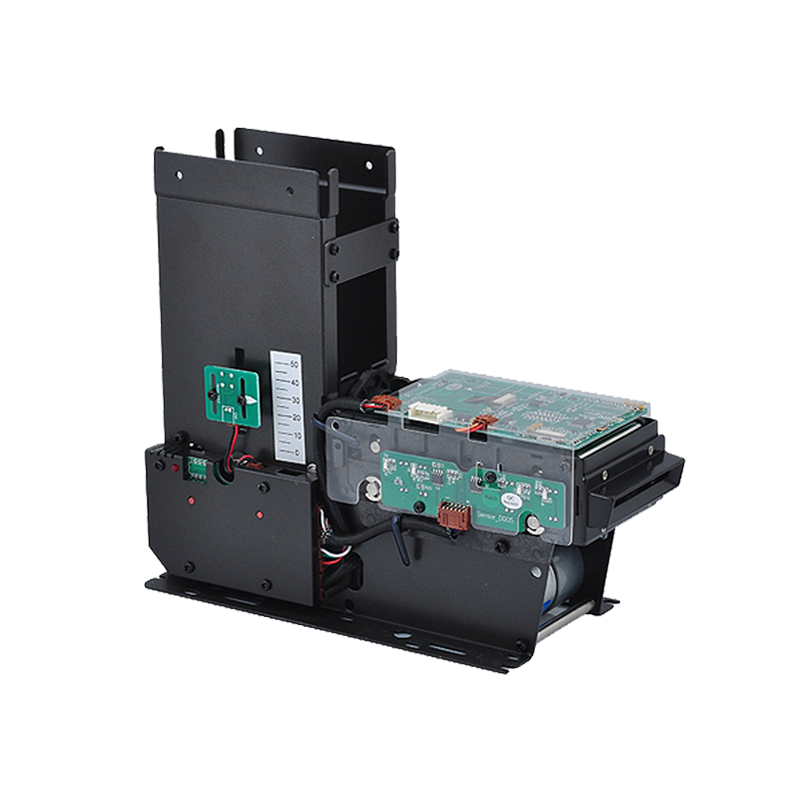
Relevant hardware options include:
For a hardware recommendation, share the product categories, tag type, target country or frequency region, number of items per checkout, intended read-zone dimensions, kiosk design, host operating system, required interfaces, and expected project quantity.
Syncotek can help evaluate the reader or module architecture for the identification layer. The retailer or system integrator should define and validate the POS application, pricing logic, payment provider, inventory workflow, and any loss-prevention integration as part of the complete solution.
 Knowledge
A production manager may know that Work Order WO-1026 is scheduled to finish today. But that does not necessarily answer: Where is the order physically located? Has machining actually started? Did it complete inspection? Has it been waiting between operations for four hours? Was a required production step skipped? Did it enter rework? Which workstation […]
READ MORE Knowledge
When people compare near-field vs far-field in RFID, they are really comparing two different ways energy and data move between the reader and the tag. In RFID, near-field systems are based on magnetic coupling and are typically associated with LF and HF/NFC, while far-field systems are based on radiated electromagnetic waves and backscatter and are typically associated with UHF RFID. That difference affects range, […]
READ MORE Company Events
Our new website offers streamlined access and insights into our latest products, solutions and services to better serve customers globally.
READ MORE Knowledge
Choosing a UHF RFID fixed reader should not begin with one question: How far can this reader read? Maximum read distance is only one small part of a fixed RFID system. A reader that performs well at a warehouse dock door may be unnecessarily complex for a single workstation. A four-port reader can outperform a […]
READ MORE Knowledge
Metal asset tracking is one of the most important applications in RFID, but it is also one of the most technically challenging. Many companies want to use RFID to identify tools, machines, containers, laptops, racks, returnable transport items, and industrial equipment, only to discover that standard RFID labels do not perform well when placed directly […]
READ MOREIf you are interested in our services or need customized solutions, please feel free to contact us.