
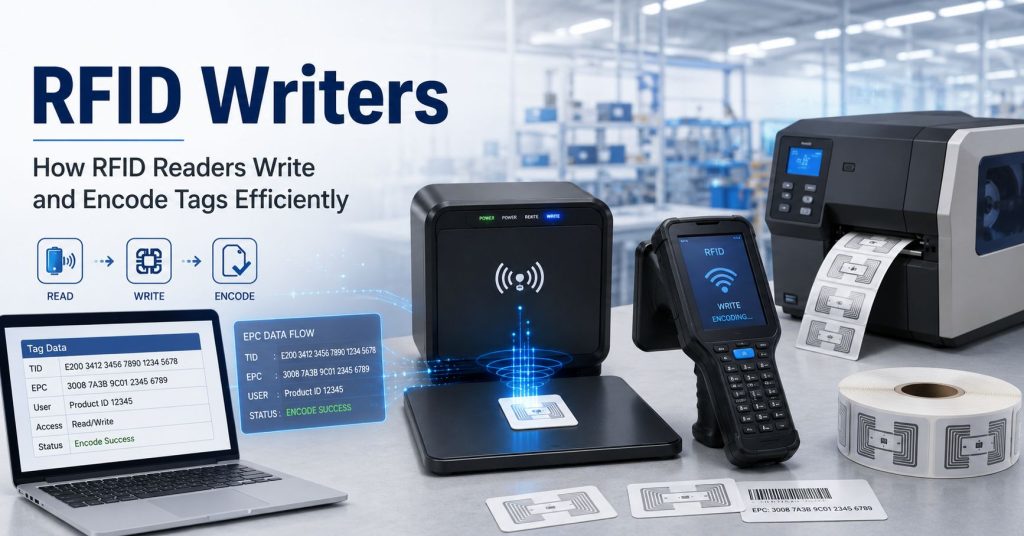
When companies start working with RFID, they often search for a dedicated RFID writer. The goal is usually simple: write data to RFID tags so the tags can identify products, assets, cartons, tools, or inventory items in a digital tracking system.
In real RFID projects, however, the term “RFID writer” can be confusing. Many modern RFID readers are not only readers. They can also write data to compatible RFID tags. This means an RFID reader may also function as an RFID writer, depending on the tag type, reader capability, software, and encoding workflow.
This guide explains what an RFID writer is, how RFID readers write to tags, when to use handheld, desktop, USB, or fixed reader-writers, and when an RFID printer encoder is the better choice for high-volume label encoding.
An RFID writer is a device used to write, encode, update, or program data into an RFID tag. During the writing process, the device communicates with the tag wirelessly and stores data in the tag’s memory.
Depending on the application, an RFID writer may be used to write:
In many systems, the RFID writer is not a separate product category. It is often a function built into an RFID reader. This is why the terms RFID reader, RFID writer, and RFID reader-writer are often used together.
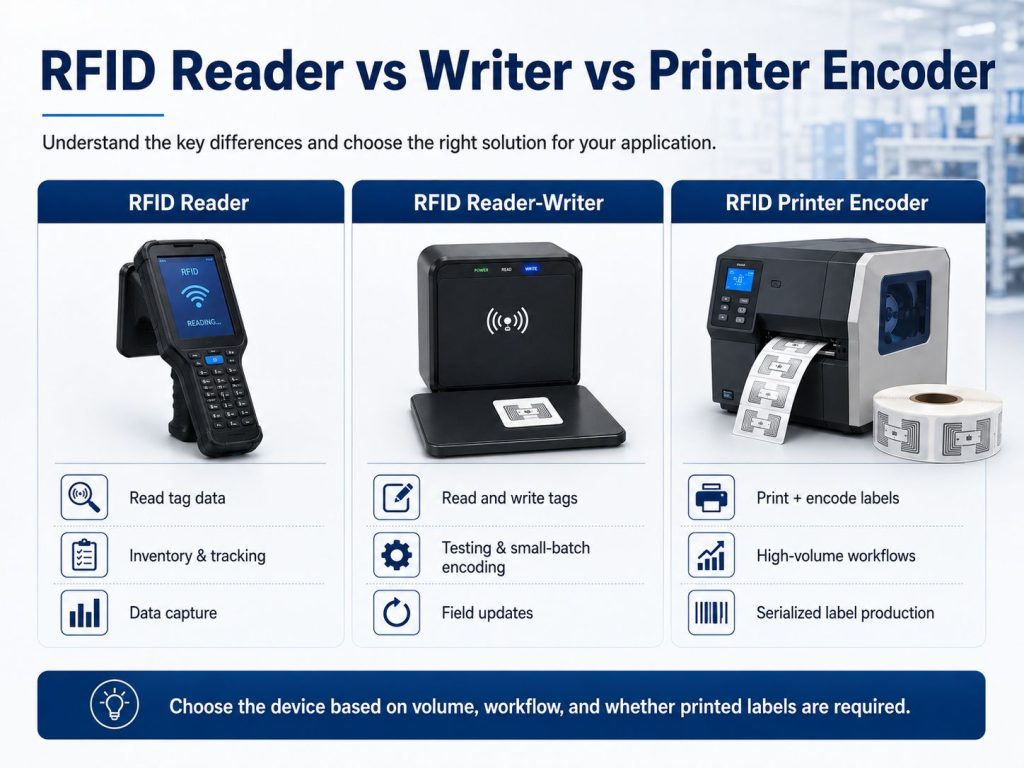
Understanding the difference between these devices helps avoid confusion during project planning.
| Device Type | Main Function | Best Use |
|---|---|---|
| RFID reader | Reads data from RFID tags | Inventory, asset tracking, access control, data capture |
| RFID writer | Writes or updates data to RFID tags | Encoding, testing, tag setup, ID assignment |
| RFID reader-writer | Reads and writes RFID tags | Low-volume encoding, verification, maintenance, field updates |
| RFID printer encoder | Prints labels and encodes RFID chips at the same time | High-volume RFID label production |
In many cases, an RFID reader-writer is enough for testing, small-batch encoding, and tag maintenance. For large-scale RFID label creation, an RFID printer encoder is usually more efficient.
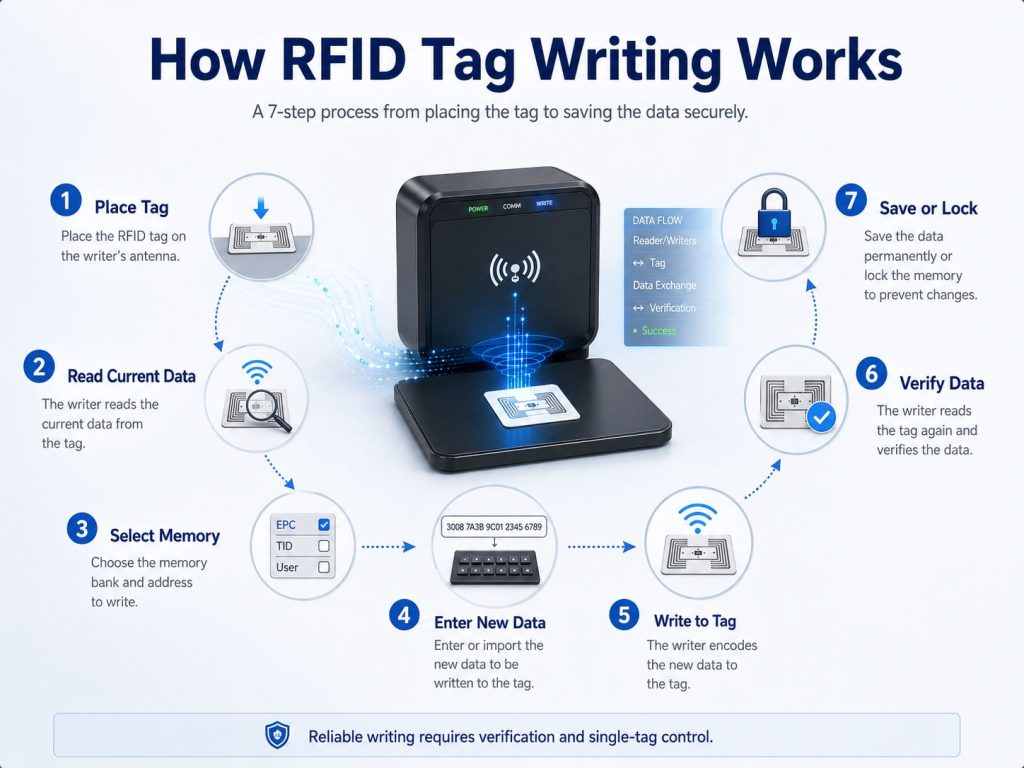
RFID writing is the process of sending data from a reader-writer to the RFID tag’s chip. The device uses radio frequency communication to access the tag and write data into the correct memory area.
A basic RFID writing workflow includes:
The writing process must be controlled carefully. If multiple tags are inside the read/write zone, the system may write to the wrong tag, fail the operation, or create duplicate records.
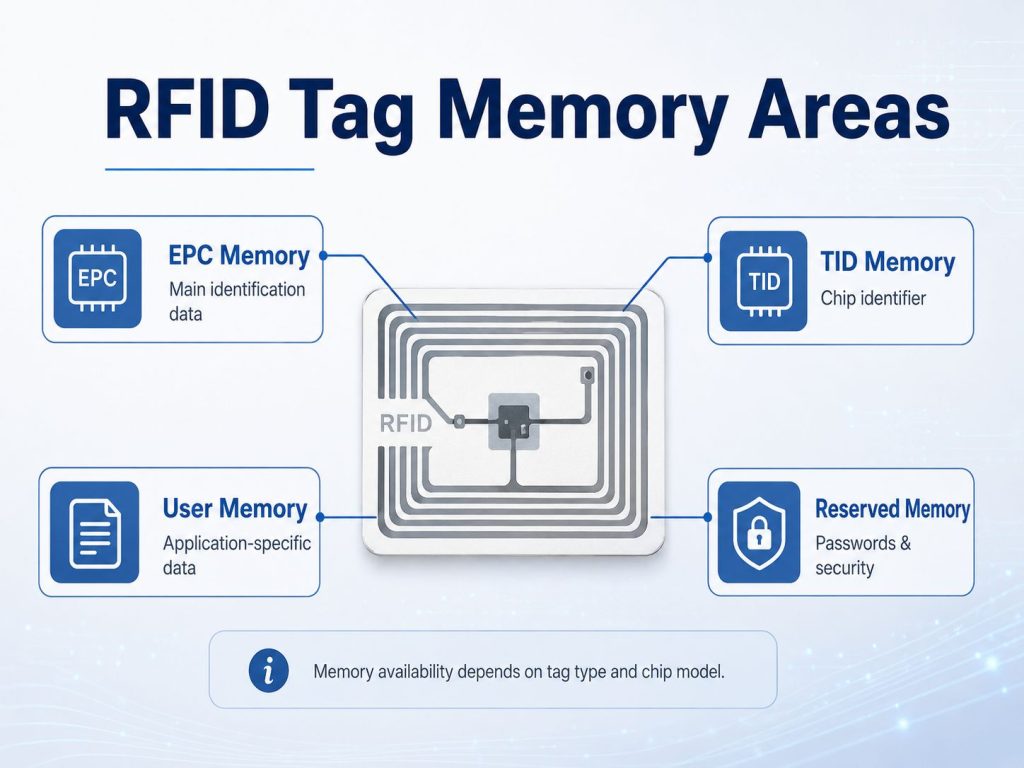
The answer depends on the RFID tag type and memory structure. In UHF RFID systems, tags commonly include several memory areas.
EPC memory is commonly used as the main identification area for supply chain, inventory, logistics, and asset tracking applications.
It may store:
For many RFID deployments, EPC memory is the most important field because it is often the data read during normal operations.
TID stands for Tag Identifier. This memory is usually programmed by the chip manufacturer and is commonly used to identify the chip or tag itself.
In many applications, TID memory is useful for authentication, anti-counterfeiting, or confirming that the physical RFID chip is genuine. It is usually not the main area used for business data encoding.
Some RFID tags include user memory. This area can store additional application-specific information.
User memory may be used for:
Not all tags include user memory. If the application requires additional data storage on the tag, user memory should be confirmed before selecting the tag.
Reserved memory may include access passwords or kill passwords. These functions are used for tag security, access control, or special workflows.
Because password functions can affect tag operation, they should be handled carefully and documented properly.
An RFID reader-writer is useful when the encoding volume is low or when controlled individual tag writing is required.
During pilot testing, engineers may use an RFID reader-writer to encode sample tags, verify tag memory, test read performance, and confirm software rules.
This is useful before mass deployment because it allows teams to test:
For asset tracking projects, companies may need to encode a unique asset ID into each RFID tag before attaching it to equipment, tools, machines, or IT assets.
A reader-writer can work well when:
For more complex asset tracking projects, RFID hardware should be selected together with the complete RFID products used in the system.
RFID reader-writers can also be used to update tags in the field. This may be useful when a tag needs a changed location code, updated status, or new application data.
Field writing should be handled carefully because uncontrolled writing can create inconsistent records. A good process should include verification and software logging.
For small production batches, lab testing, internal labeling, or low-volume projects, a desktop or USB RFID reader-writer may be more practical than an RFID printer encoder.
The main advantages are:
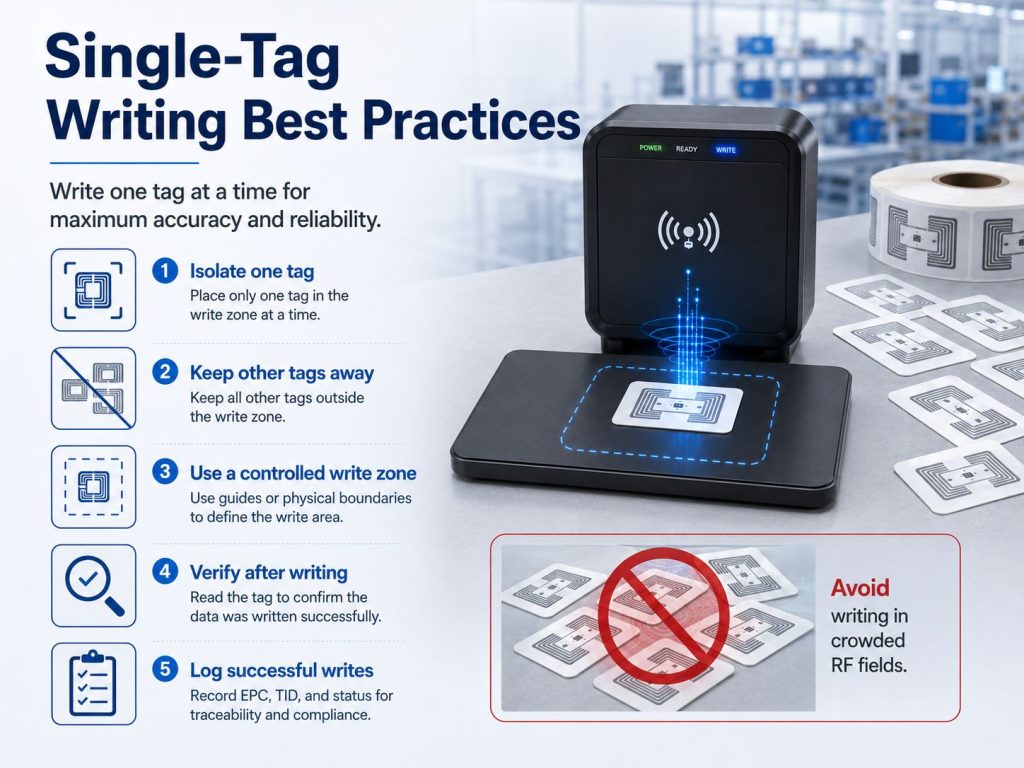
RFID reading often works well with multiple tags in the read zone. RFID writing is different.
When writing data, the system should usually write to one target tag at a time. If several writable tags are present in the read/write field, the system may:
This is why controlled read zones are essential during RFID tag writing.
To improve encoding accuracy, follow these practices:
For projects where read-zone boundaries are difficult to control, antenna selection and RF field design are important. You can also review our guide on how to select the right RFID antenna when planning controlled read and write areas.
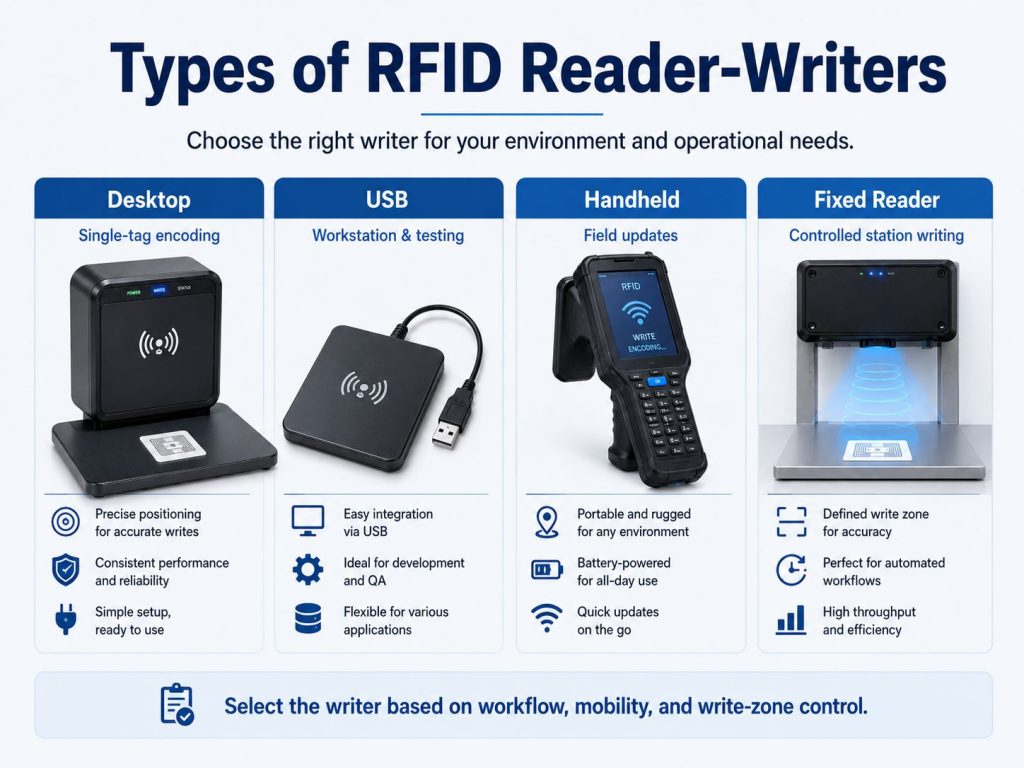
Different reader-writer types are suitable for different workflows.
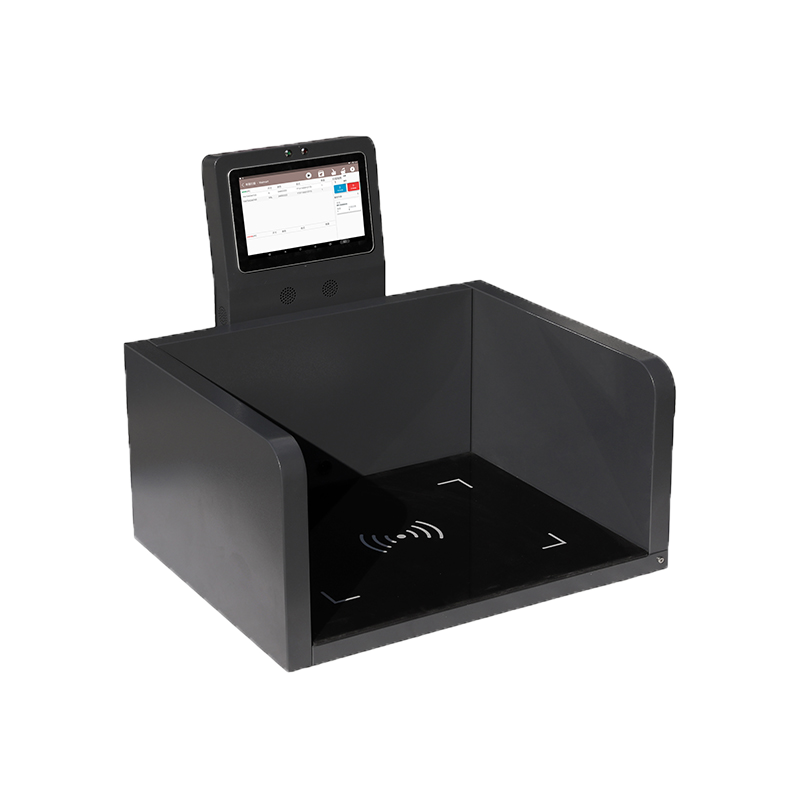
Desktop reader-writers are commonly used for controlled tag encoding at a workstation.
Desktop reader-writers are often preferred when accuracy is more important than speed.
USB reader-writers connect directly to a computer and are useful for simple encoding workflows.
USB reader-writers are often used in pilot projects, quality inspection, and software development.
Many handheld RFID readers can also write data to compatible tags. This makes them useful for field operations.
Handheld writing should be used carefully when many tags are close together.
Fixed RFID readers are usually installed for automated reading, but some can also write data to tags.
However, fixed readers are not always the best choice for tag writing. Since they often have larger read zones, they require careful antenna placement, power control, and shielding to prevent unintended writing.
For fixed installations, cable and connector quality can also affect system reliability. Review RFID cables, connectors, and adapters when planning reader-to-antenna connections.
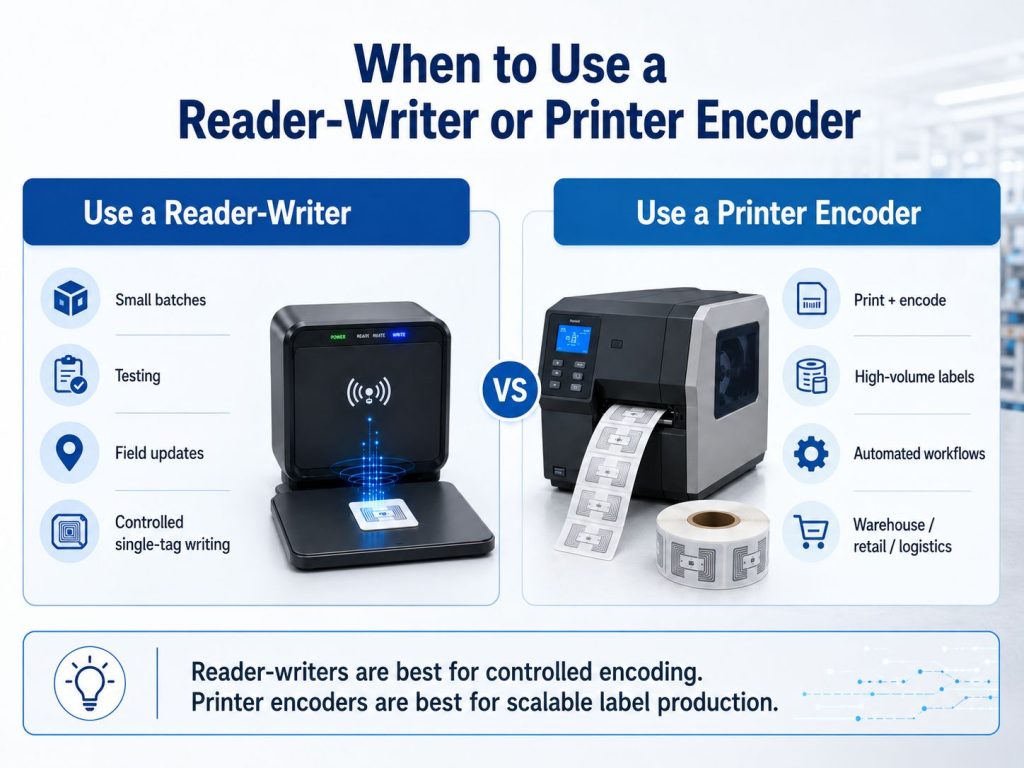
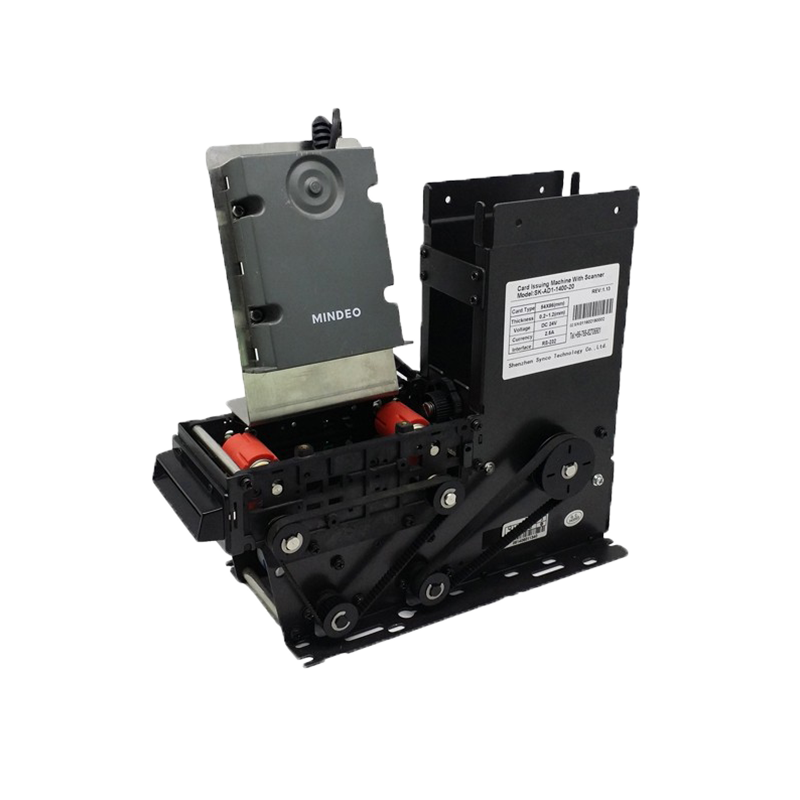
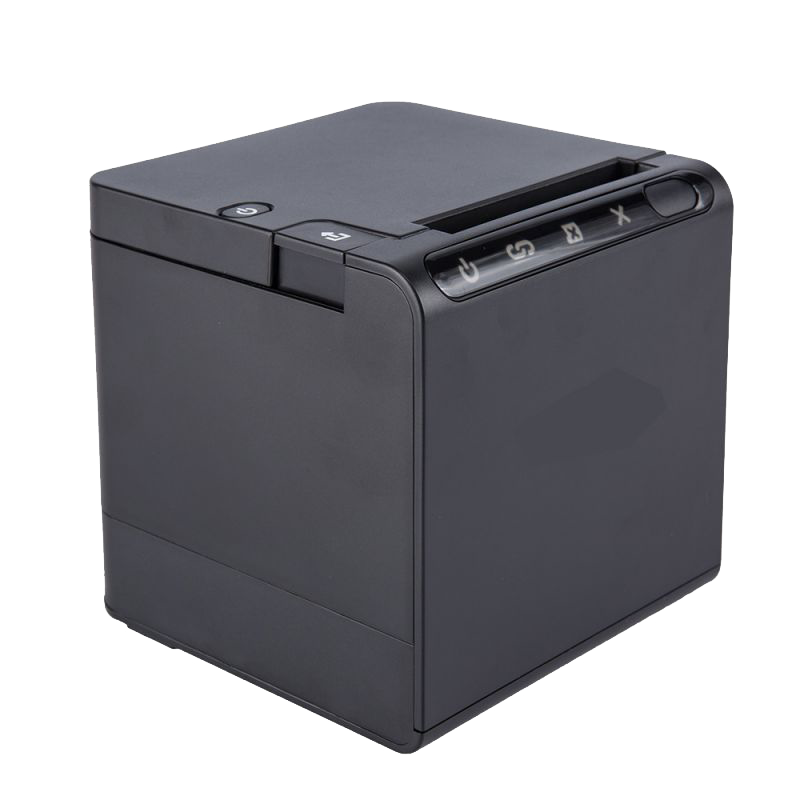
If the goal is to encode many RFID labels or tags quickly and consistently, an RFID printer encoder is usually the better choice.
An RFID printer encoder can:
This is especially important when the printed label and encoded RFID data must match.
For example, a carton label may show a barcode and text on the surface while the RFID chip stores the corresponding EPC. If the printed data and encoded data do not match, the label can create operational problems.
For high-volume RFID labeling, see our guide on RFID printers and the detailed article on RFID printer encoder and supplies.
| Factor | RFID Reader-Writer | RFID Printer Encoder |
|---|---|---|
| Primary use | Read and write RFID tags | Print and encode RFID labels |
| Best for | Testing, small batches, field updates | High-volume label production |
| Printed label output | No | Yes |
| Encoding speed | Lower | Higher |
| Workflow control | Manual or software-based | Automated print-and-encode workflow |
| Best tag format | Cards, hard tags, sample labels, assets | Printable RFID labels and tags |
| Error handling | Depends on software | Often includes print/encode verification |
| Ideal environment | Workstation, lab, field, maintenance | Warehouse, factory, retail, logistics |
A reader-writer is suitable for controlled individual tag writing. A printer encoder is better when the business needs scalable label production.
Hardware alone is not enough. RFID writing requires software to control data entry, encoding rules, verification, and reporting.
RFID writing software may support:
For many businesses, the software workflow determines whether RFID writing is reliable or error-prone.
Verification is one of the most important steps in RFID writing.
After writing data to a tag, the system should read the tag again and compare the stored value with the expected value.
Verification helps detect:
For serialized inventory, retail, logistics, manufacturing, and asset tracking, verification is essential to protect data integrity.
Some RFID tags support memory locking or password protection. This can prevent accidental or unauthorized changes after encoding.
Locking may be useful when:
However, locking should be used carefully. If a tag is locked incorrectly, it may become difficult or impossible to update later.
Before using lock, kill, or password functions, the workflow should be tested and documented.
RFID writers can encode item IDs, carton IDs, pallet IDs, or asset IDs for RFID inventory management. This allows physical goods to connect with digital stock records.
Reader-writers can encode asset tags for IT equipment, tools, machines, vehicles, containers, and reusable assets.
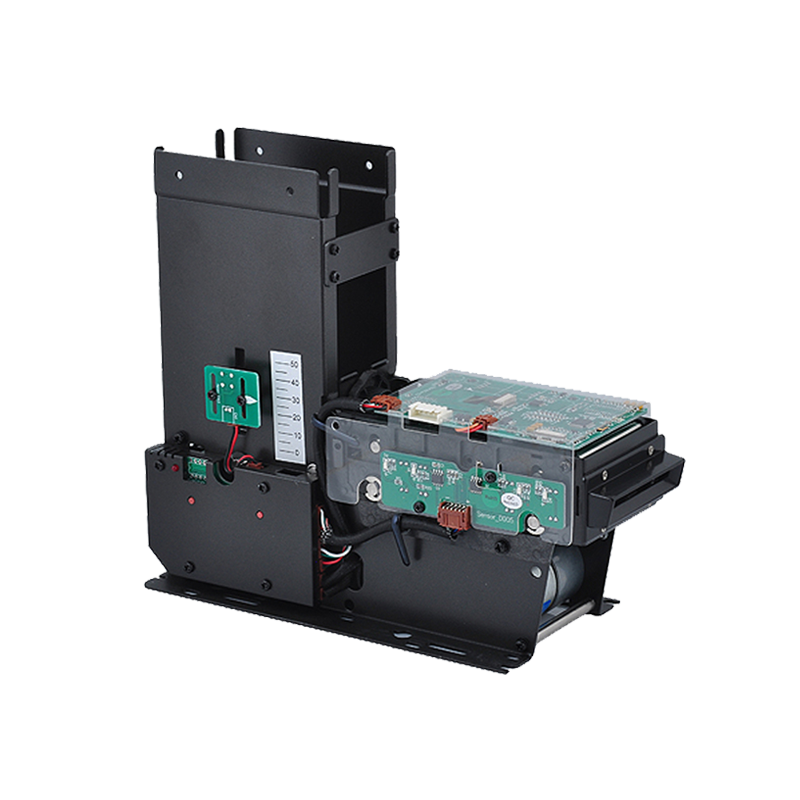
RFID writers can be used to program cards, badges, or key fobs for controlled access systems.
In RFID in manufacturing, RFID writing may support WIP tracking, tool control, production station verification, and serialized product identification.
RFID encoding can support carton labels, pallet labels, shipment tracking, and compliance labels.
Reader-writers can verify whether tags contain the correct data before they enter a production process or warehouse workflow.
The writer must support the same RFID frequency as the tag.
Common RFID frequency categories include:
A UHF reader-writer cannot write to an HF tag unless it is a multi-frequency device. Always confirm frequency compatibility first.
Not every tag supports the same memory structure. Some tags have EPC memory only, while others include user memory. Some memory areas may be factory-programmed or locked.
Before writing tags, confirm:
Select the writer based on your workflow.
| Workflow | Recommended Device |
|---|---|
| Small-batch encoding | Desktop or USB reader-writer |
| Field updates | Handheld reader-writer |
| Controlled production station | Fixed reader with controlled antenna setup |
| High-volume label creation | RFID printer encoder |
| Printed label + encoded chip | RFID printer encoder |
| Tag testing and quality control | Desktop, USB, or handheld reader-writer |
RFID writing needs a controlled RF field. If multiple tags are near the writer, the wrong tag may be encoded.
Consider:
For difficult environments, RFID shielding and blocking materials can help control unwanted reads or writes.
The software should support the data format and workflow required by the project.
Look for:
Before full deployment, test the complete writing process with real tags, readers, software, and application data.
Test:
If multiple tags are present during writing, the system may encode the wrong tag or fail the write operation.
A reader that can read tags from a long distance may not be ideal for writing. Writing often requires a smaller and more controlled field.
The writer must support the tag’s frequency and memory requirements. The tag must also support the data you need to write.
Writing data is not enough. The system should read the tag again and confirm the expected value.
Manual entry can cause duplicate IDs, wrong EPCs, or format errors. Importing data from a controlled database can reduce mistakes.
A reader-writer may work for small batches, but it is not efficient for thousands of labels. A printer encoder is better for scalable print-and-encode workflows.
Locking memory before testing can create avoidable problems. Always confirm data, workflow, and access settings before locking.
To improve accuracy and reduce errors:
A reliable RFID writing process depends on the right balance of hardware, software, data rules, and workflow control.
An RFID writer is a device or function used to write data to RFID tags. In many modern RFID systems, the writer function is built into the RFID reader. This means handheld, desktop, USB, and fixed RFID readers may all support tag writing when used with compatible writable tags and proper software.
However, not every reader is equally suitable for every writing workflow. For accurate low-volume encoding, desktop or USB reader-writers provide better control. For field updates, handheld reader-writers can be useful. For large-scale label production, RFID printer encoders are usually the best choice because they print and encode labels in one workflow.
The most important rule is simple: RFID tag writing must be controlled, verified, and matched to the application. A good RFID writing process protects data accuracy, reduces encoding errors, and helps businesses build reliable RFID tracking systems.
An RFID writer is a device or function used to write data to an RFID tag. In many systems, the RFID writer function is built into an RFID reader.
Many RFID readers can write to compatible writable tags. However, writing accuracy depends on the reader type, software, tag memory, and read/write zone control.
Yes. An RFID writer writes data to a tag. An RFID printer encoder prints visible label information and writes RFID data into the chip during the same process.
For most controlled encoding workflows, it is better to write one tag at a time. Multiple tags in the write zone can cause errors or incorrect encoding.
Depending on the tag, you may be able to write EPC data, user memory data, asset IDs, product IDs, serial numbers, or application-specific information.
Verification confirms that the tag was encoded correctly. It helps prevent wrong IDs, failed writes, duplicate tags, and database errors.
Use an RFID printer encoder when you need to print and encode many RFID labels, especially for warehouse, retail, logistics, manufacturing, or compliance labeling.
Some RFID tags support memory locking or password protection. This can prevent unauthorized changes, but it should be tested carefully before deployment.
Need Help Choosing RFID Reader-Writers or Tag Encoding Solutions?
Syncotek provides RFID readers, antennas, tags, labels, and system components for inventory management, logistics, manufacturing, asset tracking, retail, and industrial identification applications.
Whether you need a reader-writer for controlled tag encoding, a handheld reader for field updates, or an RFID printer encoder for high-volume label production, Syncotek can help you evaluate a suitable RFID setup based on your tag type, memory requirements, read/write distance, software workflow, and deployment environment.
 Knowledge
What is an RFID chip? An RFID chip is a small integrated circuit (IC) used in radio-frequency identification systems to store an identifier and/or data and communicate wirelessly with an RFID reader. In everyday conversations, “RFID chip” can mean two different things: RFID tag chip (Tag IC / transponder IC) – the chip inside a […]
READ MORE Knowledge
An RFID system is more than an RFID reader and a tag. A complete industrial RFID deployment may contain: RFID tags reader antennas RFID readers RF cables and connectors embedded reader modules handheld devices middleware or edge applications RFID printer encoders sensors and triggers network infrastructure ERP, WMS, MES, or other business applications The exact […]
READ MORE Knowledge
The RFID system auto-identifies vehicles' weight, calculates net weight, and provides real-time monitoring for optimized efficiency.
READ MORE Knowledge
A modern data center may contain thousands of physical IT assets distributed across: rooms cages rows racks storage areas staging zones repair areas multiple facilities Servers, switches, storage appliances and network equipment are also moved, upgraded, replaced and decommissioned throughout their lifecycle. The challenge is not simply knowing how many devices the organization purchased. Data […]
READ MORE Knowledge
What is a handheld barcode scanner? A handheld barcode scanner (also called a barcode reader) is an optical device that reads printed (or on-screen) barcodes and sends the decoded data to a computer, POS system, mobile device, or industrial controller. Typical scanners include a light source, optics/sensor, and decoder circuitry to interpret the barcode pattern and output the […]
READ MOREIf you are interested in our services or need customized solutions, please feel free to contact us.