
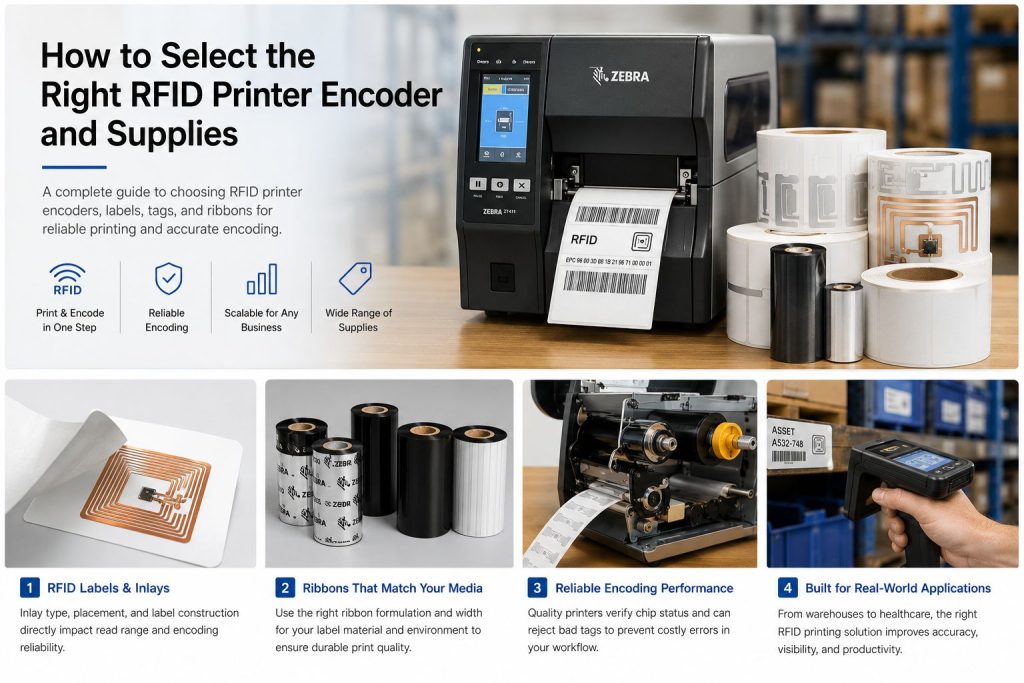
Choosing an RFID printer is not just about buying a machine that can print labels. In real deployments, the printer, RFID labels, inlay position, ribbon, application environment, and encoding workflow all have to work together. If any one of those elements is mismatched, you can end up with failed encoding, poor print quality, wasted labels, or a system that is difficult to scale. That is why selecting the right RFID printer encoder and supplies should be treated as a complete system decision rather than a simple hardware purchase.
For many companies, RFID printing is the bridge between traditional barcode operations and RFID-based identification. A printer encoder makes that transition practical because it can print text, barcodes, and human-readable information on the front of the label while also writing data to the RFID chip inside the label. This makes RFID printers especially important for asset tracking, inventory control, compliance labeling, manufacturing, logistics, and item-level identification.
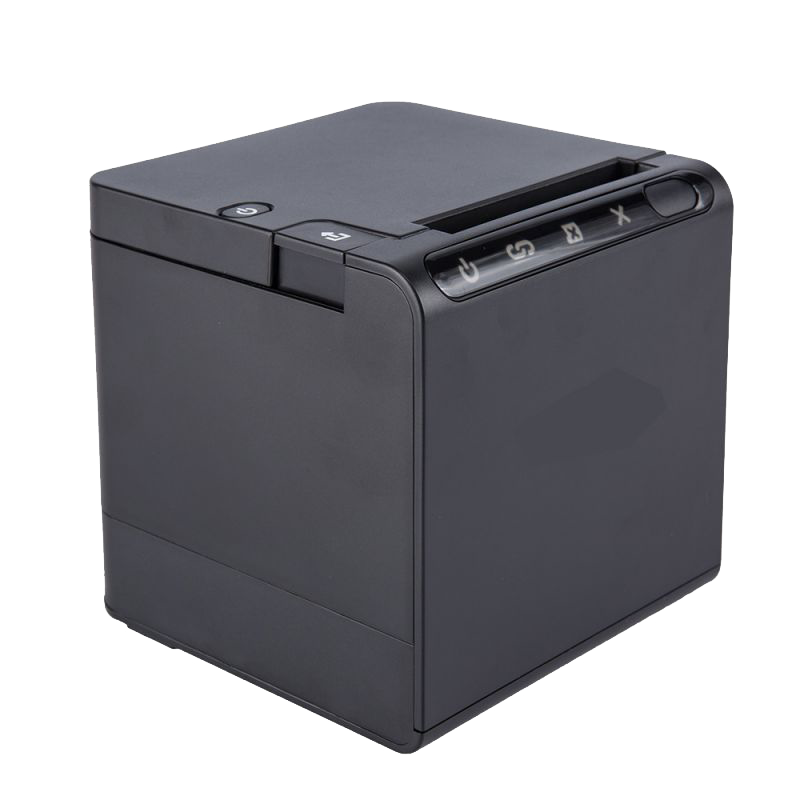
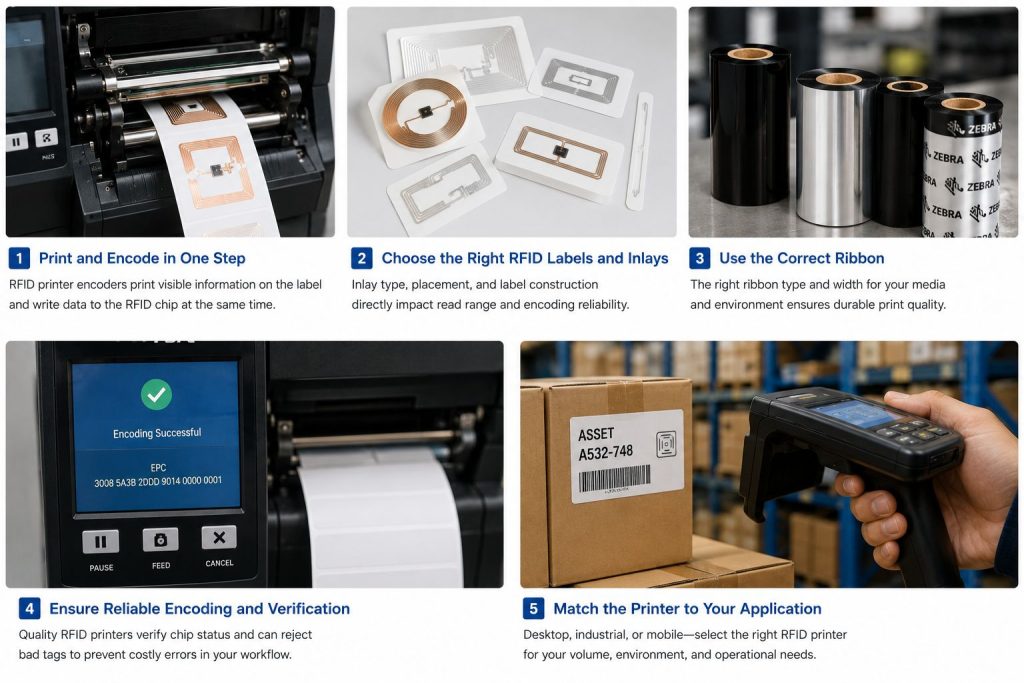
An RFID printer encoder is a printer that combines two functions in one device: it prints visible information on the label surface and encodes digital data into the RFID inlay embedded inside the label or tag. In practice, this means one step can create both the printed face of the label and the RFID identity used by readers in the field. SATO and Zebra both describe their RFID printers this way, with support for printing and encoding in a single process.
This matters because separate printing and encoding steps usually increase complexity, labor, and error risk. A good RFID printer encoder reduces manual handling, supports serialisation or structured encoding, and can also verify chip readiness or help detect bad labels before they enter the workflow. SATO specifically notes chip-readiness verification, while the source article also points out that RFID printers can reject problematic labels and continue to the next one.
The first selection step is simple but essential: the printer must support the RFID technology used in your project. The source article correctly starts with RFID technology type, noting LF, HF, and UHF as different options. SATO’s current RFID printer materials explicitly state support for UHF, HF, and NFC tags and labels on certain printer lines.
In most supply-chain, retail compliance, warehouse, and general asset-labeling projects, buyers are really evaluating UHF / RAIN RFID printing. But some applications, especially in healthcare, electronics, authentication, or specialty tagging, may require HF or NFC support instead. The safest approach is to confirm the exact tag family, protocol, and label construction before choosing the printer. A printer that is excellent for UHF asset labels is not automatically the best fit for HF or NFC workflows.
Once the RFID technology is clear, the next decision is the printer class. Zebra’s current printer portfolio divides options into desktop, mobile, industrial, and other categories, while TSC likewise positions RFID printers across high-volume industrial and enterprise-level desktop use cases.
Desktop RFID printers are typically the best choice for lower-volume or mid-volume environments where space is limited and users want a compact, easier-to-deploy solution. Zebra describes its desktop printers as compact and suitable for low- to mid-volume applications, and its ZD621R is positioned as an easy-to-set-up RFID desktop printer with a touch display.
Desktop models are often a good fit for offices, labs, clinics, IT asset tagging stations, pilot projects, and smaller internal labeling operations. They are usually chosen when the workflow is steady but not heavy enough to justify a full industrial unit.
Industrial RFID printers are the better choice for harsher environments, longer duty cycles, higher throughput, and more demanding label operations. Zebra’s industrial printer category emphasizes 24/7 reliability and ruggedness for harsh environments, and the ZT411 RFID is positioned for mid- to high-volume printing with multiple DPI options.
This class is usually the safest option for manufacturing, warehouse operations, distribution centers, compliance labeling programs, and any operation where uptime, media flexibility, and durability matter more than compact size. If the printer will be used continuously or in a dusty, high-activity environment, industrial usually makes more sense than desktop.
Mobile RFID printers are useful when labels need to be printed and encoded at the point of application rather than at a fixed workstation. Zebra’s RFID printer portfolio and mobile printer pages specifically position mobile RFID printers for on-the-spot printing and encoding, with the ZQ630 Plus RFID described as supporting label printing and RFID encoding in the field.
This category is valuable when workers need to tag assets in the field, on a warehouse floor, in yards, on vehicles, or during mobile service workflows. It is less about maximum throughput and more about reducing steps, travel, and relabeling errors.
High-volume workflows often need industrial printers because they print faster, are built for longer duty cycles, and are better suited for large batches over time. Lower-volume or decentralized workflows can often be handled well by desktop or mobile systems.
The key question is not just “How many labels per day?” but also “Where are labels printed, who prints them, and what happens if the printer stops?” A centralized shipping station, a production line, and a mobile asset-tagging team all have very different printer needs. This is why buyers should choose based on workflow structure, not only headline speed specifications. That conclusion is consistent with how the official vendors segment printer classes and application environments.
One of the biggest weaknesses in many generic RFID printer articles is that they treat the printer as the primary choice and the supplies as an afterthought. In practice, label stock and inlay selection are just as important. Zebra’s RFID supplies pages repeatedly emphasize that a successful RFID solution requires a high-performing thermal label and inlay, made with the right materials, adhesives, and chips for the application.
That means the printer should be selected together with answers to questions like these:
Which surface will the label be applied to?
How large can the label be?
Does the application require paper or synthetic material?
Does the environment involve heat, chemicals, abrasion, or outdoor exposure?
Does the label need permanent adhesion, clean removability, or tamper evidence?
These are supply questions, but they directly affect printer choice because not every printer handles every label construction equally well. Zebra’s supplies pages and selector materials explicitly connect label material, adhesive, chip, and inlay size to application performance.
Thermal transfer uses ribbon and is generally the better choice for labels that need greater durability, better resistance, or longer service life. Direct thermal removes the ribbon requirement and simplifies loading, but direct thermal labels can fade more quickly under heat or long exposure.
For many RFID asset tracking and industrial identification applications, thermal transfer is the safer default because RFID labels are often expected to remain readable and visually legible for longer periods. Direct thermal can still be appropriate for shorter-life logistics labels or simpler workflows, but buyers should decide based on label life and environment, not only convenience. Zebra’s broader supplies portfolio reflects these material and durability tradeoffs across paper and synthetic label options.
If you choose thermal transfer printing, ribbon selection matters. Wax, wax/resin, and resin ribbons as different options with different cost and durability profiles, and it notes that ribbon width should match label width.
In practice, ribbon choice should be driven by face-stock material and the environment the printed label will face. Wax is often acceptable for coated paper and lower-demand environments. Wax/resin is a middle-ground option for broader material compatibility and moderate durability. Resin is more suitable when scratch resistance, chemical resistance, or synthetic materials are involved. Buyers often focus heavily on RFID chip and antenna selection but forget that poor ribbon choice can undermine the human-readable side of the label even when RFID encoding is successful.
Print resolution should be selected based on what needs to appear on the label. 200 dpi is usually enough for ordinary text and barcodes, while more complex graphics or finer detail may need higher resolution. Zebra’s ZT411 RFID is currently available in 203 dpi, 300 dpi, and 600 dpi variants, with 600 dpi particularly relevant when crisp detail or very small labels are needed. TSC also highlights a 600 dpi RFID option for small labels.
The practical rule is simple: do not overbuy DPI unless your label size or print detail really requires it. But do not underbuy either if you will need tiny fonts, dense barcodes, or high-quality branding elements. Resolution should be treated as a workflow requirement, not a prestige spec.
Label width is another basic but important consideration. Many printers accommodate labels up to 4 inches wide, while some models support wider labels, including 6-inch formats. TSC officially highlights both 4-inch and 6-inch RFID printer options, and Zebra’s RFID industrial range includes both 4-inch and 6-inch models.
Special media can change the decision even more. For example, TSC highlights support for both standard RFID labels and on-metal tags, while Zebra’s ZT411 RFID On-metal Tagging Solution is specifically optimized to print thicker on-metal labels up to 1.5 mm thick and is positioned for metal asset-tagging use cases. If your project involves on-metal labels, specialty materials, or thicker constructions, that requirement should be identified early because not every printer configuration is suitable.
Connectivity still matters, especially in larger operations. Current Zebra product pages also continue to emphasize easy setup, intuitive displays, and connectivity options across printer classes.
But buyers should think beyond port types. The real question is whether the printer fits the software and deployment model already in place. If the organization uses ERP-driven print jobs, compliance labeling software, or multi-site serialization, the printer must fit that environment cleanly. SATO, for example, emphasizes onboard application capability and workflow simplification, while Zebra emphasizes setup simplicity and enterprise management.
A common mistake is buying the printer first and asking about labels later. That often leads to a mismatch between media, inlay position, adhesive, and actual application surface. Official vendor materials consistently show that reliable encoding depends on media compatibility, not just RFID support on the printer spec sheet.
Another mistake is choosing by speed alone. A faster printer will not solve poor media alignment, unsuitable label materials, or an application that really needs specialty media or a different printer class.
A third mistake is ignoring the real environment. Office labeling, manufacturing lines, mobile field tagging, metal asset tracking, and retailer-compliance programs do not have the same media or printer requirements. Official vendor segmentation into desktop, industrial, mobile, standard RFID labels, and on-metal solutions exists for a reason.
A practical buying process usually works best in this order:
Decide whether the project is UHF / RAIN RFID, HF, NFC, or another format, and confirm the specific label or tag family that needs to be printed and encoded.
Clarify whether labels are for cartons, assets, equipment, healthcare items, metal surfaces, outdoor use, or compliance tagging. This affects label material, adhesive, and printer class.
Select desktop for compact lower-volume workflows, industrial for high-volume or harsh environments, or mobile for point-of-application labeling.
Choose label stock, inlay, and inlay position that are known to work reliably with the target printer. Pre-tested or certified media reduces risk.
Use thermal transfer plus the right ribbon when durability matters; use direct thermal only when its shorter-life tradeoffs are acceptable.
Do not rely only on brochure compatibility. Pilot the exact label, ribbon, encoding format, and application surface before scaling. Zebra’s pilot-ready messaging and its printing/encoding service reflect the importance of early validation.
The right RFID printer encoder is not the one with the most features on paper. It is the one that fits your RFID technology, print volume, label construction, environment, and supply chain workflow without creating avoidable encoding failures or supply problems. The strongest current vendor guidance all points in the same direction: successful RFID printing depends on printer + label + inlay + ribbon + application working together as one system.
Need help choosing RFID hardware for your labeling workflow?
If you are evaluating RFID printers, RFID tags, readers, or integrated ide
ntification solutions for inventory, assets, logistics, or metal asset tracking, Syncotek can help you choose a more suitable RFID setup based on your use case, label type, and deployment goals. Start with our RFID product range here:
 Knowledge
Tools are essential assets in many industries. Manufacturing plants, construction companies, hospitals, repair teams, rental businesses, warehouses, and maintenance departments all depend on tools being available, traceable, and properly maintained. However, tool management is often difficult. Tools may be misplaced, borrowed without record, left at job sites, stored in the wrong cabinet, sent for maintenance […]
READ MORE Knowledge
Passive RFID is a type of radio frequency identification technology in which the tag has no internal battery. Instead, the tag is powered by energy from the RFID reader’s field and then sends data back to the reader. This battery-free design is the defining feature of passive RFID and one of the main reasons it is […]
READ MORE Knowledge
In an RFID system, most attention is usually placed on tags, readers, and antennas. However, cables, connectors, and adapters also play an important role in system performance. A well-selected RFID antenna cable helps transfer RF energy from the reader to the antenna with lower loss, while the right connector ensures a secure and compatible connection […]
READ MORE Knowledge
An RFID tag may look like a simple adhesive label, plastic block, textile patch, card, or small industrial component. Inside, however, several electrical and mechanical elements work together to receive radio-frequency energy, process commands, store data, and communicate with an RFID reader. At its most basic level, a passive RFID tag contains: RFID Chip + […]
READ MORE Knowledge
Near-field coupling is the communication method used by LF (125/134 kHz) and HF (13.56 MHz, including NFC) RFID systems. Instead of “radiating” like a long-range radio link, near-field RFID works more like a transformer: a reader coil creates a magnetic field, and the tag coil couples to that field to power up and exchange data. This is why LF/HF/NFC are typically short-range, […]
READ MOREIf you are interested in our services or need customized solutions, please feel free to contact us.