

Warehouses, factories, service centers and retail backrooms often need a fast way to verify tagged items without moving them through a conveyor or scanning them one by one. A smart table solves this problem by creating a controlled RFID reading surface where operators can place a kit, carton, tray, return, tool set or group of products and verify what is present within seconds.
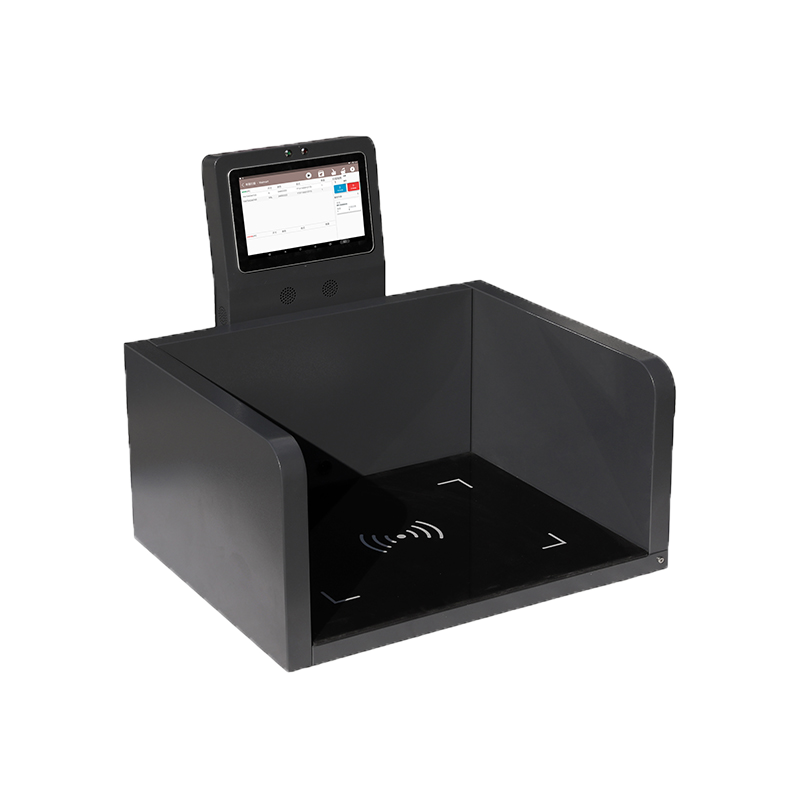
An RFID smart table typically combines a UHF RFID reader, one or more antennas, a controlled reading area, software logic and a user interface. When tagged items are placed on the table, the system captures the EPCs of the tags in the intended reading zone, compares them with an expected list, and flags missing, extra or incorrect items. This makes the smart table useful for inventory reconciliation, kitting verification, packing checks, returns handling and quality control.
This article explains how RFID smart tables work, where they fit compared with handheld and tunnel solutions, how to choose the right reader and antenna architecture, and what to test before deployment.
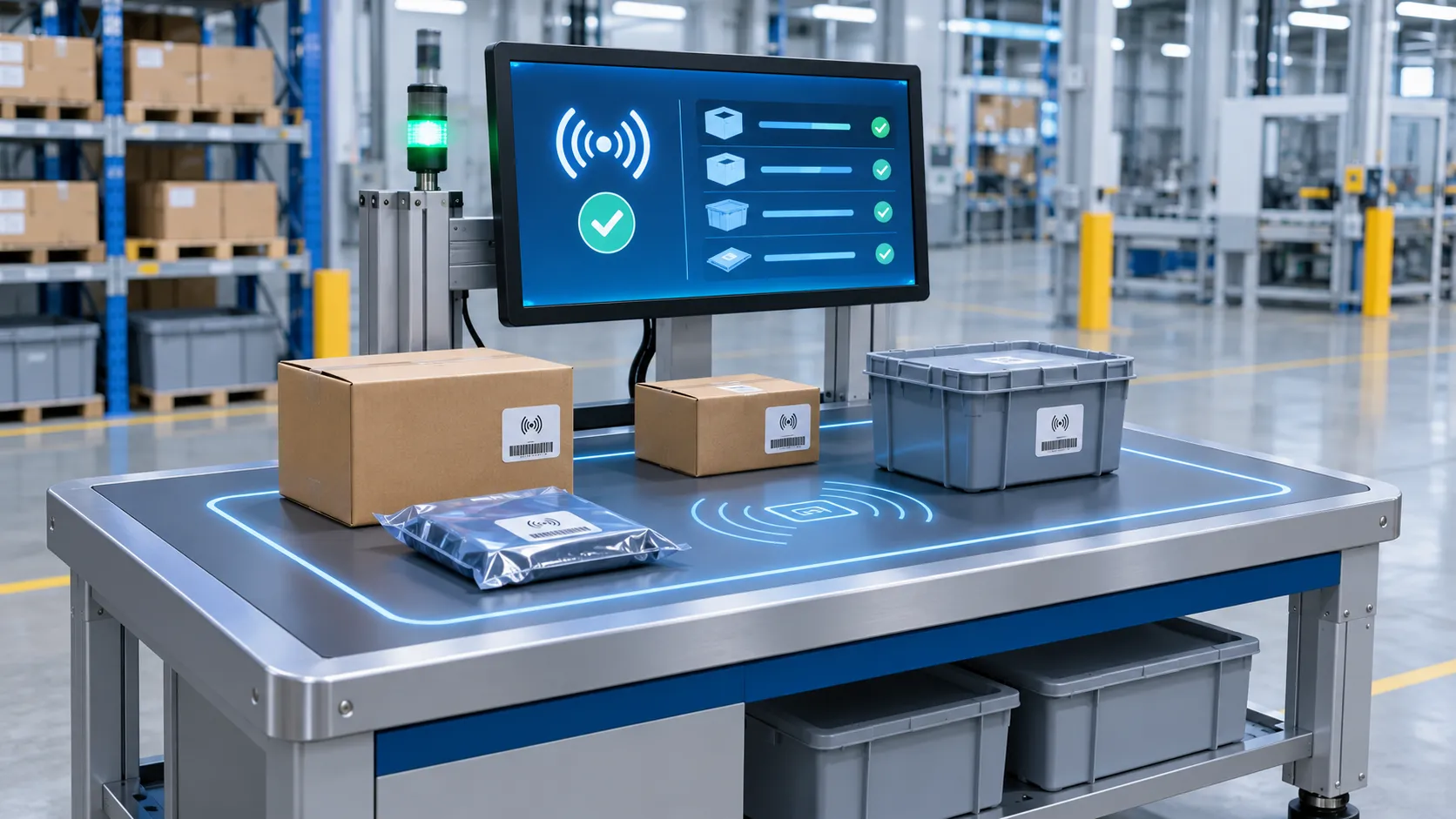
An RFID smart table is a workstation designed to read and verify RFID-tagged items placed on or within a defined tabletop area. Instead of identifying tags in an open room or along a conveyor, the system focuses on a limited zone so that software can evaluate only the items intentionally presented for inspection.
A smart table usually includes:
In simple terms, the table becomes a verification station. The operator places items on the surface, the system reads the tags, and the software answers one of the most important operational questions: Do the items on the table match what should be there?
A desktop RFID reader and an RFID smart table are related but not identical.
A desktop reader is usually the hardware component. It reads RFID tags at close range for tasks such as label encoding, tag commissioning, sample reading or small-item identification.
A smart table is the broader solution. It uses one or more readers plus antennas, software, workflow logic and a controlled presentation area to perform verification or counting tasks on groups of items.
In other words, a desktop reader may be part of a smart table, but a smart table is an application-level system rather than just a single hardware product.
The business value of a smart table comes from combining controlled RFID reading with workflow logic. The process is straightforward, but good results depend on both hardware design and software filtering.
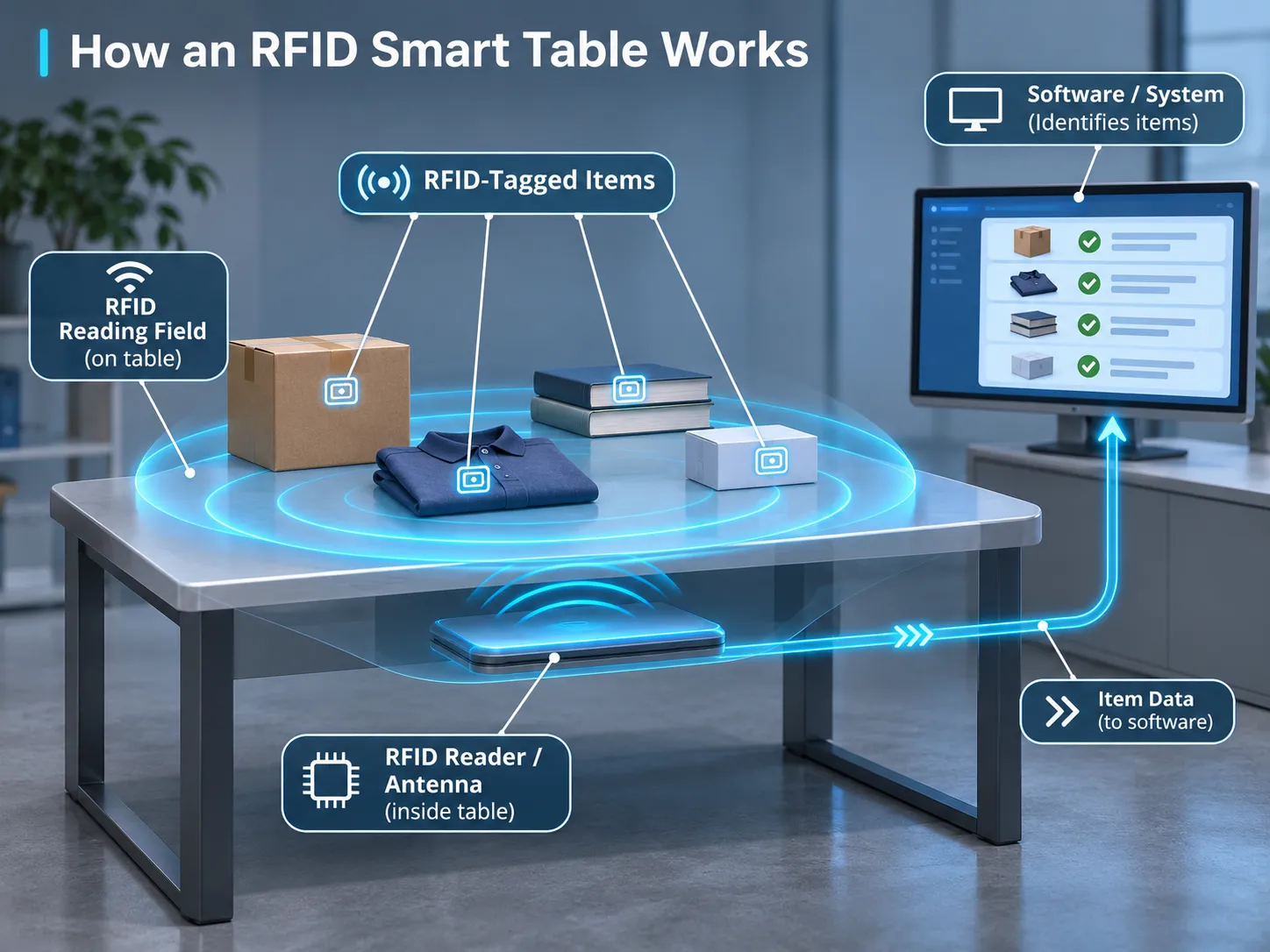
The process begins when an operator places tagged items in the intended read area. Depending on the workflow, these may be:
The read surface should encourage consistent placement. If the application requires repeatable results, the operator should know where items should be placed and whether stacking is allowed.
The reader energizes the tags in the controlled zone and captures their EPC identifiers. Depending on the antenna design, the smart table may read a few items or dozens of items at once.
The purpose is not just to collect raw RFID reads, but to identify the intended item population on the table surface.
Not every captured read should become a business event. Middleware or application software usually performs tasks such as:
This layer is important because an RFID read alone does not tell the system whether the operator has finished placing items or whether a nearby item should be ignored.
In many applications, the smart table checks the captured EPC list against an expected list from ERP, WMS, MES, production, repair or order software.
Typical results include:
The system can display a simple pass/fail message or a more detailed list of items. For example:
In more advanced workstations, the interface can also show item descriptions, SKU numbers, quantities, lot numbers or next actions.
Once validated, the result can be written back to a target system such as WMS, ERP, MES, a repair system, a packing system or a quality log.
For example, a completed kit verification can update a work order. A successful packing check can release a shipment. A failed return inspection can trigger an exception workflow.
A smart table is useful when a business wants fast, localized RFID verification without the cost or process change required by conveyors, portals or full room coverage.
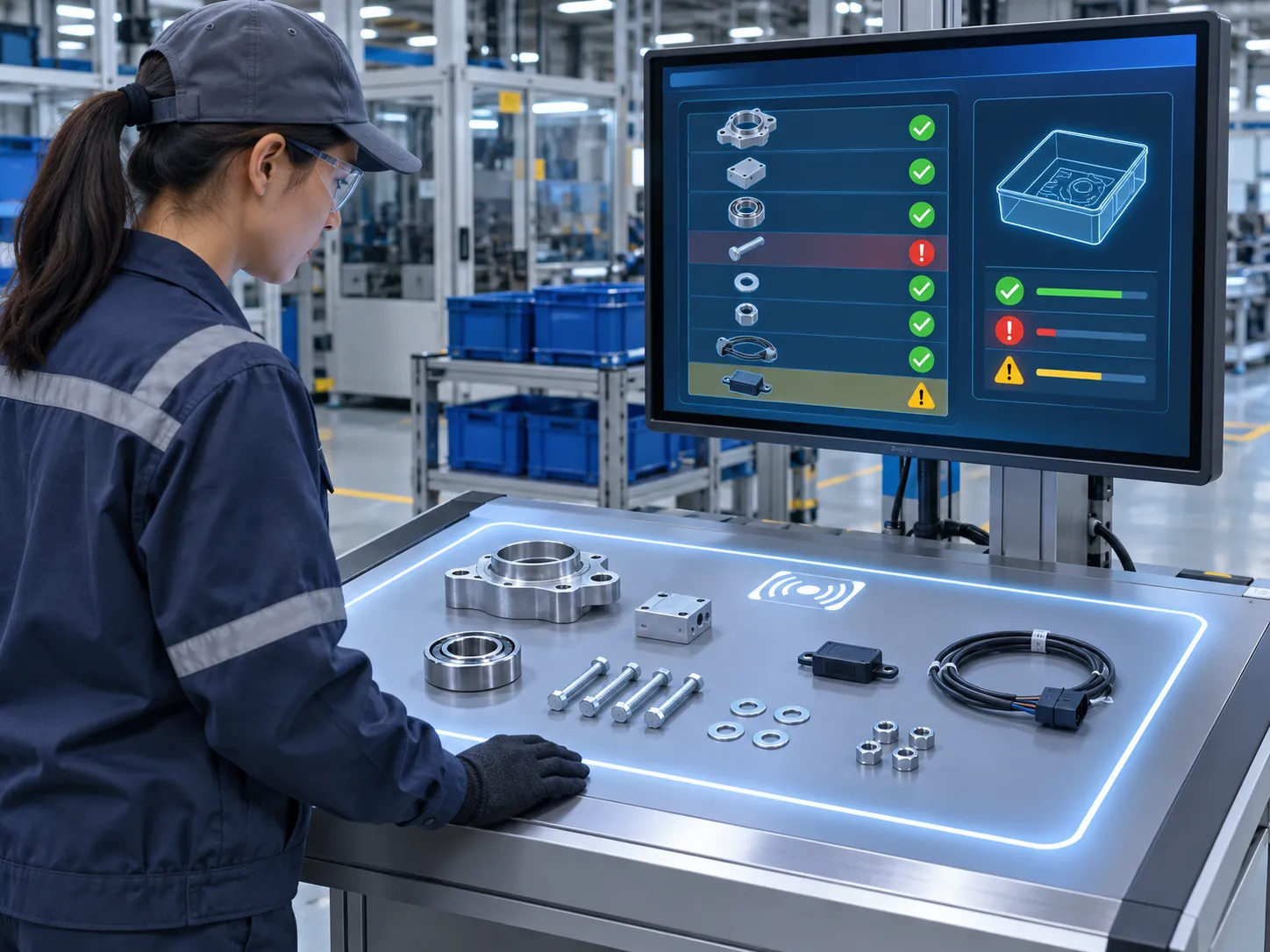
In warehouse or store support operations, staff can place groups of tagged items on the table to verify counts or reconcile returns, transfers or received goods. This is faster than scanning items one by one and more controlled than reading them in open space.
A smart table is well suited to kit-building and material issue workflows. Operators can assemble a required set of tagged components and verify whether the kit contains the correct items before releasing it to production.
This can help reduce:
Before a carton or tote is sealed, items can be checked on a smart table to confirm that the shipment contents match the order or packing list. This is useful when a conveyor tunnel is not justified or when the packing operation is done at a workstation.
Returned items often need to be checked quickly against return records. A smart table can help identify which RFID-tagged items have been returned, whether the expected items are present, and whether extra or unrelated items are mixed in.
Service teams, aviation maintenance operations, clean-room tool control, jewelry operations and similar environments often need reliable identification of item groups in a confined area. A controlled RFID table can simplify those checks.
Although some textile and laundry operations use carts, portals or conveyors, a smart table is still useful for smaller or manual checking tasks where a localized read zone is preferred.
A smart table should be treated as a complete solution architecture, not simply as a reader placed under a table.
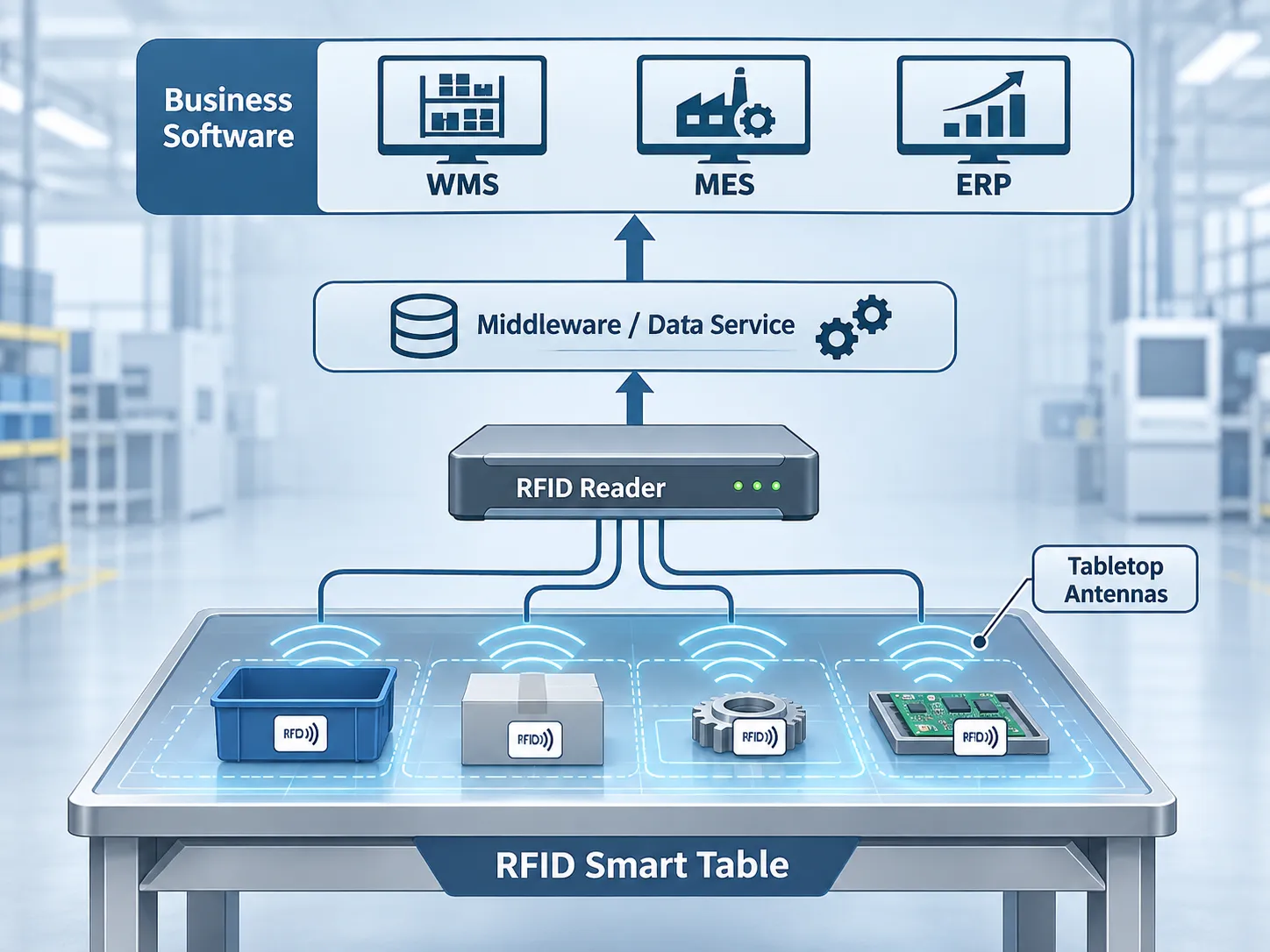
A typical architecture includes:
The system only works if the items are tagged appropriately for their materials, mounting conditions and required read range. A paper label tag, a hang tag and an on-metal tag all behave differently.
The reader provides the RF power, anti-collision logic and communication interface. Depending on the design, the smart table may use a desktop reader, a compact integrated reader or an embedded UHF module.
Antenna selection is one of the most important design decisions. The goal is not the widest range. The goal is the right read zone for the table workflow.
Some solutions use a single antenna. Others use multiple antennas for coverage or direction control. Near-field and controlled tabletop antennas are often preferred when the project must minimize reads beyond the working surface.
Software determines how the system interprets tag reads. This includes:
The table itself does not know what should be on the surface unless it receives expected data from a business system or database. Common integrations include:
One of the most important engineering decisions is whether the application needs near-field style control, limited field coverage or broader UHF read performance.
A smart table often benefits from a controlled read zone that emphasizes the tabletop area and reduces reads from adjacent shelves, trolleys or nearby workstations.
Near-field or controlled tabletop designs are useful when:
A far-field UHF setup can read more aggressively and may work for some item types, but it can also increase the risk of reading nearby unintended tags. More range is not always better for a smart table.
The most common reason smart table projects fail is not because the reader cannot read tags. It is because the system reads too many tags or reads the wrong tags from outside the intended table surface.
For this reason, the smart table should be designed as a controlled read station rather than just a high-power RFID reader setup.
The best hardware depends on the target items, read-zone requirements, software integration plan and workstation design.
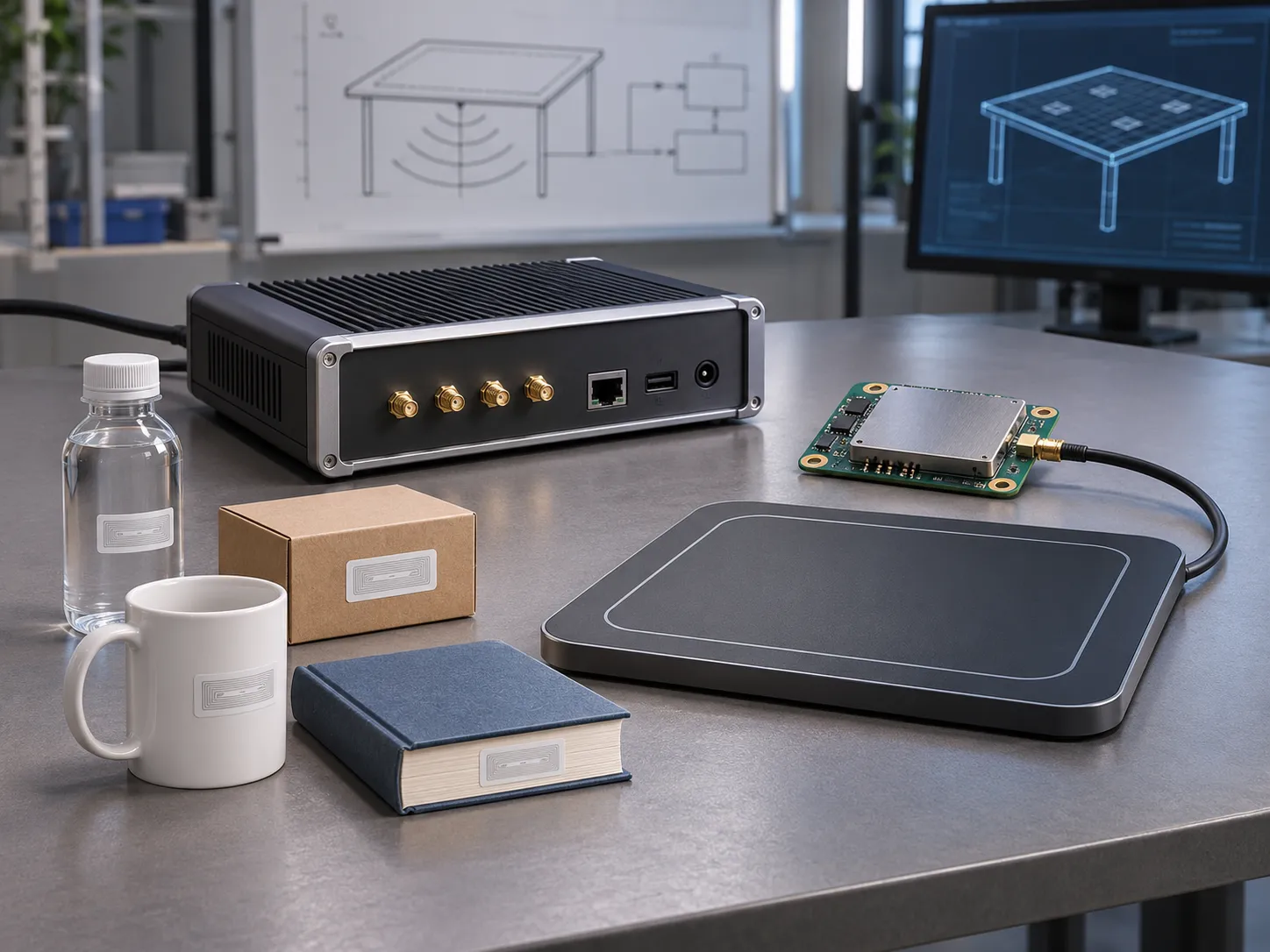
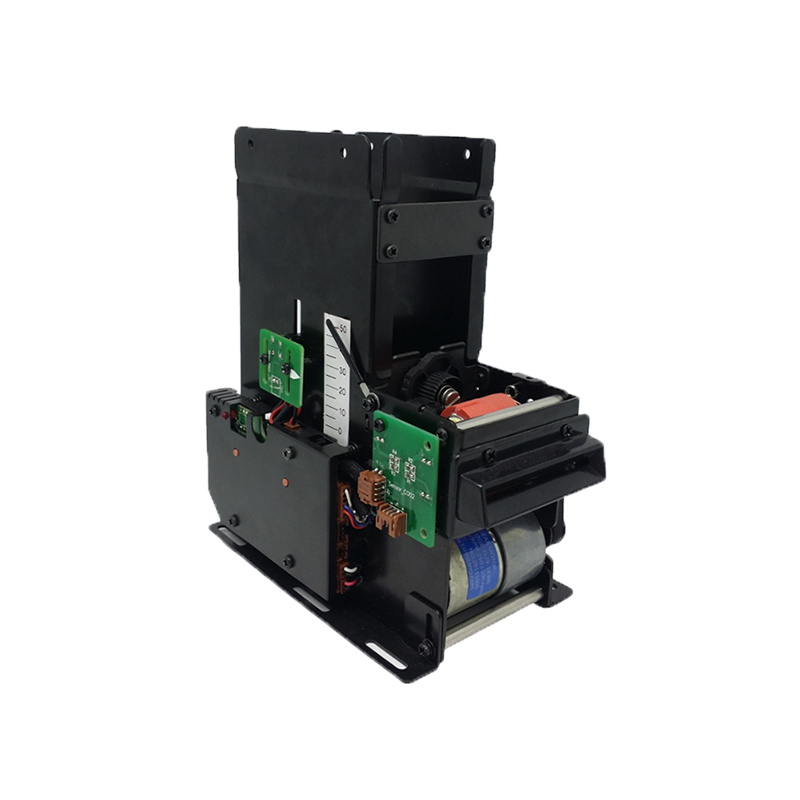
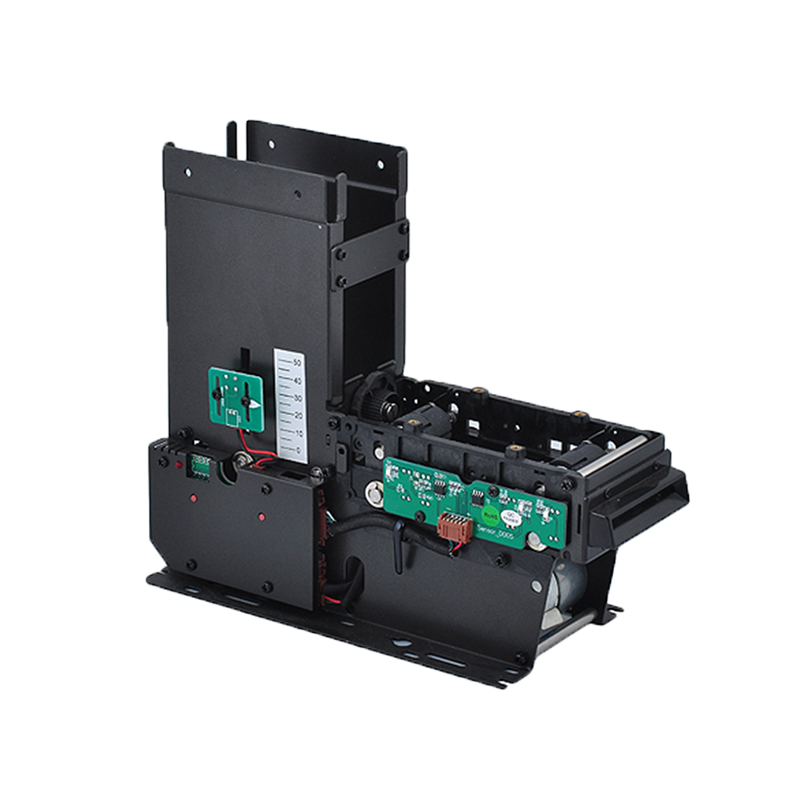
Desktop readers are often the most direct starting point for smart table development because they are compact and easy to integrate into workstation prototypes.
Useful Syncotek options include:
A desktop reader can be suitable for:
The final choice should consider output power, supported protocols, interfaces, read-zone behavior, SDK availability and the specific antenna behavior at the workstation.
For OEM or custom smart table systems, an embedded module may be the better approach. This is especially useful if the table needs a custom enclosure, custom antenna arrangement or direct integration into a larger device.
Syncotek's UHF RFID modules are relevant when a customer wants to build:
The antenna design largely determines whether the solution behaves like a smart table or like an uncontrolled open reader. When evaluating antennas, consider:
The most suitable antenna is the one that supports the required verification process, not necessarily the one with the longest nominal range.
Tag selection should match the item type:
Never design the smart table without also validating the actual tags in the target presentation format.
A smart table project usually requires software integration. Before choosing hardware, confirm the required interface:
The development environment matters as much as the RF performance.
Many customers ask whether they really need a smart table or whether another RFID method would be better.
| Solution | Best for | Main advantage | Main limitation |
|---|---|---|---|
| RFID Smart Table | Controlled local verification of grouped items | Fast, localized checks with workflow logic | Limited to workstation-style presentation |
| RFID Tunnel | Cartons or totes moving through a defined enclosed path | High automation for packaging or shipping workflows | Less suitable for manual kit or tabletop work |
| Handheld RFID Reader | Flexible inventory and search tasks | Mobility and wide usage across locations | More operator-dependent and less controlled |
| Portal or Gate | Items passing through a doorway or opening | Automatic checkpoint event capture | Not designed for tabletop item set verification |
A smart table is a strong fit when the process is manual or semi-manual, the read area must be tightly controlled, and the business logic revolves around checking item groups against an expected set.
A tunnel is a better fit when cartons or totes are already moving through a conveyor-based or semi-automated packaging process.
A handheld is often best for general inventory, room-level search or field operations where the operator needs mobility instead of a fixed workstation.
Most smart table issues are not caused by the EPC Gen2 protocol itself. They come from real-world item arrangements, environmental reflections and weak process design.
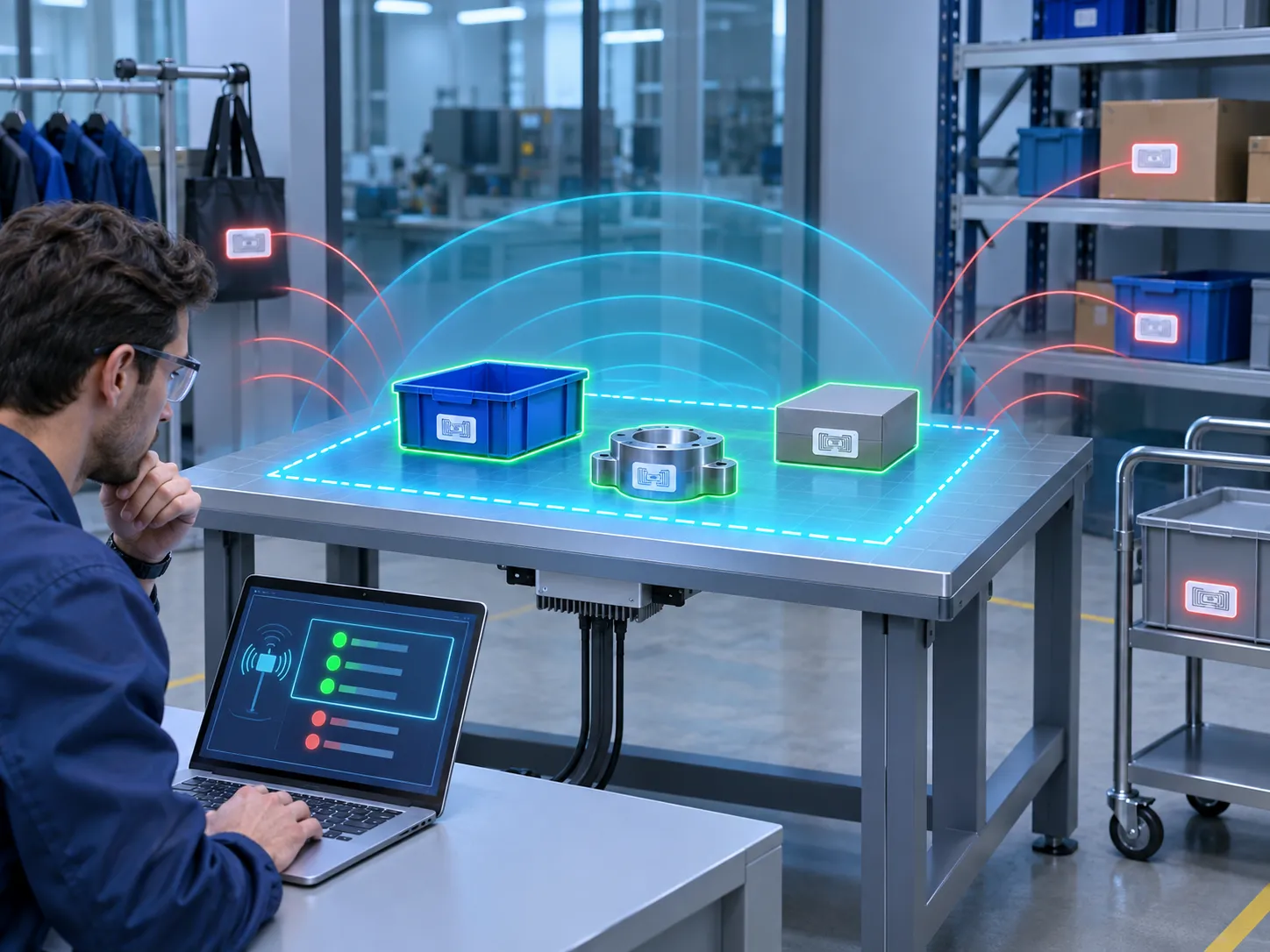
If tagged items are stored near the table, the system may read them unintentionally. This can happen when the table is placed too close to shelving, return bins, WIP racks or adjacent workstations.
Mitigation methods include:
If many items are placed directly on top of each other, some tags may be shadowed or detuned by neighboring objects. This is particularly important with dense kits, metal items or tightly packed small products.
The table should be tested with real presentation conditions, not just ideal sample placements.
Metal frames, reinforced worktops and nearby equipment can affect RF performance. The table structure itself should be considered part of the RF design.
A table can incorrectly appear successful if the wrong tags are read in place of missing items. This is why expected-vs-actual logic and item-specific matching are essential.
Even when RF performance is good, the workflow can fail if:
A good project begins with the workflow and acceptance criteria, not with a reader model number.
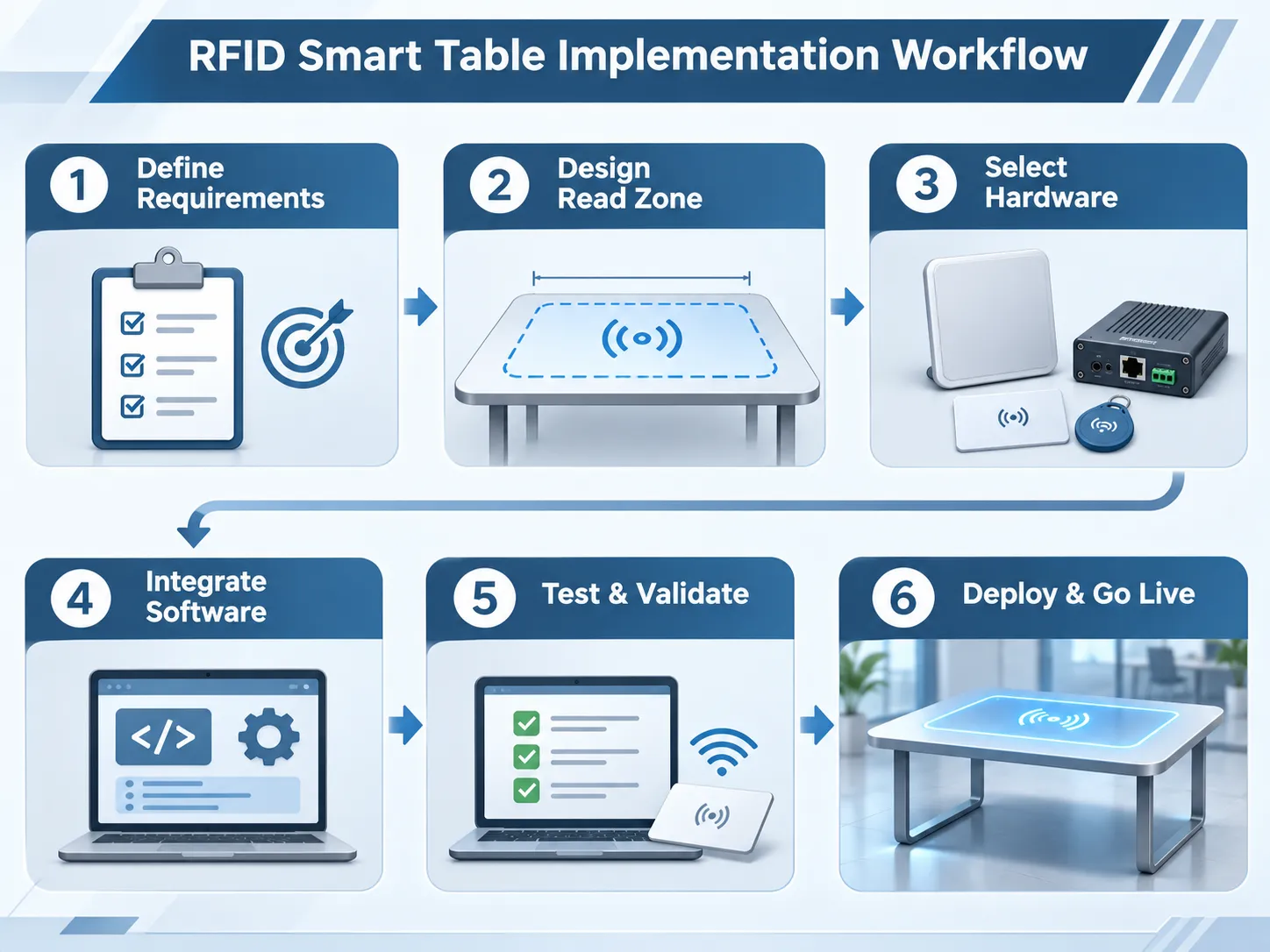
Clarify exactly what the table must verify:
Decide how items will be placed:
This strongly affects antenna and read-zone design.
Test the intended tags on real items. Then evaluate reader and antenna options that support the required zone and software environment.
Build a prototype and test whether the reader captures intended items while rejecting nearby unrelated tags. This is one of the most important validation steps.
Connect the hardware to the application logic and external systems. Define how the system receives expected item lists, how it records results and how exceptions are handled.
The pilot should measure both RF and workflow performance. Typical validation metrics include:
Only after these checks should the solution move into broader deployment.
A smart table should be evaluated like an operational system, not just a demo.
| Pilot metric | What it measures | Why it matters |
|---|---|---|
| Read completeness | Whether intended table items are detected | Missing tags can create false fails |
| Unwanted read rate | Whether outside items are captured | External reads can create false results |
| Verification accuracy | Whether expected vs. actual logic is correct | Determines real business value |
| Session cycle time | Time required for each verification event | Affects workstation productivity |
| Repeatability | Whether results stay consistent across repeated runs | Important for production or QC use |
| Operator usability | Whether staff can use the system correctly | Good RF is not enough if workflow is confusing |
| Integration accuracy | Whether results update the correct transaction or record | Ensures downstream systems stay reliable |
Avoid promising a universal 100% read rate or fixed tag quantity capacity without testing the actual item mix and process.
It is used to identify and verify tagged items placed within a controlled tabletop read zone. Common uses include kitting, packing checks, inventory verification, returns processing and tool control.
A desktop reader is the hardware component. An RFID smart table is the full solution, including the reader, antenna design, controlled reading area, software logic and business workflow.
Yes, that is one of its main advantages. The actual number depends on the tag type, item arrangement, antenna design and read-zone conditions.
Not always, but controlled or near-field behavior is often preferred because the table must read intended items while reducing outside reads.
Yes. The system can send verified results to ERP, WMS, MES or other software through appropriate interfaces, SDKs or middleware.
Yes, if the application has an expected list and the EPCs of the intended items are mapped properly. The software can then compare actual vs. expected items and flag differences.
They solve different problems. A smart table is best for local workstation verification. A tunnel is better for cartons or totes moving through a defined path, especially in conveyor-based workflows.
Prepare the item types, tag types, expected quantities, presentation format, nearby tagged environment, target software, required interfaces and the exact verification task.
Syncotek offers several hardware options relevant to RFID smart table development, including desktop readers, embedded UHF modules and other RFID integration components.
Relevant product entry points include:
A smart table project should begin with the workflow, the items to be verified and the required software outcome. After that, the hardware can be selected and tested around the actual read zone.
If you are planning an RFID smart table project, prepare the following information before requesting a recommendation:
With the right hardware, read-zone design and software logic, an RFID smart table can become a practical verification tool for inventory, kitting and quality control workflows.
 Knowledge
Tools are essential assets in many industries. Manufacturing plants, construction companies, hospitals, repair teams, rental businesses, warehouses, and maintenance departments all depend on tools being available, traceable, and properly maintained. However, tool management is often difficult. Tools may be misplaced, borrowed without record, left at job sites, stored in the wrong cabinet, sent for maintenance […]
READ MORE Knowledge
Radio frequency identification (RFID) helps supply-chain teams capture the identity of goods as they move between manufacturers, distribution centers, carriers, and retailers. Instead of requiring a person to scan each visible barcode, a suitably designed RFID system can identify multiple tagged objects at defined checkpoints and send those observations to business software. The practical value […]
READ MORE Knowledge
Choosing an RFID tag should not begin with a catalog, chip model, or maximum advertised read distance. It should begin with the physical object and the workflow. The right RFID tag for a cardboard carton may fail when attached to a metal tool. A tag that performs well with a fixed reader and high-gain antenna […]
READ MORE Knowledge
RFID self-checkout systems allow shoppers to place multiple tagged products in a defined checkout area and have the system identify them without scanning each barcode individually. A UHF RFID reader and antenna capture the unique identifiers stored on product tags; checkout software matches those identifiers with product records, builds the basket, and passes the transaction […]
READ MORE Knowledge
In an RFID system, the antenna is one of the most important components that determines how well tags can be read. The reader generates RF energy, but the antenna controls how that energy is transmitted into the read zone and how tag responses are received. Many RFID projects focus heavily on tags and readers, while […]
READ MOREIf you are interested in our services or need customized solutions, please feel free to contact us.