

Barcode scanners are used in retail checkout, warehouses, manufacturing lines, hospitals, ticketing systems, self-service kiosks, parcel handling, access control, and inventory management.
Although 1D and 2D barcode scanners may look similar, they differ in the symbols they can decode, the way they capture information, their ability to scan mobile screens, and the amount of data their supported barcodes can contain.
The simplest distinction is:
GS1 defines barcodes made from parallel bars and spaces as one-dimensional symbols, while codes formed from patterns of squares or other geometric elements are classified as two-dimensional symbols. Because 2D data is encoded in two directions, a 2D barcode can hold more information within a relatively small physical area.
For most new installations, a 2D area imager provides greater flexibility and future readiness. However, a dedicated 1D scanner can remain a practical option for simple, high-volume applications that only use traditional linear barcodes.
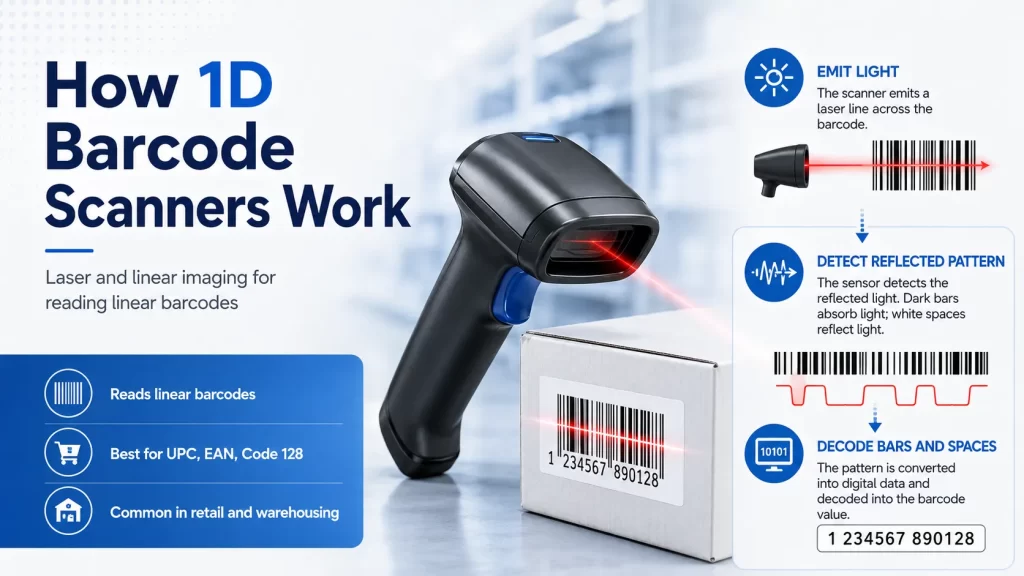
A 1D barcode, also called a linear barcode, stores information through the widths and spacing of vertical bars.
Common 1D barcode types include:
A linear barcode commonly contains a product number, asset number, shipment identifier, membership number, or another short identifier.
In many applications, the scanner reads the identifier and sends it to a database. The database then retrieves information such as:
More complex GS1 linear symbols can also encode additional structured information through GS1 Application Identifiers, including lot numbers, expiration dates, and serial numbers.
A 1D barcode scanner is designed primarily to decode linear barcode symbols.
However, not every 1D scanner uses the same optical technology.
The two main types are:
A laser scanner projects a narrow beam across the barcode. It measures the reflected light from the dark bars and light spaces, then converts the pattern into digital data.
Laser scanners are commonly used for:
Laser scanners can provide:
Traditional laser scanners normally:
A laser scanner remains appropriate when the business uses only well-printed linear barcodes and has no planned requirement for mobile tickets, QR codes, product serialization, or 2D retail symbols.
A linear imager uses an image sensor rather than a moving laser beam.
It captures a narrow image of the barcode and decodes the linear pattern digitally.
Linear imagers can offer:
However, a linear imager still normally decodes only 1D symbols. It should not be confused with a full 2D area imager.
The important distinction is therefore not simply:
1D equals laser
A more accurate distinction is:
A 1D scanner decodes linear symbols, while its optical engine may use laser or linear-imaging technology.
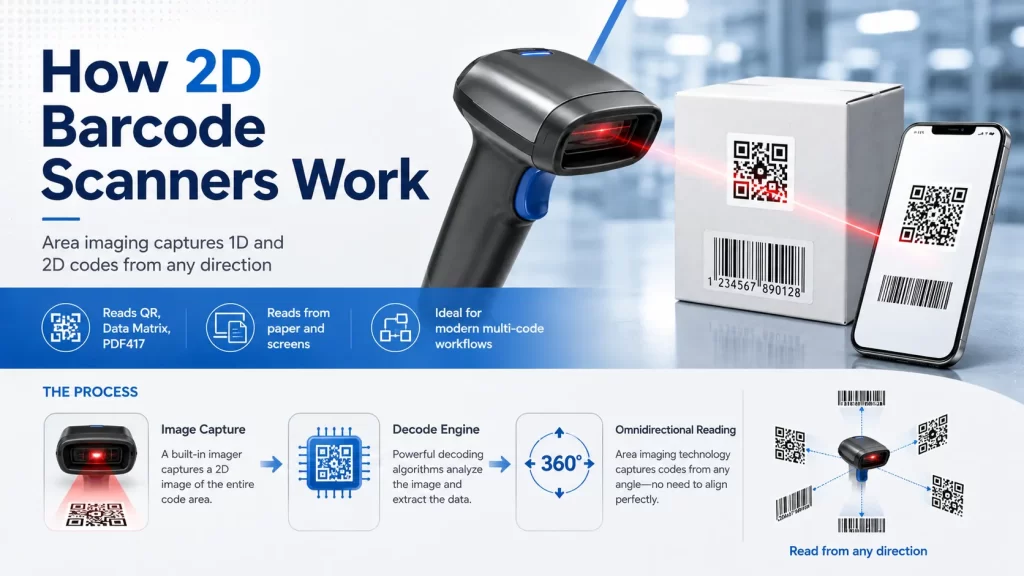
A 2D barcode stores information across both horizontal and vertical dimensions.
Common 2D barcode types include:
GS1 currently uses GS1 DataMatrix, GS1 QR Code, and GS1 DotCode as two-dimensional symbols within the GS1 System.
Compared with a traditional linear barcode, a 2D barcode can generally contain more data in a smaller area.
Depending on the symbol and application, it may encode:
A 2D barcode scanner normally uses an area-imaging sensor.
Instead of projecting one scan line, the scanner captures an image of the entire barcode area. Its decoding software locates the symbol within the image, identifies the barcode type, and extracts the encoded information.
A modern 2D imager commonly reads:
Current commercial 2D scan engines are designed to read both 1D and 2D barcodes from paper and electronic displays, which makes them suitable for kiosks, payment systems, ticket validators, access terminals, and embedded equipment.
A 2D imager can provide:
Because the scanner captures an area rather than one horizontal line, the operator usually does not need to align the scanner with the direction of the barcode bars.
Potential limitations include:
A general-purpose 2D imager should not automatically be assumed to read every barcode in every environment.
Scanner selection must still consider:
| Comparison | 1D Barcode Scanner | 2D Barcode Scanner |
|---|---|---|
| Primary barcode support | Linear barcodes | 1D and 2D barcodes |
| Typical optical technology | Laser or linear imager | Area imager |
| QR Code support | No | Yes |
| Data Matrix support | No | Yes |
| PDF417 support | No | Usually yes |
| Scan orientation | Usually must cross the bars | Usually omnidirectional |
| Mobile-screen reading | Limited, especially with laser models | Commonly supported |
| Damaged barcode performance | Depends on scanner type | Often better with advanced decoding |
| Data capacity of supported codes | Generally lower | Generally higher |
| Initial cost | Often lower | Often higher |
| Future flexibility | Limited to linear workflows | Supports current and emerging barcode workflows |
| Typical use | Simple retail and legacy inventory | Retail, healthcare, logistics, manufacturing, ticketing and kiosks |
Yes. Most modern 2D barcode scanners are designed to decode both 1D and 2D symbols.
For example, commercial area imagers and embedded scan modules are commonly specified to read:
Zebra and Honeywell both offer current imaging scanners that support 1D and 2D barcodes, including codes printed on labels and displayed on electronic screens.
This backward compatibility is one reason 2D scanners are frequently selected for new systems.
No. A conventional 1D scanner cannot decode a QR Code because it only analyses information along one dimension.
A QR Code contains data across both horizontal and vertical directions. It therefore requires an area-imaging scanner or another camera-based decoding device.
The same limitation applies to:
A 2D area imager is normally the preferred choice for scanning barcodes from:
Traditional laser scanners depend on reflected laser light and generally cannot read illuminated LCD or OLED displays reliably.
Image-based scanners capture the displayed barcode as an image. Honeywell specifically recommends 2D imaging scanners for reading barcodes displayed on phone screens.
For screen-reading projects, evaluate:
A traditional linear scanner must project its scan line across the complete width of the barcode.
If the scan line runs parallel to the bars, the scanner cannot decode the pattern correctly.
A 2D area imager captures the complete symbol within its field of view. It can therefore usually decode the barcode from different rotations.
This is especially useful in:
Omnidirectional reading reduces the amount of wrist movement and alignment required from the operator.
The scanner does not determine how much information a barcode can contain. Data capacity is determined mainly by the barcode symbology, symbol dimensions, and print resolution.
However, scanner selection determines which barcode formats the system can use.
A 1D barcode frequently stores a short identifier, such as:
Detailed information is then retrieved from a database.
A 2D barcode can carry the identifier together with additional attributes, such as:
GS1 Digital Link can encode GS1 identifiers together with additional attributes and connect a physical product to online information and services.
Barcode condition can significantly affect scanner performance.
Common barcode problems include:
Advanced imaging scanners use image-processing and decoding algorithms to improve capture of difficult symbols. Current industrial and retail imagers are designed to read 1D and 2D barcodes that are damaged, faded, crinkled, or poorly printed.
However, no scanner can completely compensate for an invalid or severely damaged barcode.
Businesses should also control:
Direct Part Marking, or DPM, creates a barcode directly on a product or component rather than printing it on a separate label.
Common DPM methods include:
DPM is commonly used for:
Direct part marks can have low contrast, reflective backgrounds, curved surfaces, or irregular textures. They normally require a specialized DPM area imager with appropriate illumination, optics, and decoding algorithms.
Industrial DPM scanners are specifically designed to capture laser-etched and dot-peened marks as well as conventional printed 1D and 2D barcodes.
A standard retail 2D scanner may not provide reliable DPM performance.
Scan distance depends on more than whether a scanner is classified as 1D or 2D.
Important factors include:
Scanner configurations may include:
A long-range 1D laser scanner may outperform a standard 2D imager on a large reflective warehouse barcode.
An extended-range 2D imager may read both linear and matrix codes across much greater distances than a close-range desktop scanner.
The required working range should therefore be specified numerically rather than assumed from the scanner category.
A 1D scanner may remain suitable for:
Traditional UPC and EAN product barcodes continue to be widely used at retail point of sale.
Linear barcodes can support:
Membership cards and book labels may use simple linear identifiers.
A 1D barcode can identify an asset when employees scan items individually and direct line of sight is available.
Existing software, labels, and databases may be designed entirely around established linear symbologies.
2D scanners can read QR codes or other mobile credentials for:
Embedded 2D scan modules can be integrated into:
Compact imaging modules support 1D and 2D decoding from both paper and phone screens through USB or serial interfaces.
2D barcode scanners can support:
GS1 DataMatrix can encode product identifiers, serial numbers, lot information, and expiration dates within a compact symbol.
For regulated healthcare trade items, GS1 identifies GS1 DataMatrix as the permitted GS1 2D barcode.
2D barcodes are suitable for:
2D scanners can read:
Retailers and product manufacturers are preparing for wider acceptance of 2D barcodes at point of sale.
GS1’s Ambition 2027 has an initial goal that retail POS systems globally should be capable of reading and processing both traditional linear barcodes and next-generation 2D barcodes by the end of 2027.
This does not mean that UPC and EAN barcodes will suddenly disappear in 2027.
GS1 expects linear and 2D barcodes to coexist during a transition period while:
GS1 notes that the original barcode will not disappear entirely by 2027 and that both formats are expected to remain on products for some time.
For businesses purchasing new retail scanners, 2D readiness should therefore be included in the equipment decision.
Both 1D and 2D scanners are available in different physical formats.
Handheld scanners are suitable for:
They may use USB, RS-232, Bluetooth, or another wireless connection.
For a broader explanation of handheld form factors and interfaces, see Syncotek’s handheld barcode scanner guide.
Presentation scanners remain on a counter or workstation. The operator presents the barcode to the scanner.
They are common in:
Fixed scanners are integrated into:
An embedded module provides the optical engine and decoding capability required for OEM equipment.
Important integration factors include:
Wearable scanners allow workers to keep both hands available during:
Wired scanners are suitable for fixed workstations and provide:
Wireless scanners support greater mobility through:
Consider:
Common barcode scanner interfaces include:
USB HID is easy to integrate because the scanner sends data as keyboard input.
Serial and virtual COM interfaces provide greater control for software that needs to:
A basic 1D scanner often has a lower purchase price.
However, purchase price is only one part of total cost.
Consider:
Buying a lower-cost 1D scanner may create additional cost if the business later needs to scan QR codes, electronic tickets, GS1 DataMatrix, or next-generation retail barcodes.
For many new general-purpose systems, a 2D imager provides better long-term value even when the immediate workflow still uses mostly 1D barcodes.
A 1D scanner may be sufficient when:
A 2D scanner is generally the stronger choice when:
Barcode and RFID are both automatic-identification technologies, but they solve different problems.
| Factor | Barcode Scanner | RFID Reader |
|---|---|---|
| Identification method | Optical | Radio frequency |
| Line of sight | Required | Usually not required |
| Reading method | Normally one code at a time | Multiple tags can be read |
| Label cost | Low | Higher |
| Data capture | Intentional scan | Manual or automatic detection |
| Metal and liquid challenges | Mainly visual or label-related | Significant RF-design considerations |
| Best use | Checkout, ticketing, item confirmation | Inventory, portals, asset movement and bulk tracking |
Some Syncotek devices combine barcode scanning and RFID in the same hardware.
The SR-RU6R160 UHF and 1D/2D scanner supports barcode-only, UHF-only, and hybrid scanning modes for retail, warehousing, logistics, and manufacturing applications.
A hybrid workflow may use:
For broader RFID hardware selection, review Syncotek’s RFID readers and modules.
Linear imagers also read 1D barcodes. The supported symbologies and optical technology should be checked separately.
DPM applications may require specialized lighting, optics, filters, and decoding software.
A scanner with a long advertised range may not read the specific barcode size or density used in the project.
A scanner that reads paper labels successfully may perform poorly on reflective phone screens.
Small, high-density codes require sufficient sensor resolution and appropriate focus.
The scanner must send data in a format the application can process.
Enabling unnecessary symbologies may increase decode time or produce unexpected results. Enable only the barcode types required by the application.
Real-world testing should include:
Before selecting a barcode scanner, confirm:
The main difference between a 1D and 2D barcode scanner is not simply the shape of the device or whether it projects a visible laser.
A 1D scanner is designed primarily for linear barcodes and may use laser or linear-imaging technology.
A 2D scanner normally uses an area imager and can decode both linear and two-dimensional barcodes.
A 1D scanner can remain suitable for a stable, low-cost workflow based entirely on traditional linear labels.
A 2D scanner is usually the better choice when the application requires:
The final decision should be based on actual barcodes, surfaces, working distances, operating environments, interfaces, and software requirements.
A 1D scanner reads linear barcodes made from bars and spaces. A 2D scanner usually uses an area imager and can read both 1D barcodes and 2D symbols such as QR Code and Data Matrix.
Yes. Most modern 2D barcode scanners can decode common 1D and 2D barcode formats.
No. QR Code is a two-dimensional symbol and requires a 2D imaging scanner or compatible camera.
No. A 1D scanner may use laser technology or a linear image sensor.
Traditional laser scanners generally cannot read barcodes from illuminated phone screens reliably. A 2D area imager is normally recommended.
An area imager is a camera-based barcode scanner that captures an image of the complete barcode area and uses software to decode the symbol.
A 2D scanner often has a higher initial price than a basic 1D scanner, but it provides greater barcode compatibility and future flexibility.
A 2D imager is increasingly preferred for new retail installations because it can read traditional UPC/EAN barcodes as well as QR Code, GS1 DataMatrix, mobile coupons, and next-generation retail symbols.
It depends on the labels and scan distance. A 2D industrial imager is suitable for mixed barcodes and damaged labels, while specialized extended-range scanners may be required for long-distance rack labels.
A 2D area-imaging scanner is required for Data Matrix and GS1 DataMatrix.
Use a DPM-specific 2D scanner designed for laser-etched, dot-peened, engraved, or low-contrast marks.
No. Barcode scanners use optical imaging and require visibility of the code. RFID readers use radio waves and can identify multiple compatible tags without direct line of sight.
Need 1D/2D Barcode Scanning or RFID Hardware for Your Equipment?
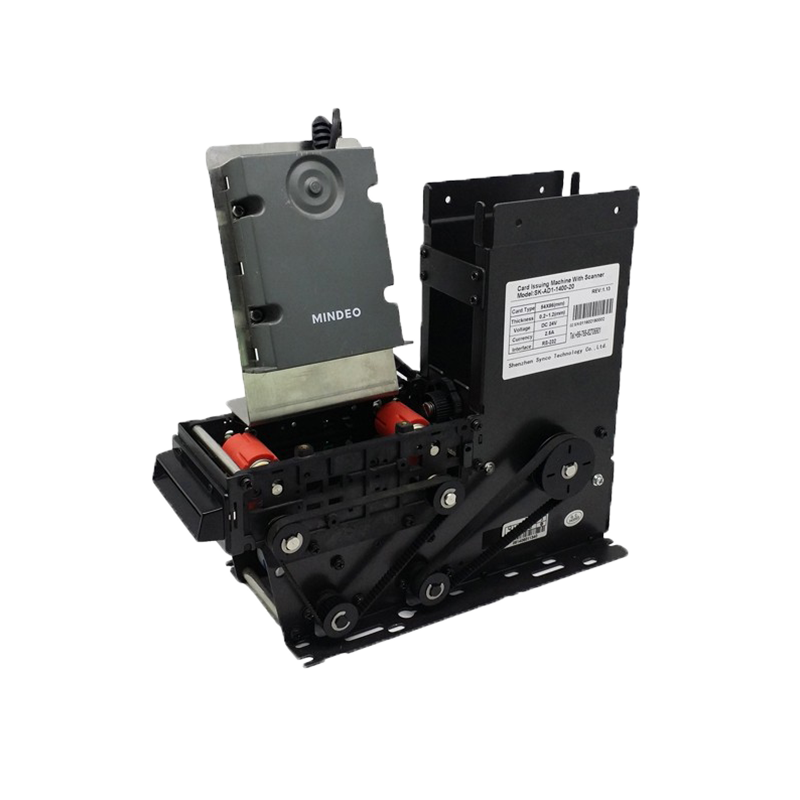
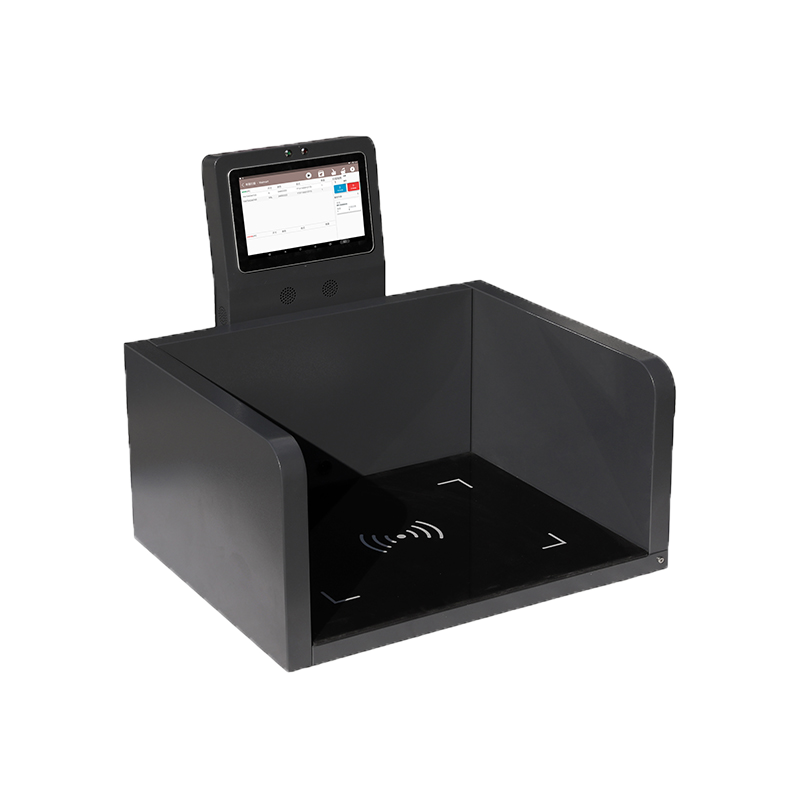
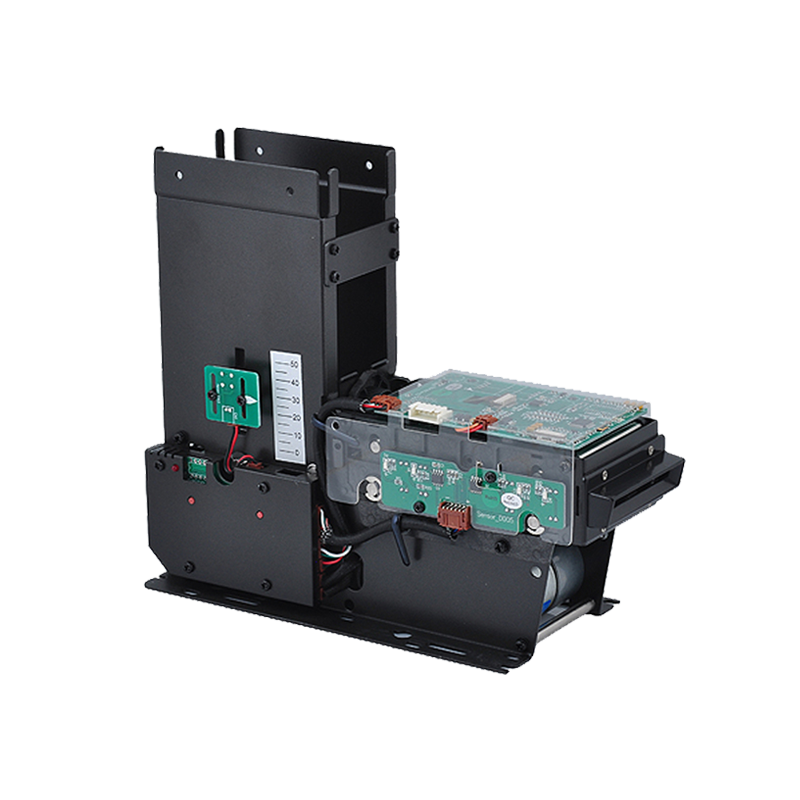
Syncotek provides barcode-enabled RFID handhelds, intelligent workstations, card-dispensing equipment, embedded reader modules, fixed RFID readers, desktop readers, antennas, tags, and customized OEM/ODM hardware.
Whether your project requires a 2D scan engine for a kiosk, barcode and RFID hybrid data collection, card issuing with barcode verification, warehouse scanning, or an embedded automatic-identification module, Syncotek can help evaluate suitable hardware based on your barcode type, working distance, interface, installation space, environment, and software workflow.
Explore Syncotek’s card devices and RFID products for your identification and data-capture project.
 Knowledge
Inventory management is one of the most important parts of modern business operations. Whether a company manages raw materials, finished goods, returnable containers, tools, retail products, medical supplies, or industrial assets, inventory accuracy directly affects cost, delivery speed, productivity, and customer satisfaction. Traditional inventory methods often rely on manual counting, spreadsheets, or barcode scanning. These […]
READ MORE Knowledge
RFID tags are electronic identifiers that allow physical products, assets, containers, tools, garments and other objects to communicate wirelessly with an RFID reader. Unlike a barcode, an RFID tag normally does not need to be directly visible to the reader. Depending on the RFID technology and system design, readers can identify individual tags, inventory multiple […]
READ MORE Knowledge
RFID—Radio Frequency Identification—is a wireless technology that identifies objects using radio waves. An RFID system can detect items without line-of-sight, often in bulk, and can automate tracking across warehouses, factories, retail stores, hospitals, and security systems. This guide explains what RFID is, how it works, RFID frequencies (LF/HF/NFC/UHF/RAIN), tags and readers, passive vs active vs […]
READ MORE Knowledge
What is a “long distance” RFID reader? In most industrial and logistics projects, “long distance RFID reader” usually means a UHF (RAIN RFID) reader designed to read passive UHF tags at longer distances than LF/HF systems. UHF (typically 860–960 MHz depending on region) is commonly chosen for fast inventory and longer range performance. Important reality check: “Long distance” is not […]
READ MORE Knowledge
The RFID system auto-identifies vehicles' weight, calculates net weight, and provides real-time monitoring for optimized efficiency.
READ MOREIf you are interested in our services or need customized solutions, please feel free to contact us.