
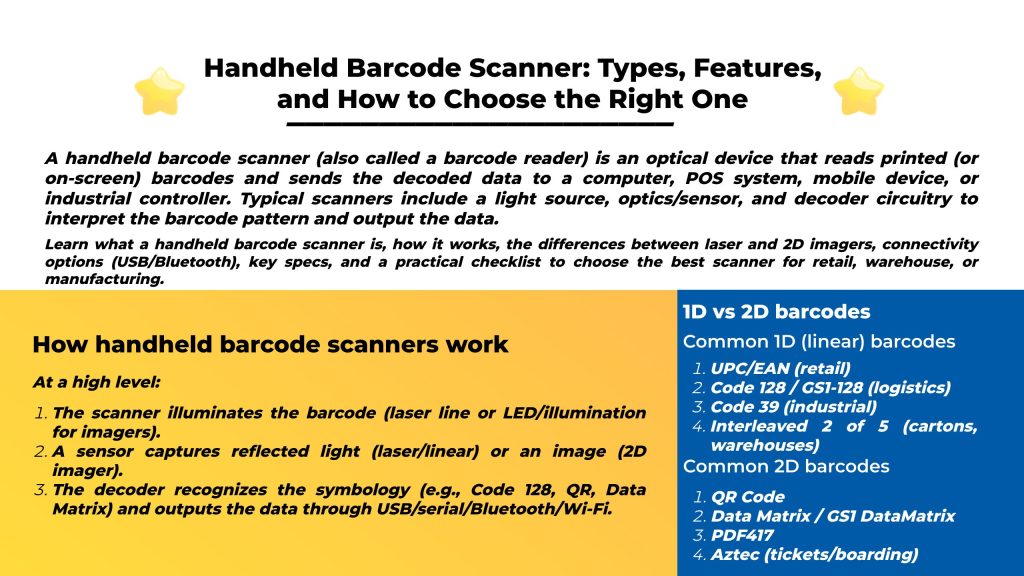
A handheld barcode scanner (also called a barcode reader) is an optical device that reads printed (or on-screen) barcodes and sends the decoded data to a computer, POS system, mobile device, or industrial controller. Typical scanners include a light source, optics/sensor, and decoder circuitry to interpret the barcode pattern and output the data.
At a high level:
Most “handheld barcode scanner” buying decisions come down to the scan engine:
| Type | Reads | Strengths | Limitations | Best for |
|---|---|---|---|---|
| Laser (1D) | 1D only | Cost-effective; good for classic retail 1D labels | Cannot read 2D codes | Basic POS / simple inventory |
| Linear imager (1D) | 1D only | Captures an image line; often better on poorly printed/damaged 1D than lasers | Still 1D-only | Warehousing/retail 1D with tougher labels |
| 2D area imager | 1D + 2D | Camera-like; reads in any orientation; often reads screen barcodes | Typically higher cost than 1D-only | Modern retail (mobile coupons), logistics, healthcare, manufacturing |
Reality today: Many modern handheld scanners are camera-based 2D imagers because they can handle both 1D and 2D codes and are more flexible in real workflows.
A good overview of mainstream 2D symbologies (QR, Data Matrix, PDF417, etc.) is listed here.
Tip: If you scan phone screens (mobile payment, coupons, tickets), you typically want a 2D area imager, not a basic 1D laser.
Most cordless handheld scanners talk to a base/cradle, which then connects to the host by USB—easy to retrofit without changing software.
Bluetooth range note: many setups are around “room-scale” (tens of feet), though specialized options can be longer.
Many scanners can act like a keyboard: when you scan, the data is “typed” into whatever field your cursor is in. Microsoft documents this as keyboard wedge mode.
“Longer range” depends on the engine + optics + label size/quality. Some comparisons show lasers can have advantages at distance in certain configurations.
2D imagers often perform better than lasers on low-quality or damaged codes (especially in real-world logistics labels).
If you scan etched, dot-peened, or laser-marked codes on metal/plastic parts, look for DPM-capable models. Major vendors explicitly position handheld scanners for DPM workloads.
Check:
Use this checklist to pick the right class of scanner:
Common settings:
If you scan QR codes, Data Matrix, PDF417, or codes on phone screens, a 2D imager is typically the safest choice.
Yes—if you only scan standard 1D retail labels and cost is the priority. But they won’t read 2D codes.
It’s when the scanner appears as a keyboard to the computer, letting you scan into apps like Excel or Notepad without special software.
DPM stands for Direct Part Marking—codes permanently marked on parts (etched/dot-peened/laser marked). Many industrial scanners explicitly support DPM use cases.
 Knowledge
What is RFID software? RFID software is the layer that turns RFID hardware signals (readers, antennas, tags, sensors) into usable data and workflows—inventory updates, asset movements, shipping/receiving events, access logs, and analytics. In most real deployments, RFID systems require middleware: software that sits between RFID interrogators (readers) and enterprise applications (WMS/ERP/MES/POS). It manages/configures devices and processes raw tag data by filtering duplicates […]
READ MORE Knowledge
HF RFID (High-Frequency Radio Frequency Identification) is a widely used RFID technology operating at 13.56 MHz. It’s best known for short-range, controlled reads, strong support for secure credentials, and the fact that NFC is built on the same HF band. If your project needs a tap / close-range user experience—like access control badges, library book tags, healthcare wristbands, or secure ID cards—HF […]
READ MORE Knowledge
What is a “long distance” RFID reader? In most industrial and logistics projects, “long distance RFID reader” usually means a UHF (RAIN RFID) reader designed to read passive UHF tags at longer distances than LF/HF systems. UHF (typically 860–960 MHz depending on region) is commonly chosen for fast inventory and longer range performance. Important reality check: “Long distance” is not […]
READ MORE Knowledge
What are LLRP, ALE, and EPCIS (in one minute)? These three GS1/EPCglobal standards cover different layers of an RFID solution: LLRP (Low Level Reader Protocol): a low-level protocol between software and an RFID reader that provides fine control of a single reader. ALE (Application Level Events): a standard interface for applications to obtain filtered, consolidated RFID capture data (i.e., […]
READ MORE Knowledge
The RFID system auto-identifies vehicles' weight, calculates net weight, and provides real-time monitoring for optimized efficiency.
READ MOREIf you are interested in our services or need customized solutions, please feel free to contact us.